The Best AI Tools for Web Design in 2026
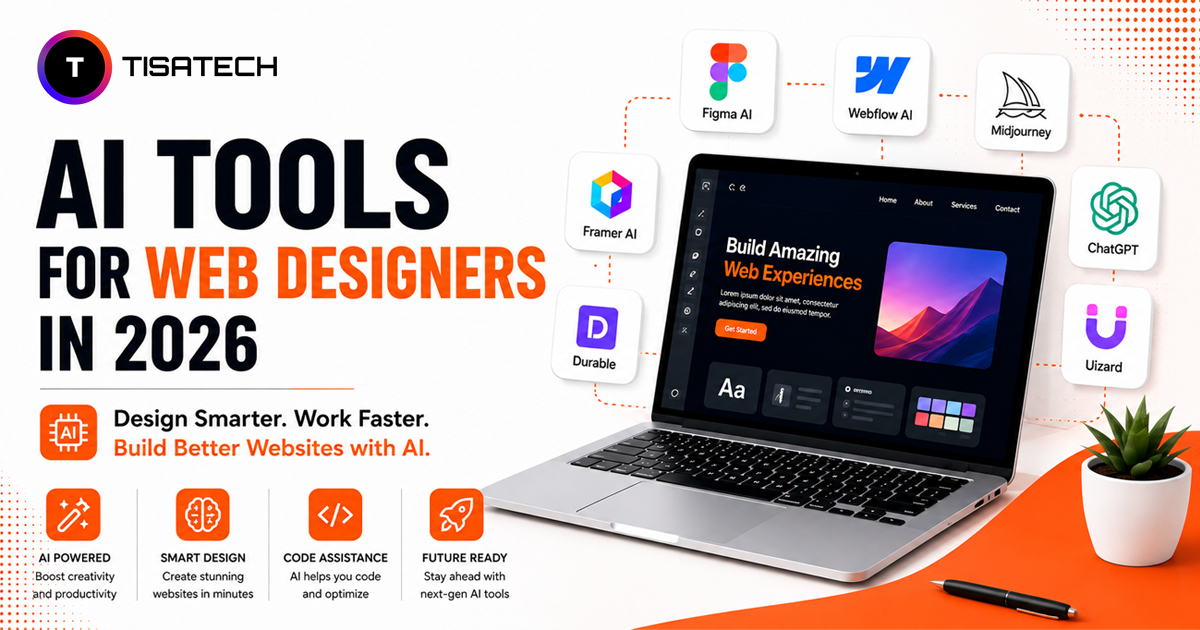
Before the prompts, you need the right tools. Here are the ones we teach at TISA Tech right now.
- v0 by Vercel: is the favourite for component level work. Type a prompt, get a React component with Tailwind CSS. Great for landing pages and dashboards.
- Framer AI turns prompts into full multi page websites with animations baked in. Best for portfolios and agency sites.
- Claude with Artifacts: generates complete HTML, CSS, and JavaScript in one go with a live preview. Good for prototypes and one page sites.
- ChatGPT with browsing is useful when you want the AI to study competitor sites first and then build something inspired by them.
- Lovable and Bolt: new are full stack builders. They give you working apps with backends, databases, and login systems.
Pick one tool. Learn it deeply. Then move to the next. Most students start with v0 because the free tier is generous.
The Best prompts for website design That Actually Works
Every good prompt has six parts. Memorize this formula and your results will jump by 10x.
- What you want (landing page, dashboard, portfolio)
- Who it is for (audience, industry, age group)
- Sections to include (hero, features, pricing, footer)
- Style keywords (minimal, brutalist, glassmorphism, neon)
- Colors and fonts (specific hex codes or vibes)6. Special features (animations, dark mode, mobile first)
Here is the formula in one line:
> Build a [WHAT] for [WHO] with sections [LIST]. Style should be [STYLE] using colors [COLORS] and fonts [FONTS]. Include [FEATURES].
Now let us get to the actual prompts.
40+ Copy Paste Prompts for AI Website Builders
Category 1: Complete Website Generation (5 Prompts)
Prompt 1: Modern Startup Website
> Build a complete 5 page website for a Jaipur based EdTech startup called Skillgrid. Include home, about, courses, blog, and contact pages. Use a clean minimal style with white background, deep navy headings, and one accent color of warm orange. Add a sticky navbar, smooth scroll, and a sign up CTA on every page.
Prompt 2: Local Business Website
> Generate a 4 page website for a family run sweet shop in Jaipur called Mishthaan. Pages needed are home, our story, menu with prices, and visit us with a Google Maps embed. Style should feel warm and traditional with maroon, gold, and cream colors. Use a serif font for headings.
Prompt 3: Restaurant Site with Reservations
> Create a single page restaurant website for a rooftop cafe in Bani Park. Include hero with a food photo placeholder, menu sections divided by breakfast lunch dinner, photo gallery grid, customer reviews carousel, and a reservation form with date time and party size fields. Use earthy tones and a handwritten font for accents.
Prompt 4: Coaching Institute Website
> Build a 6 section website for a TISA-TECH coaching institute. Sections needed are hero with student success number counter, courses offered, faculty cards, results showcase with student photos, fee structure table, and an enquiry form. Style should look trustworthy with deep blue and white. Add a WhatsApp floating button.
Prompt 5: Wedding Photographer Website
> Generate a full screen scrollable website for a wedding photographer in Rajasthan. Include a fullscreen hero slider, services pricing cards, portfolio masonry gallery, client testimonials with star ratings, and a booking inquiry form. Use a moody luxury feel with charcoal background, gold accents, and an elegant serif font.
 Instagram Page
Category 2: AI Landing Page Prompts (5 Prompts)
Prompt 6: SaaS Landing Page
> Design a high converting SaaS landing page for an AI invoicing tool called Bill Buddy. Include hero with headline and subheadline, social proof logos strip, three feature blocks with icons, a comparison table against competitors, pricing section with three tiers, customer testimonials, FAQ accordion, and footer. Use a fresh modern style with white background, electric blue accents, and rounded corners everywhere.
Prompt 7: Mobile App Landing Page
> Create a landing page for a fitness mobile app called FitMate. Include phone mockup hero, app features with screenshots side by side, app store and play store buttons, user reviews carousel, and a section showing the app dashboard. Use vibrant gradients of pink and purple with a dark background.
Prompt 8: Course Launch Landing Page
> Build a landing page for a digital marketing course launch. Include countdown timer, course outline with modules, instructor bio with credentials, three pricing options, money back guarantee badge, student success stories, and a sticky enroll now button at the bottom on mobile. Use orange and white with bold typography.
Prompt 9: Event Landing Page
> Generate a landing page for a tech conference happening in Jaipur. Include hero with event date and venue, speakers grid with photos and titles, schedule timeline, ticket pricing tiers, sponsors section, and a registration form. Use a futuristic dark theme with neon green accents.
Prompt 10: Lead Magnet Landing Page
> Design a simple high converting landing page that gives away a free ebook on freelancing. Include attention grabbing headline, three benefit bullets, ebook cover mockup, email capture form with just one field, and trust badges. Style should be minimal and focused with a single CTA. Use cream background and dark green text.
Category 3: Hero Section Design Prompts (5 Prompts)
Prompt 11: Animated Hero
> Design a hero section for an AI startup with a large bold headline that types itself out word by word, a subheadline below, two buttons for Get Started and Watch Demo, and an animated dashboard mockup floating on the right side. The background should have subtle moving gradient blobs in purple and pink.
Prompt 12: Split Screen Hero
> Create a split screen hero section. The left half has a headline subheadline and CTA button on a solid black background. The right half has a high quality product photo with a soft shadow on a cream background. Use a modern sans serif font and add a small badge above the headline saying New for 2026.
Prompt 13: Video Background Hero
> Build a fullscreen hero section with a looping background video placeholder, a dark overlay for readability, centered headline and subheadline in white, and a single ghost button with a play icon. Add a scroll down arrow that bounces slowly at the bottom.
Prompt 14: Minimalist Hero
> Design a very minimal hero section with just a one line headline in huge typography, a small descriptive line below it, and one underlined text link as the CTA. Use a lot of whitespace, a single thin horizontal line as separator, and a monochrome black on white look.
Prompt 15: 3D Hero
> Create a hero section with a rotating 3D shape on the right side using CSS animations, a strong headline on the left, two buttons, and a small stats row at the bottom showing user count, revenue, and rating. Use a glassmorphism style with frosted glass cards and a gradient background.
Category 4: E-commerce Website Prompts (5 Prompts)
Prompt 16: Fashion Store Homepage
> Build an ecommerce homepage for a Jaipuri block print clothing brand called Rangrez. Include announcement bar, navbar with cart icon, hero with model photo and shop now button, new arrivals product grid with four items, category cards for women men kids, story section about block printing, customer photos from Instagram, and a newsletter footer. Use cream and indigo colors.
Prompt 17: Product Detail Page
> Design a product detail page for a handmade leather bag. Include image gallery with thumbnails, product title price and rating, size selector, color swatches, quantity selector, add to cart and buy now buttons, product description tabs for details shipping and reviews, and a related products carousel at the bottom.
Prompt 18: Electronics Store
> Generate a homepage for an electronics store. Include a flash sale countdown banner, mega menu navigation, deal of the day hero, category icons row, trending products grid, brand logos strip, and a footer with payment method icons. Use a clean white and red color scheme.
Prompt 19: Single Product Landing
> Create a single product ecommerce landing page for a smart water bottle. Include hero with product spinning, problem agitation section, three key features with animated icons, lifestyle photos, customer reviews with photos, comparison with regular bottles, FAQ, and a sticky add to cart bar at the bottom.
Prompt 20: Cart and Checkout Page
> Build a two step checkout page. Step one shows cart items with quantity controls, subtotal, shipping, and total. Step two has a clean address form with autofill, payment method radio buttons, and a place order button. Add a trust strip with secure payment icons. Keep the design simple and distraction free.
Category 5: Portfolio Website Prompts (5 Prompts)
Prompt 21: Designer Portfolio
> Build a one page portfolio for a UI UX designer fresher from Jaipur. Include a personal hero with name and tagline, about section with photo and short bio, skills grid with progress bars, projects masonry gallery with hover effects showing project name, education timeline, and contact form with email and Instagram links. Use a soft pastel theme.
Prompt 22: Developer Portfolio Dark Theme
> Generate a dark themed developer portfolio. Include terminal style hero where text types itself, projects section with code preview cards, tech stack icons grid, GitHub contribution graph embed, blog posts list, and a contact section with copy email button. Use black background, neon green accents, and a monospace font.
Prompt 23: Photography Portfolio
> Create a fullscreen photography portfolio. Include a slideshow hero with arrow navigation, about page with photographer bio, services pricing, gallery filtered by categories like wedding portrait travel, client logos, and a booking form. Use minimal black and white design where photos are the hero.
Prompt 24: Freelancer Portfolio
> Design a freelance writer portfolio. Include hero with name and what I do line, services offered as cards, sample work clippings with publication logos, testimonials from clients, packages and pricing, and a hire me form. Use a warm beige and brown editorial style with serif headlines.
Prompt 25: Student Portfolio
> Build a simple portfolio website for a college student looking for internships. Include a friendly hero with photo and elevator pitch, about section, education and certifications, project cards from college work, skills tags, resume download button, and links to LinkedIn GitHub and email. Use a clean modern style with one accent color.
Category 6: SaaS Dashboard UI Prompts (5 Prompts)
Prompt 26: Analytics Dashboard
> Generate a SaaS analytics dashboard UI. Include left sidebar navigation with icons, top bar with search profile and notifications, four stat cards showing revenue users orders growth, a large line chart of monthly revenue, a donut chart for traffic sources, and a recent transactions table. Use a clean light theme with blue accents.
Prompt 27: Project Management Dashboard
> Design a project management tool dashboard like a Trello clone. Include sidebar with workspaces list, top bar with project name and team avatars, kanban board with three columns for todo in progress and done, draggable task cards with labels assignee and due date, and a floating add task button.
Prompt 28: CRM Dashboard
> Build a CRM dashboard for sales teams. Include sidebar navigation, today summary cards, lead pipeline funnel chart, recent leads table with status badges, upcoming meetings calendar widget, and a quick add lead button. Use a professional navy and white color scheme.
Prompt 29: Admin Panel
> Create an admin panel for an ecommerce store. Include collapsible sidebar with sections for orders products customers and reports, top header with store switcher, dashboard cards showing sales today orders pending and stock alerts, a sortable orders table with action buttons, and dark mode toggle.
Prompt 30: Settings Page UI
> Design a clean SaaS settings page. Include left sub navigation with tabs for profile billing team integrations and security, main content area with form sections, save and cancel buttons that stick to the bottom, profile photo upload, and danger zone at the bottom for account deletion. Use lots of whitespace.
 Facebook Page
Category 7: Mobile Responsive Fix Prompts (5 Prompts)
Prompt 31: Make It Mobile First
> Take the website code I just shared and rewrite it as mobile first. Stack all multi column sections into single columns on small screens. Make navigation a hamburger menu under 768px. Reduce all heading font sizes by 30 percent on mobile. Add proper padding so nothing touches the edges.
Prompt 32: Fix Mobile Navigation
> The navbar is breaking on mobile. Replace it with a hamburger menu that opens a fullscreen overlay with large tappable links. Add a close X button at the top. Animate the menu sliding in from the right. Keep the logo visible at all times.
Prompt 33: Responsive Hero Fix
> The hero section looks broken on phones. Fix it so the headline shrinks proportionally, the side image stacks below the text on mobile, the CTA buttons become full width, and the padding adjusts so nothing feels cramped. Test for screen sizes from 320px to 1440px.
Prompt 34: Touch Friendly Buttons
> Audit my page and make all buttons touch friendly. Minimum size should be 44 by 44 pixels. Add proper spacing between clickable elements so users do not tap the wrong thing. Increase font size of links inside paragraphs on mobile.
Prompt 35: Responsive Tables
> The pricing comparison table breaks on mobile and forces horizontal scroll. Convert it to a card layout under 768px where each plan becomes its own card with all features listed below. Keep the original table only on desktop and tablet.
Category 8: Beginner Stuck Prompts (5 Prompts)
Prompt 36: I Do Not Know What I Want
> I want to build a website but I do not know what it should look like. I am a fresher learning web design. Ask me five quick questions about my goals, audience, and style preferences. Then suggest three different design directions with one example layout each so I can pick one and we can build it.
Prompt 37: Improve What I Made
> Here is my website code. It looks boring. Suggest five specific design improvements I can make right now without rewriting everything. Then implement the changes one by one and explain why each one makes the site better.
Prompt 38: Beginner Friendly Build
> I am a complete beginner. Build me a simple personal website using only HTML and CSS in one single file. No frameworks. No build tools. Add comments in the code explaining what each section does so I can learn while I read. Keep the design clean and modern.
Prompt 39: Debug My Layout
> My layout is broken. Sections are overlapping and the footer is floating in the middle of the page. I will paste my code below. Find the problems, fix them, and tell me what I did wrong in simple language so I do not repeat the mistake.
Prompt 40: Make It Look Professional
> My website looks amateur. Help me make it look like it was made by a professional agency. Improve the typography, fix the spacing, suggest a better color palette, add subtle hover effects, and make the CTA buttons stand out more. Show before and after for each change.
Bonus Category: Framer AI and v0 Specific Prompts (5 Prompts)
Prompt 41: v0 Component Stack
> v0, generate a pricing section with three plan cards. Middle card should be highlighted as Most Popular with a soft glow. Use shadcn components, Tailwind CSS, and lucide icons. Make it fully responsive. Add a monthly yearly toggle at the top that updates prices with a smooth count animation.
Prompt 42: v0 Dashboard Component
> v0, build a sidebar component for a SaaS dashboard. Include collapsible navigation with nested items, user profile at the bottom with dropdown menu, search bar at the top, and dark mode support. Use shadcn ui patterns. Make it work with Next.js app router.
Prompt 43: Framer AI Multi Page
> Framer, create a 4 page agency website. Pages are home work about and contact. Use scroll triggered animations on every section. Add a custom cursor that grows when hovering links. Use a bold black and yellow color scheme. Include smooth page transitions.
Prompt 44: Framer Portfolio Animation
> Framer, design a portfolio site with a magazine style scroll. Each project gets a fullscreen reveal with horizontal scroll inside. Add parallax on images and stagger animation on text. Use a serif headline font and a clean sans serif body font.
Prompt 45: v0 Form Component
> v0, create a multi step form with three steps for a booking flow. Step one collects name and email. Step two collects service and date. Step three shows summary and confirms. Add a progress bar at the top, validation on each step, and smooth transitions between steps. Use react hook form and shadcn components.
 Twitter (X) Page
How to Go From Prompt to Live Prototype
You wrote the prompt. The AI built the site. What now?
- Step Review and tweak: Read every section. If something looks off, ask the AI to fix that specific part. Do not regenerate the whole site. Just say “make the hero headline bigger and change the button color to dark green.”
- Step Add real content: Replace lorem ipsum with your actual text. Replace placeholder images with real photos. AI gives you the structure. You give it the soul.
- Step Test on mobile: Open the preview on your phone or use the browser inspector. If something looks weird, use one of the mobile fix prompts above.
- Step Export the code: Most tools let you download a zip or push to GitHub. v0 lets you copy components. Framer publishes to a free subdomain.
- Step Deploy free: Use Vercel, Netlify, or Cloudflare Pages. Drag your folder. Hit deploy. Live in two minutes.
- Step Buy a domain: A .in or .com domain costs around 700 to 1200 rupees per year. Connect it inside the deployment dashboard.
That is the full journey from prompt to live site. No coding bootcamp needed.
How TISA-TECH Helps You Master AI Web Design in Jaipur
If you read all the way down here, you are serious about learning this. Good.
TISA-TECH is a training institute based in Jaipur. We focus on practical skills that get you hired or freelancing within months, not years. Our students do not sit through 4 hour theory lectures. They build real projects from day one.
Our digital marketing course covers AI prompt engineering as a core module now. Because in 2026, every marketer needs to build landing pages, write ad copy, and design social creatives using AI. We teach v0, Framer AI, ChatGPT, Claude, and Midjourney inside the same course.
Here is what makes us different.
- Practical labs every day: You build a website by Friday of week one. A SaaS landing page by week three. By month two you are running real campaigns for local Jaipur businesses as part of training.
- Industry mentors: Our trainers freelance and run agencies on the side. They teach what works for clients, not just textbook theory.
- Internship support: Every student gets help finding an internship through our internship program. Real projects, real deadlines.
- Placement assistance: We connect students to companies hiring across Jaipur and remote roles across India. Resume building, mock interviews, portfolio review. All included.
- Affordable for students: College students do not have unlimited budgets. Our fees stay reasonable so you can actually afford to upskill.
If you want to learn this seriously, check out our courses page or visit the best it training institute in jaipur. The digital marketing course is the most popular one because it combines AI prompt engineering, SEO, paid ads, social media, and analytics under one roof.
FAQs About AI Website Generation
Yes. If you can write a clear paragraph in English, you can build a website. The prompts in this guide are designed for absolute beginners. Start with prompt 38 and work your way up.
Most have generous free tiers. v0 gives you free credits every month. Framer has a free plan with their subdomain. Claude artifacts are free with usage limits. You only need to pay when you start scaling or want a custom domain.
Not at all. Search engines do not care who wrote the code. They care about page speed, mobile friendliness, content quality, and backlinks. AI tools actually generate cleaner code than most beginners. Just make sure to add proper meta tags and alt text to images.
Absolutely. Many freelancers in Jaipur charge 15,000 to 50,000 per website that they build mostly using v0 and Framer. The client does not care how you built it. They care that it looks good and works. Your job is to add taste, real content, and proper deployment.
Start with v0 by Vercel. The free tier is enough. The output is clean React code. Once you are comfortable, add Framer AI for full sites and Claude artifacts for quick prototypes. Do not try to learn five tools at once.
With daily practice, most students at TISA Tech feel confident within 30 to 45 days. The first week is awkward. By week three you are writing prompts without thinking. By month two you are building client projects. Speed comes from doing, not watching tutorials.
Start Building Today. Seriously.
You have 45 Best prompts for website design above. You have the tools. You have the formula.
The only thing left is to actually try one. Pick prompt 25 if you are a student. Pick prompt 21 if you are a designer. Pick prompt 6 if you have a startup idea. Open v0 right now. Paste it. See what happens.
The students who win in 2026 are not the ones who read 50 blog posts. They are the ones who try one prompt today, fail at it, fix it, and try again tomorrow.
Bookmark this page. Come back when you are stuck. And if you want a guided path with real mentors, real projects, and placement support, the doors at TISA Tech in Jaipur are open.
Now stop reading. Open v0. Build something.