Are you a student of the IT field and want to get internships, placements, and better career opportunities in this sector? A strong LinkedIn profile can help you stand out from other students and attract recruiters.
LinkedIn is a professional networking platform where students, recruiters, companies, and industry experts connect with each other. It helps students showcase their skills, projects, certifications, education, and career interests in one place. Even beginners can build a professional LinkedIn profile by regularly updating their technical skills and learning activities.
A good LinkedIn profile helps IT students build professional connections, find internships, follow industry trends, and improve career opportunities in the tech industry.
How to Create & Update LinkedIn Profile for Students?
Many beginners do not know how to create a LinkedIn profile but the process is very simple. A good profile helps students build a strong professional identity.
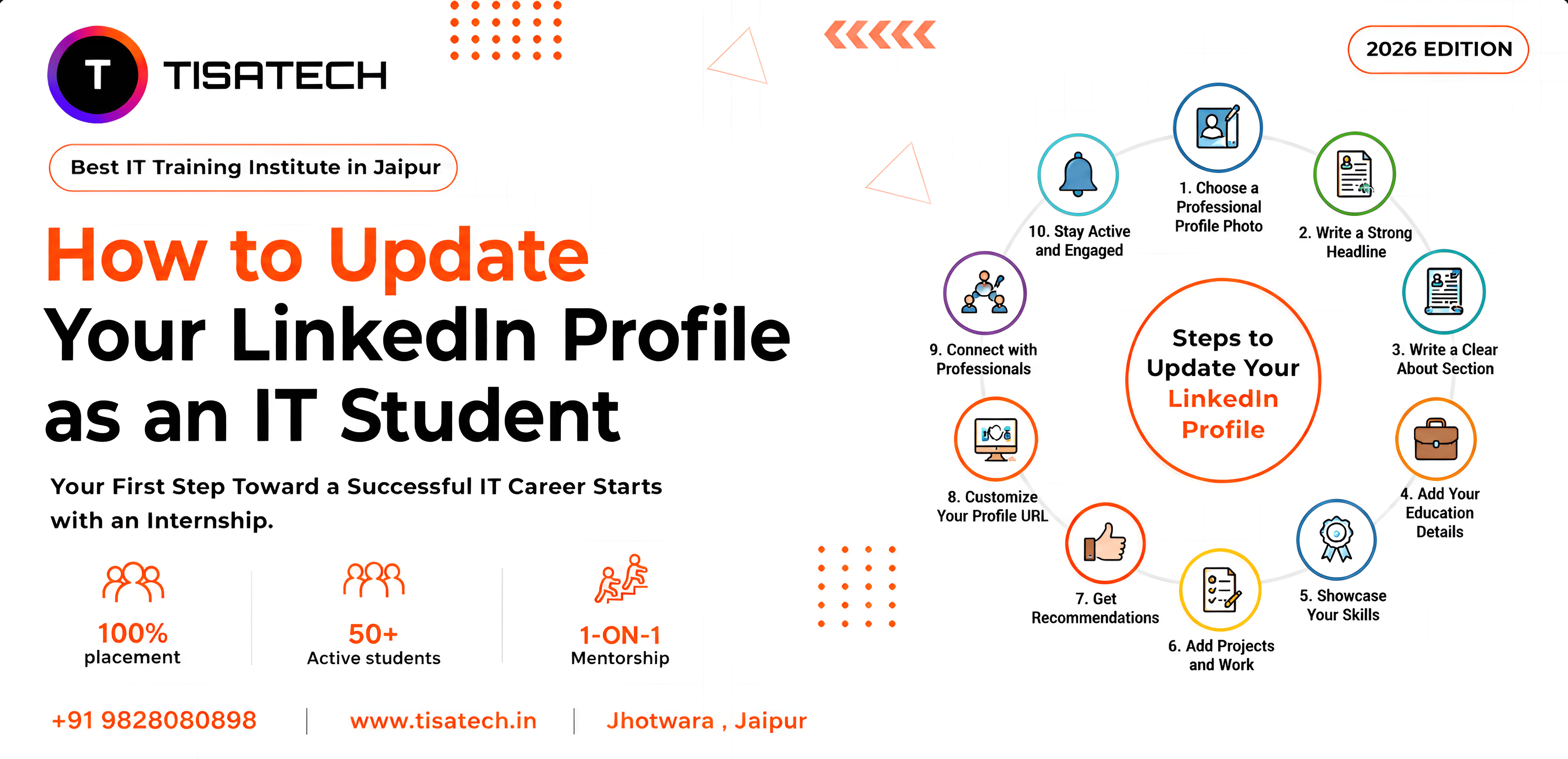
Follow these basic steps:
- Create Your Account: Visit LinkedIn and sign up with your professional email ID.
- Add a Professional Photo: Add a clear photo with decent clothes and a simple background. Avoid selfies and casual pictures.
- Write a Strong Headline: Your headline should explain who you are and what you want to become. Example: “IT Student | Web Development Learner | Future Software Engineer”
- Add Education Details: Mention your college name, course, and graduation year properly.
- Add Technical Skills: Include skills Python, Java, HTML, CSS, JavaScript, Data Structures, AI Tools, SQL
- Write an About Section: Explain your interests, goals, and learning journey briefly.
Keep Your Profile Updated: Whenever you learn a new technology or complete a certification, immediately update linkedin profile with the latest information. This is one of the best tips to update your LinkedIn profile for students.

Stay active on LinkedIn by regularly posting projects, certifications, internships, and learning experiences regularly. This helps in linkedIn profile improvement for tech students and increases profile visibility.
Best LinkedIn Headline Tips for IT Students
Your LinkedIn headline is one of the first things recruiters notice, so it should clearly explain your skills, interests, and career goals. A good headline helps improve profile visibility in recruiter searches.
Students can use simple and skill-focused headlines.
Ex; IT Student | Python Developer | Open to Internships
Computer Science Student | Learning Full Stack Development
Aspiring Software Engineer | Java | Web Development
Frontend Developer Learner | React | JavaScript
IT Fresher | Passionate About AI and Coding
Keep your headline simple and skill-focused. Avoid long and confusing lines. You can also add career goals naturally in your headline. This improves visibility when recruiters search profiles.
Write a Strong About Section
The About section explains your background, interests, and goals. Many students leave this section empty, but recruiters often read it carefully.
A good linkedIn about section for IT students should include:
- Your education
- Technical interests
- Skills you are learning
- Career goals
- Passion for technology
Example: “I am an IT student interested in web development and software technologies. I enjoy learning programming languages and building projects. Currently, I am improving my skills in Python, JavaScript, and frontend development. I am looking for opportunities to learn and grow in the IT industry.”
This is one of the simple linkedin summary examples for IT freshers. Keep your about section short, clear, and genuine. Do not copy complicated paragraphs from the internet. Write in your own words.
Add Skills, Projects, & Certifications to LinkedIn Profile
Recruiters want to see your practical knowledge, so always add skills, projects, and certifications to your LinkedIn profile.
Add Relevant Skills
Add the skills you actually know and use, such as Python, Java, HTML, CSS, JavaScript, SQL, communication, and teamwork. A good LinkedIn profile for software engineers should always highlight practical and technical skills clearly.
Add Certifications
Upload certifications from trusted platforms like Coursera, Udemy, Cisco, Google, Microsoft, and NPTEL. Certifications improve profile trust and visibility.
Add Projects
Students can add projects through the Projects section on LinkedIn to showcase their practical knowledge and technical experience. While adding projects, mention the project title, technologies used, short project description, your role, and GitHub link if available.
Example:
“Created a Student Attendance System using Python and MySQL.”
You can also use simple linkedin banner ideas for IT students like coding or technology-themed banners to make your profile look more professional.





Linkedin Networking for IT Students
LinkedIn helps IT students build professional connections and discover career opportunities. Students should connect with teachers, seniors, recruiters, developers, and IT professionals to grow their network and learn from industry experts.
While sending connection requests, always write a short and polite message to create a professional impression.
How to Optimize a LinkedIn Profile For a Tech Job?
IT students should learn how to optimize their LinkedIn profile to improve visibility and get more job opportunities from recruiters.
Follow these simple tips:
A. Use Relevant Keywords
Add simple technical keywords in your profile like Software Developer, Frontend Developer, Python Developer, AI Learner, and Web Developer.
Recruiters search profiles using these terms.
B. Keep Your Profile Updated
Always Update linkedin profile when you complete a project, learn a new skill, get a certificate and join an internship.
An updated profile looks active and professional.
C. Add GitHub and Portfolio Links
If you have coding projects, add your GitHub link. It helps recruiters check your work directly.
D. Get Recommendations and Approval
Ask teachers, mentors, or internship trainers to give recommendations. Skill approval also improves profile trust.
How to Make a LinkedIn Profile Attractive For Recruiter?
Students should create a professional LinkedIn profile to improve internship, placement, and job opportunities. A strong and updated profile helps recruiters easily notice your skills, projects, and career interests.
Here are simple ways to make an attractive linkedIn profile:
A. Using a professional profile photo creates a good first impression. A clear headline helps recruiters quickly understand your skills and career goals.
B. Adding technical and practical skills improves your visibility in recruiter searches. Showing projects and certifications highlights your real knowledge and experience.
C. Keeping your profile complete and updated makes it more professional and trustworthy. Staying active on LinkedIn by posting and engaging helps increase your profile visibility.
D. Connecting with recruiters and industry professionals helps you find better career opportunities. Using simple and professional language makes your profile easy to read and understand.
A complete and updated profile attracts more recruiters and helps IT students improve their LinkedIn profile.
Common LinkedIn Mistakes Students Should Avoid
Many students make small mistakes that reduce profile quality.
Avoid these mistakes:
1.Using casual photos
- Writing copied summaries
- Adding fake skills
- Leaving profile incomplete
- Staying inactive for months
- Sending empty connection requests
- Posting irrelevant content
Always keep your profile clean and professional.
How TISA-TECH Jaipur Helps IT Students?
If you are an IT student in Jaipur and do not know where to start your tech journey, TISA-TECH Jaipur can help you build both technical and professional skills.
TISA-TECH trains students in technologies like web development, Python, Java, and React through practical learning and real projects. Students can directly add these projects to their LinkedIn profiles to showcase their skills. The institute also guides students to create a LinkedIn profile and improve their online professional presence.
Check TISA-TECH Placements to explore career opportunities for students after training. Read our reviews of students to understand the learning experience at TISA-TECH. And explore our tech courses to choose the right programme for your career goals.
Conclusion
LinkedIn is a powerful platform for IT students to build professional connections and explore career opportunities. A strong profile with skills, projects, and certifications can help students get internships and placements faster.
At TISA-TECH Jaipur, students learn practical IT skills, real project development, and professional profile building to prepare for the tech industry.
Regularly update linkedin profiles with your latest achievements and continue improving your technical knowledge for better career growth.
FAQ’s Section
Ans. LinkedIn helps IT students showcase skills, projects, certifications, and career interests. It also helps students get internships, placements, networking opportunities, and professional connections.
Ans. Students can create a LinkedIn profile by adding a professional photo, strong headline, education details, technical skills, projects, certifications, and an About section. They should also regularly update their LinkedIn profile with new achievements.
Ans. Students can optimize their LinkedIn profile by using technical keywords, adding GitHub links, showcasing projects, uploading certifications, and keeping the profile updated with new skills and internships.
Ans. IT students should post about projects, certifications, internships, coding achievements, tech events, and learning experiences. Regular activity improves profile visibility and professional networking.
Ans. TISA-TECH helps IT students learn practical technologies like Python, Java, React, and web development through real projects and hands-on training. The institute also guides students in building professional LinkedIn profiles for internships and placements.