Thousands of design students apply for UI/UX jobs every year in India and Jaipur is no different. They spend months learning design tools, watching tutorials, and building confidence. But when they sit in front of a recruiter, one simple question stops them cold. Do you know Figma?
If the answer is no, the interview ends right there.
Figma has completely taken over the design industry in India and it is not slowing down. According to SQ Magazine, Figma holds over 40% market share in the global design tools industry and crossed $1 billion in revenue in 2025. According to 6sense, India ranks as the second largest Figma user base in the world with over 4,100 companies actively using it for UI design and prototyping.
The demand for UI/UX designers is growing fast across India including Jaipur. According to Felix ITs, India needs over 80,000 UI/UX designers by 2027. Fresh graduates earn between 3 to 5 LPA and senior designers with the right skills can earn up to 28 LPA annually.
But companies are not just hiring designers. They want designers who know Figma at a professional level. Designers with strong command of prototyping, wireframing, and design tools are in high demand and negotiate better salaries.
This guide covers every Figma skill you must build in 2026 before applying for your first UI/UX job in Jaipur or anywhere in India.

Why Figma is the First Skill Every UI Designer Needs in 2026
The design industry has changed a lot in the last few years. Earlier, designers used multiple tools for different tasks. One tool for wireframing, another for prototyping, another for handoff. Figma changed all of that.
Today, Figma handles everything in one place. Wireframing, UI design, prototyping, collaboration, and developer handoff all happen inside a single file. This makes it the most practical UI/UX design tool available right now.
Figma is the most powerful design tool for UI and UX professionals in 2026. Auto Layout produces designs that genuinely reflect how interfaces are built in code.
If you are serious about UI design skills in 2026, Figma is where you start.
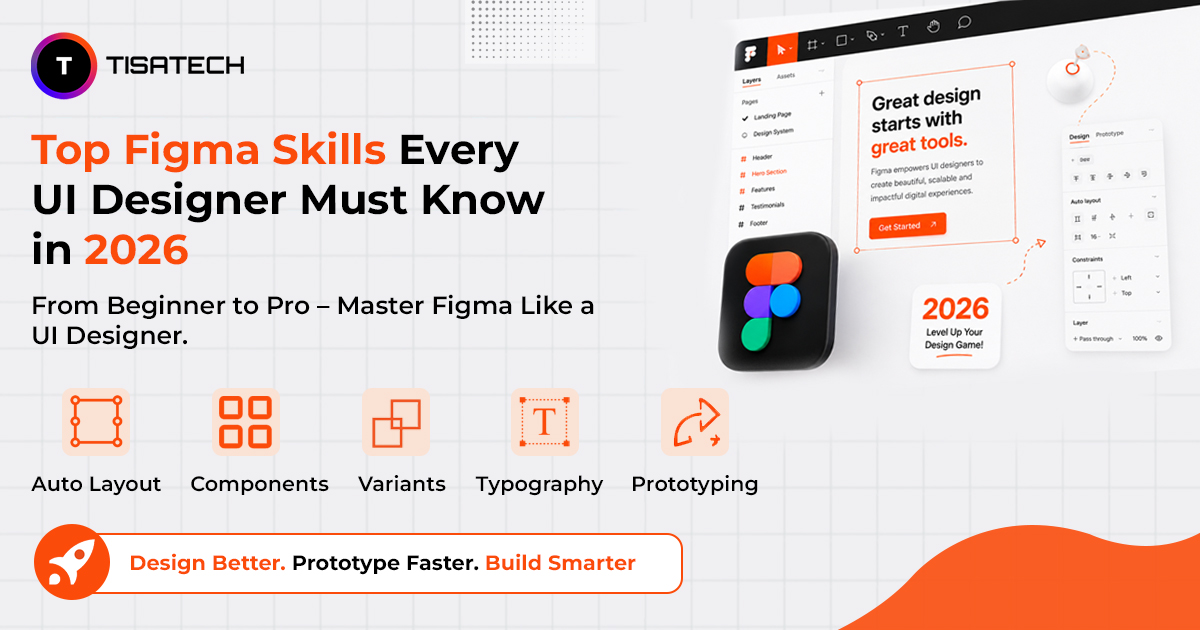
Top Figma Skills You Must Build in 2026
Figma has many features, but not all of them matter equally at the beginner level. These are the skills that companies actually look for when they hire UI designers. Learn them in order, practice them on real projects, and you will always stay ahead.
1. Auto Layout
Auto Layout is one of the most important Figma skills to learn. If you do not understand Auto Layout, you will always struggle with responsive and clean designs.
Auto Layout works exactly like CSS Flexbox in code. It makes Figma components resize automatically when content changes, the same way CSS Flexbox works in code. Apply it from the smallest element first: buttons, then rows, then screens.
Think about a button. When you add more text to that button, it should expand automatically. Auto Layout makes this happen without manual adjustments. This saves hours of work when you build screens with lots of content. Start with Auto Layout from day one and apply it to every element you create.
2. Components and Variants
Components are reusable design elements. Once you create a component you can use it anywhere in your design file. Update the main component once and every copy updates automatically.
Variants take this further. The component system lets you manage multiple states like hover, active and disabled inside a single component. This keeps your designs consistent without creating duplicate work.
Think about a button. You can build one button component with six variants: default, hover, pressed, disabled, loading and icon-only. When the brand color changes you update one style and every button in the file updates instantly.
3. Wireframing
Many beginners skip wireframing and jump straight into visual design. This is a mistake. Wireframing means planning your layout before adding colors, fonts and images. Think of it as drawing a rough map before building a house. You decide where everything goes before you start decorating.
Figma makes wireframing fast and simple. You can create a basic layout in minutes, share it with your team and get feedback early. Students who wireframe before designing always build better products and avoid costly redesigns later.
4. Prototyping
A static design shows what an app looks like. A prototype shows how it actually works. Figma’s built-in prototyping lets you create interactive flows directly inside your design files. You can add transitions, animations and conditional logic. Stakeholders can click through your prototype via a simple link without installing anything.
Start with basic click-through prototypes. Then learn transitions and smart animations. Over time you will build complete user flows that feel like real apps.
5. Design Systems
A design system is a collection of components, color styles, typography and spacing rules all organized in one place. It keeps every screen in your project consistent.
When your design system is structured well, AI can extend and maintain it faster than ever. When it is not structured well AI only makes things messier.
Most beginners avoid design systems because they feel complicated. But every company uses them. Start small. Build a color palette, a type scale and a basic set of buttons & inputs. That is your first design system.
6. Developer Handoff with Dev Mode
Your job does not end when the design is done. Developers still need to build what you created.
Figma’s Dev Mode is increasingly important as design and engineering continue to overlap. Dev Mode lets developers inspect your designs, copy CSS values and understand spacing and sizing without asking you a hundred questions. Learning Dev Mode makes you a better team player and a more complete designer.
7. Real-Time Collaboration
Figma lets multiple designers work on the same file at the same time. Everyone can see who is editing what in real time. No other design tool does this as well as Figma.
In a real job you will always work with a team. Knowing how to share files, leave comments and manage feedback inside Figma makes you easier to work with. Companies always notice this.





How TISA-TECH Helps You Build Figma Skills
Starting a career in UI design can feel confusing. It’s hard to know which skill to learn first or which tool to use. Many students spend months watching tutorials but still feel stuck, because watching is not the same as doing.
Students at TISA‑TECH Jhotwara often arrive unsure or frustrated after wasting time on the wrong resources. Mentors listen, understand their situation, and guide them step by step.
The UI/UX design course in Jaipur is built on one clear idea: learn by doing. From the first day, students work in Figma on real projects. Auto Layout is learned by building layouts, Components by creating them, and Prototyping by linking screens. By the end, every student has a portfolio that shows real work, not just certificates.
TISA‑TECH is the only AI‑powered training institute in Jaipur, helping students learn faster and smarter.
If starting feels confusing, visit and talk to the mentors. They listen, understand, and help find the right path. No pressure, no rush – just an honest talk about the future.
Conclusion
Figma is more than a design tool. It has become the language of modern UI design. The abilities explained in this guide form the foundation of good design and are the same qualities companies look for when hiring.
The best way to grow is step by step. Pick one skill, practice until it feels natural, then move to the next. Students who learn by doing and apply these skills in real projects always stand out in the job market.
TISA‑TECH Jaipur focuses on this practical approach. Real projects, clear guidance, and strong support help students build portfolios that show real work and start their careers with confidence.
FAQs Section
Ans. Auto Layout, components, variants, prototyping, wireframing, and design systems are the most important skills every UI designer must know in 2026.
Ans. Yes. Figma offers a free plan that gives you access to most features. You can start learning and building projects without paying anything.
Ans. With consistent practice and proper guidance, you can learn the basics of Figma in 4 to 6 weeks. Mastering advanced features like design systems takes a few more months of real project work.
Ans. No. Figma is a visual design tool and does not require coding. However, understanding basic concepts like Flexbox and spacing helps you use Auto Layout more effectively.
Ans. Start with the basics of frames and layers, then move to Auto Layout, then components. These three form the core of everything else in Figma.
Ans. Yes. TISA-TECH offers a practical UI/UX design course in Jaipur that covers Figma skills from beginner to job-ready level with real project experience.
Ans. Figma works in the browser, supports real-time collaboration, handles prototyping and handoff in one tool, and is used by over 95% of Fortune 500 companies. It is the industry standard in 2026.