You want to learn digital marketing in 2026. You open YouTube, you search Google, and within ten minutes you feel lost. Everyone is talking about AEO, GEO, AI Overviews, zero-click search, and a hundred new tools. The old courses still teach backlinks and keyword stuffing. The new ones sell you a dream for fifty thousand rupees.
This guide fixes that problem. It gives you a clear plan to study digital marketing on your own, using mostly free tools, starting from a blank WordPress blog and ending with real skills you can put on a resume. We have written it for college students in Jaipur who want to enter marketing jobs or start freelancing while they study.
By the end, you will know the exact order to learn things, the tools Google gives you for free, the paid tools that are worth it later, and the practical steps to build your first marketing portfolio. Let us begin.
What Digital Marketing Looks Like in 2026
The basics have not changed. You still need to attract attention, build trust, and convert interest into customers. What has changed is where people search.
Google still holds close to 89 percent of global search share, but that number is slipping. ChatGPT now handles more than two billion queries a day. Google AI Overviews appear in almost 55 percent of searches. Gartner expects traditional search engine volume to drop 25 percent by the end of 2026. Your customers are splitting their attention across Google, ChatGPT, Perplexity, Gemini, YouTube, Instagram, and WhatsApp.
This is why a 2026 roadmap has to cover more than SEO. You need to study five connected skills:
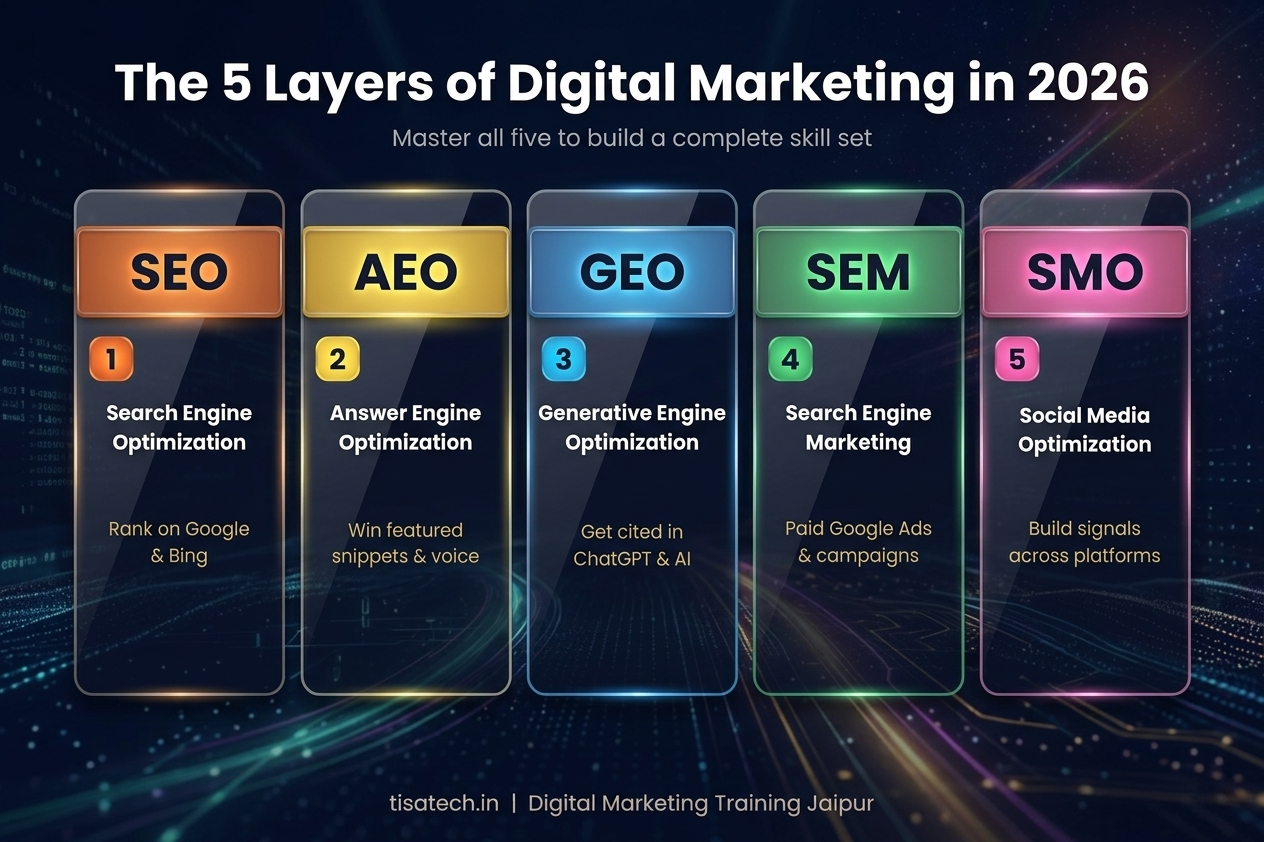
- SEO (Search Engine Optimisation): Getting ranked on Google, Bing, and similar engines.
- AEO (Answer Engine Optimisation): Getting cited by ChatGPT, Perplexity, and Google AI Overviews.
- GEO (Generative Engine Optimisation): The broader practice of making your brand visible inside AI-generated answers.
- SMO (Social Media Optimisation): Growing reach and engagement across Instagram, LinkedIn, YouTube, Facebook, and X.
- SEM (Search Engine Marketing): Running paid ads on Google, Meta, and LinkedIn.
Think of it this way. SEO gets your page listed. AEO gets your page quoted inside an AI answer. SEM gets your page shown at the top for money. SMO gets people talking about you on social platforms. You will learn all of them, but in the right order.
Step 1: Build a Free WordPress Blog as Your Practice Ground
Reading about marketing is useless. You have to practise on a real website. Your first task is to build one.
Buy a domain from GoDaddy, Namecheap, or Hostinger for around 200 to 700 rupees for the first year. Pick shared hosting for 150 to 300 rupees a month. Hostinger, Bluehost, and A2 Hosting all work. Install WordPress in one click from the hosting dashboard.
Pick a free theme like Astra, GeneratePress, or Kadence. Install these free plugins to start:
– Rank Math or Yoast SEO for on-page SEO
– Site Kit by Google for connecting Analytics and Search Console
– WP Rocket free alternative like W3 Total Cache for speed
– Wordfence for basic security
– ShortPixel or Imagify for image compression
Pick a small niche you actually know something about. Cricket, skincare for college students, coaching classes in Jaipur, affordable PG food, anything. Write five blog posts in your first week. They do not need to be perfect. They need to exist so you can optimise them.
If this setup feels heavy, join the digital marketing course at TISA-TECH where the first two weeks focus entirely on building your own blog the right way.
Step 2: Learn SEO Fundamentals From Google Itself
Most beginners waste money on courses that teach outdated SEO. The best source is free and official. Go to Google Search Central at `developers.google.com/search/docs` and read the SEO Starter Guide end to end. This is the document Google gives to its own developers. Everything else is a translation of this.
Combine it with Search Engine Journal, the Semrush blog, Ahrefs blog, and the Moz Beginner Guide. Do not jump between ten blogs in one day. Pick one topic, read three sources on it, then apply it to your blog.
SEO has three main parts you need to study in order. {Bold white and organge underline-}”On-page SEO. Technical SEO. Off-page SEO”. We will cover each.
Step 3: On-Page SEO Checklist (Practise on Every Blog Post)
On-page SEO is everything you control on the page itself. Use this checklist every time you publish a post.
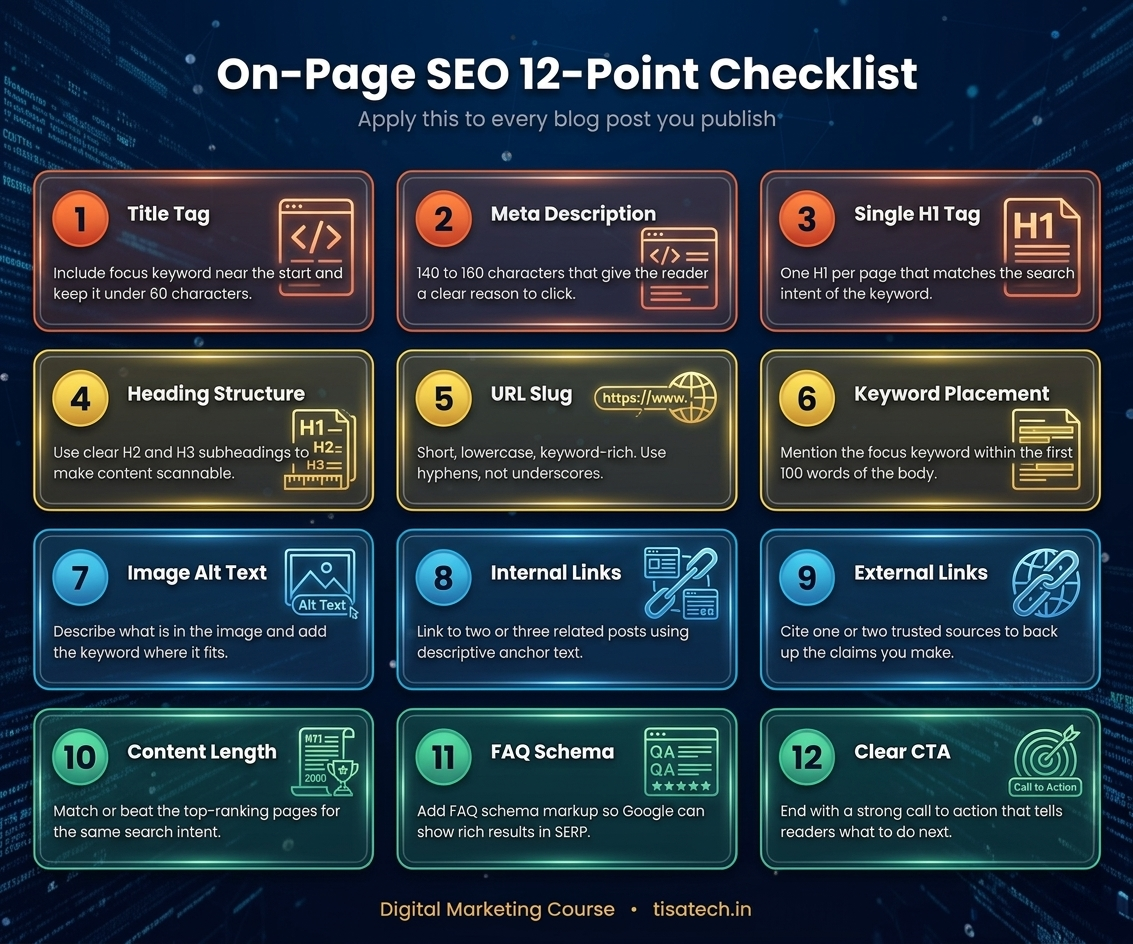
- Focus keyword in the title tag and place it near the start. Keep titles under 60 characters so Google does not cut them.
- Meta description of 140 to 160 characters that includes the focus keyword and a reason to click.
- One H1 tag only per page, matching the search intent of your keyword.
- H2 and H3 subheadings that break content into scannable sections. Add related keywords here.
- URL slug that is short, lowercase, and keyword-rich. Use hyphens, never underscores.
- Focus keyword in the first 100 words of the body.
- Image alt text describing what is in the image, with the keyword used naturally where it fits.
- Internal links to at least two or three related posts on your own site, using descriptive anchor text.
- External links to one or two trusted sources to back up claims.
- Content length matched to intent. A definition query may need 600 words. A buying guide may need 2500. Check what is ranking and match or beat it.
- LSI and semantic keywords spread naturally through the content. Tools like Surfer or Frase show these if you want paid help.
- FAQ section with schema markup so Google can show rich results.
- Readability score under 10th grade level. Short sentences. Short paragraphs. Clear words.
- Call to action at the end that tells the reader what to do next.
Do this for every post. It will feel slow for the first ten posts. By the twentieth it becomes second nature.
Step 4: Technical SEO in Full Detail
Technical SEO is the part most students skip because it sounds scary. It is also the part that gives the fastest ranking improvements in 2026. Google explicitly clarified in its December 2025 Rendering Update that pages returning non-200 HTTP status codes may be excluded from the rendering pipeline entirely. If your site has broken pages, you disappear.
Here is your technical SEO checklist in plain language.
1. Crawling and Indexing
Submit your XML sitemap in Google Search Console. Create and test your robots.txt file. Do a site:yourdomain.com search to see which pages Google has indexed. If important pages are missing, you have a crawling problem.
2. Site Speed and Core Web Vitals
Core Web Vitals are three numbers Google measures from real users. Your job is to pass all three at the 75th percentile.
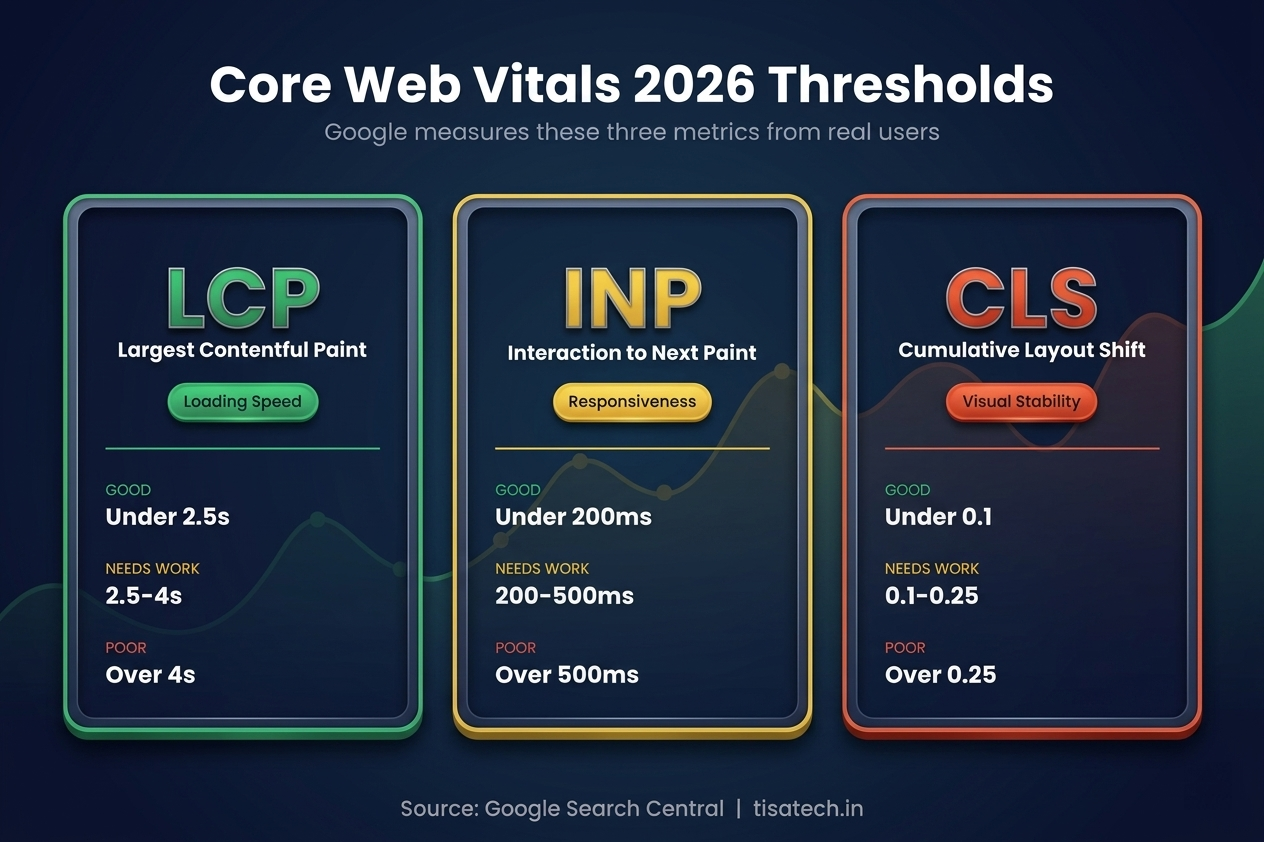
Largest Contentful Paint (LCP): The time until the largest image or text block appears. Target under 2.5 seconds.
Interaction to Next Paint (INP): How fast your page reacts when someone clicks or taps.Target under 200 milliseconds.This metric replaced First Input Delay in March 2024 and 43 percent of sites still fail it.
Cumulative Layout Shift (CLS): How much the layout jumps around while loading. Target under 0.1.
To fix LCP, compress images to WebP or AVIF, use a CDN, preload hero images, and switch to better hosting. To fix INP, remove heavy third-party scripts and defer JavaScript. To fix CLS, always set width and height attributes on images and reserve space for ads and embeds.
Test your scores in PageSpeed Insights. Monitor real user data in the Core Web Vitals report inside Google Search Console.
3. Mobile Friendly Design
Google has used mobile-first indexing since 2020. Over 60 percent of searches happen on mobile. Test every page in the Chrome DevTools mobile view. Make sure nothing is hidden behind a broken hamburger menu that Googlebot cannot open.
4. HTTPS and Security
Install a free SSL certificate through your host. Every modern browser warns users on non-HTTPS sites. This is a baseline, not a bonus.
5. Structured Data (Schema)
Add schema markup so Google and AI systems understand your content. Common types for bloggers include Article, FAQPage, HowTo, BreadcrumbList, Organization, and Person. Rank Math has a visual builder that handles this for free. Test your schema with the Rich Results Test tool.
6. URL Structure
Keep URLs short. Use hyphens. Include your keyword. Avoid deep folder nesting. Keep important pages within three clicks of the homepage.
7. Canonical Tags
Use canonical tags to tell Google which version of a page is the original when you have duplicates. WordPress plus Rank Math handles this automatically.
Screaming Frog Spider Tool
Screaming Frog Spider This is the professional tool for technical audits. Screaming Frog SEO Spider is a desktop crawler. Its free version lets you crawl up to 500 URLs. You can find broken links, missing meta descriptions, duplicate title tags, thin pages, redirect chains, and orphan pages. It is the same tool top agencies use. Install it on your laptop and run it on your own blog once a month. Even if you never use paid SEO software, Screaming Frog alone will teach you more about technical SEO than most courses.
Step 5: Off-Page SEO and 10+ Backlink Opportunities
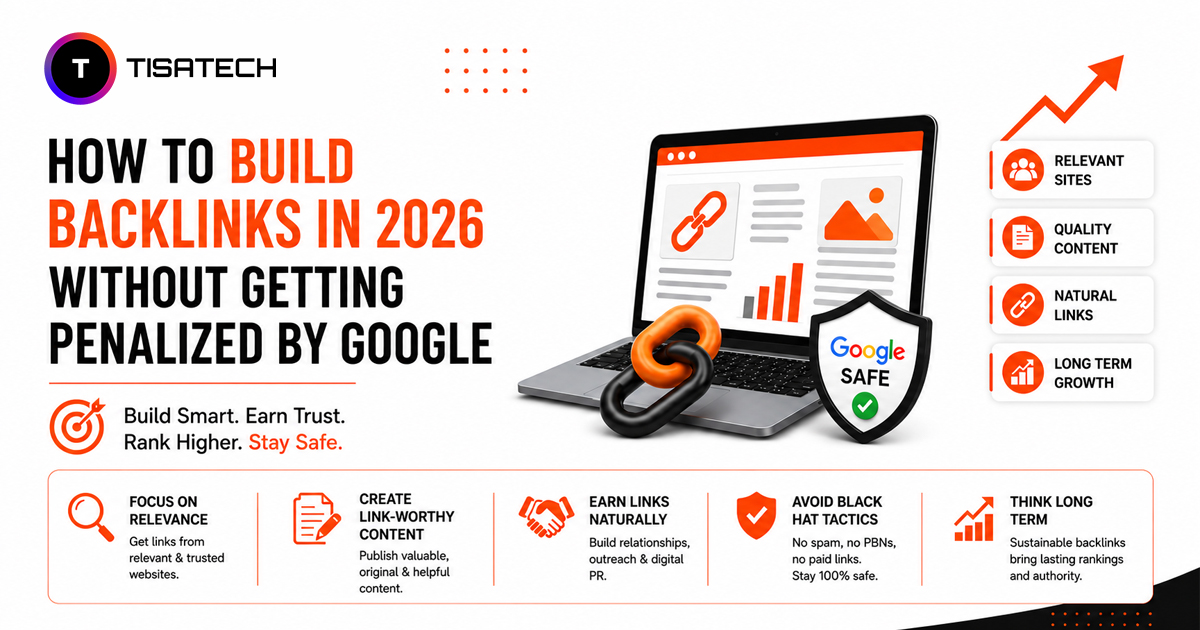
Off-page SEO is mostly about backlinks. A backlink is another website linking to yours. Google treats it as a vote of trust. In 2026, quality beats quantity. Ten good links from real Indian news sites or industry blogs matter more than a thousand forum spam links.
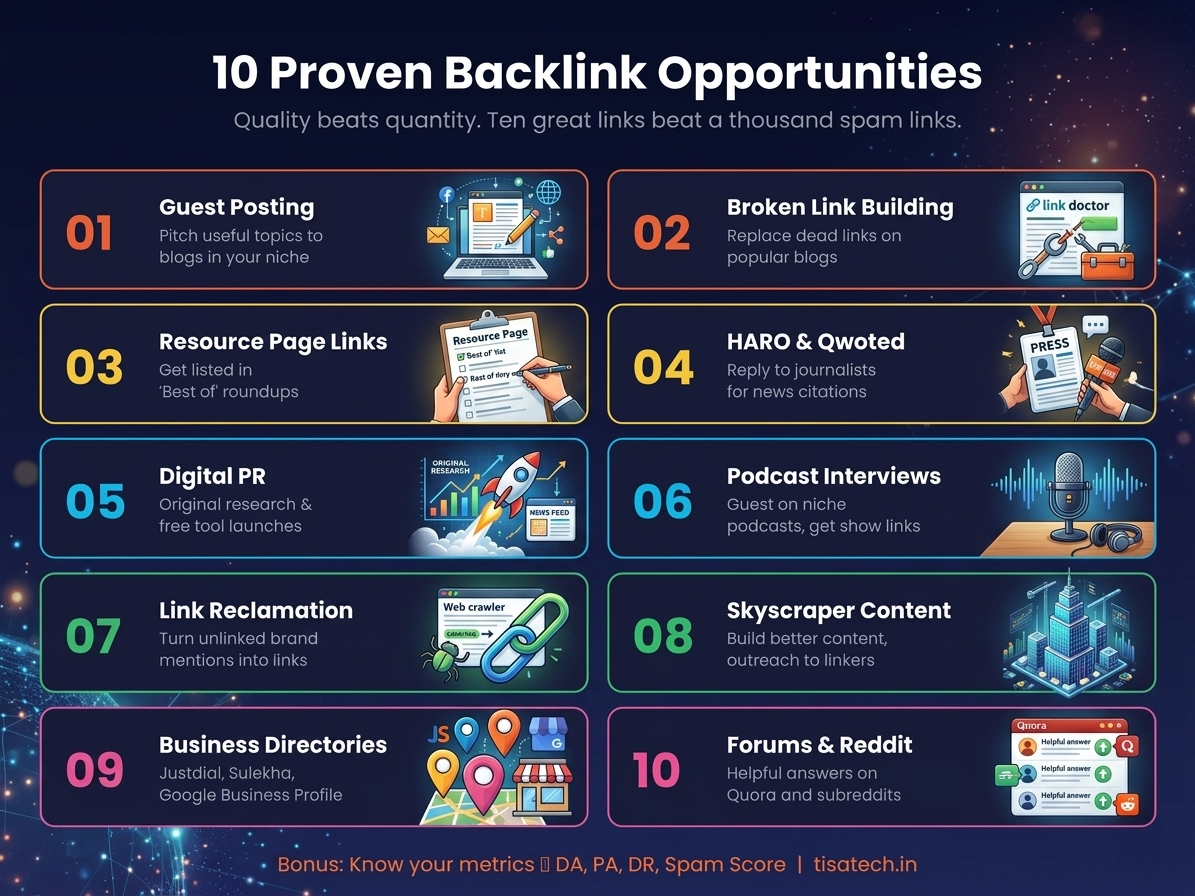
Here are the backlink opportunities you should pursue.
- Guest posting: on blogs in your niche. Pitch a useful topic, write it well, and ask for a link in return.
- Broken link building: Find dead links on popular blogs, recreate the missing content on your site, and email the webmaster.
- Resource page links: Many sites maintain pages like “Best blogs for students.” Email them and ask to be added.
- HARO and Qwoted: Journalists post requests for expert quotes. Reply quickly with a useful answer. You may get linked on news sites.
- Digital PR campaigns: Create original research, a simple survey, or a free tool. Pitch it to journalists.
- Listicle inclusion: Find articles like “Top 20 digital marketing tools” and reach out to be added.
- Podcast interviews: Guest on a niche podcast and get linked from the show notes.
- Link reclamation: Find unlinked brand mentions with Ahrefs free tools or Google search. Ask the writer to add the link.
- Skyscraper content: Find a well-linked but outdated article, build something better, and reach out to everyone linking to the original.
- Niche edit outreach: Ask bloggers to add your link inside an existing relevant post.
- Business directories: List your site on Justdial, Sulekha, Google Business Profile, Yelp, and niche Indian directories.
- Forum and Reddit participation: Answer questions on Quora and relevant subreddits. Link only where it genuinely helps. These links are usually nofollow, but they still drive traffic and brand signals that LLMs pick up.
- University and college collaboration: Write something useful for your college website or a faculty blog.
Along with backlinks, you should understand these link authority metrics.
- DA (Domain Authority): A Moz score from 1 to 100 predicting how likely a domain is to rank.
- PA (Page Authority): The same idea but for a single page.
- DR (Domain Rating): Ahrefs version of DA based on backlink strength.
- Spam Score: A Moz percentage that flags risky link patterns. Keep it below 30 percent.
Check your blog and your competitors using the free Moz Link Explorer and free Ahrefs Website Authority Checker.
Step 6: Keyword Research Using Free Tools
Keyword research is how you find what people are actually searching for. In 2026, you want a mix of short-tail, long-tail, and conversational prompts, since the conversational ones are what trigger AI answers.
- Google Keyword Planner: Free inside Google Ads. Gives volume ranges and commercial intent signals. You need a Google Ads account but you do not need to run ads.
- Google Trends: Shows rising topics in India or Jaipur specifically. Perfect for catching new trends before your competitors.
- AnswerThePublic and AlsoAsked: Free tiers show the exact questions people ask around a topic. These questions are gold for FAQ sections and AEO.
Add Keywords Everywhere as a browser extension. It is paid but cheap, and it shows volumes inline whenever you type in Google.
Step 7: AEO and GEO (The New Part of SEO)
Traditional SEO gets you ranked. AEO gets you cited inside ChatGPT, Perplexity, Google AI Overviews, Claude, and Gemini. A study shared by Ahrefs found that only 12 percent of ChatGPT citations overlap with the top ten Google results. This means you need a separate strategy.
Follow these AEO and GEO principles.
- Write a 40 to 60 word direct answer at the start of every article or section. AI systems love to pull these “answer blocks.”
- Use structured data like FAQPage, HowTo, and Organization schema so AI crawlers can parse your content easily.
- Create entity-rich content. Clearly name people, tools, brands, and places so AI understands the relationships.
- Keep paragraphs short. AI systems break content into chunks. Long walls of text do not chunk well.
- Publish original data and first-hand experience. AI systems prefer unique information they cannot find on ten other sites.
- Get mentioned on Reddit, YouTube, Quora, and Wikipedia. These platforms heavily feed the training data for large language models.
AEO and GEO are not replacements for SEO. They sit on top of solid SEO foundations. Our digital marketing main course covers both traditional SEO and the new AEO framework in the same curriculum.
Step 8: Content Strategy (TOFU, MOFU, BOFU)
Not every visitor is ready to buy. A good content plan serves people at three stages of the funnel.
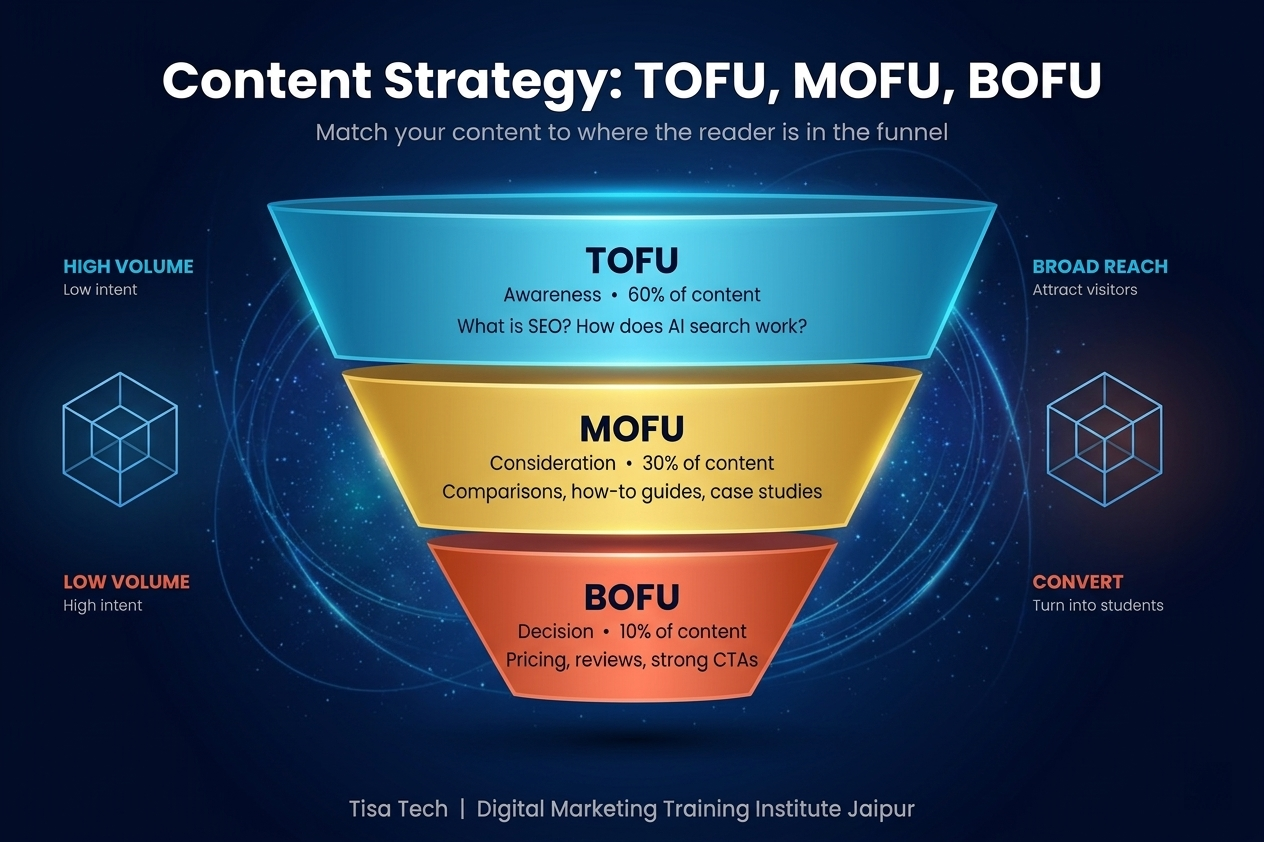
TOFU (Top of Funnel):
Awareness content. Blog posts, reels, YouTube shorts, and explainers that answer “what is X” questions. Volume is high, intent is low.
Examples : “What is SEO?” or “How does ChatGPT work?”
MOFU (Middle of Funnel):
Consideration content. Comparison articles, case studies, tutorials, and how-to guides. The reader knows they have a problem and is exploring options.
Example : “SEO vs AEO in 2026” or “Best free SEO tools for students.”
BOFU (Bottom of Funnel):
Decision content. Pricing pages, product reviews, testimonials, demo requests, and strong calls to action. Volume is low, intent is very high.
Example : “Best digital marketing course in Jaipur.”
For your practice blog, aim for a ratio of roughly 60 percent TOFU, 30 percent MOFU, and 10 percent BOFU content. As you approach your goals (freelancing, placement, your own business), shift more weight to BOFU.
Step 9: Top 5 Google's Free Tools Every Marketer Must Use
You do not need paid tools in your first year. Google gives you a full stack for free. Master these five.
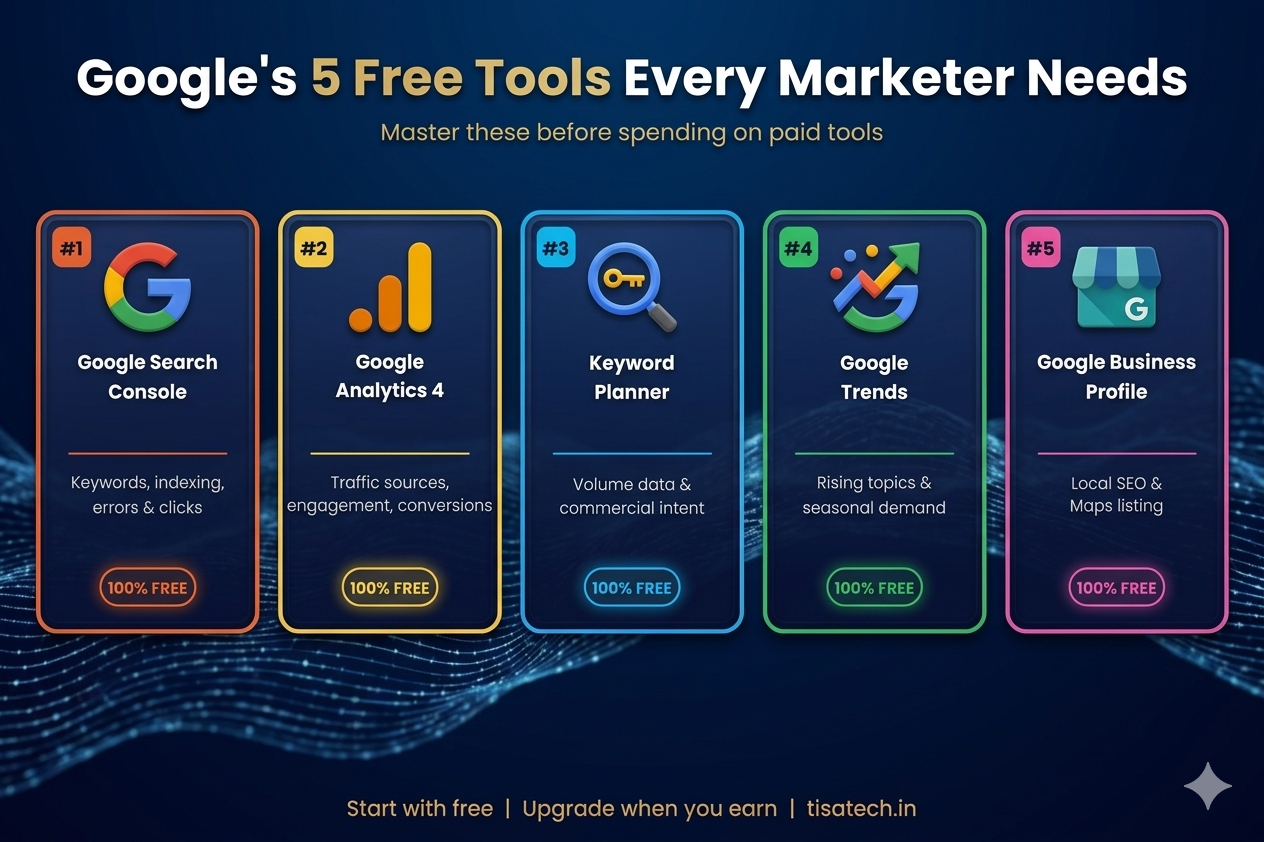
- Google Search Console: Shows which keywords bring clicks, which pages Google indexed, and which technical errors are hurting you. Check it weekly.
- Google Analytics 4 (GA4): Tracks visitors, traffic sources, engagement time, and conversions. The event-based model takes a week to learn but is worth it.
- Google Keyword Planner: Free keyword research inside Google Ads.
- Google Trends: Trend discovery and seasonal demand data.
- Google Business Profile (GBP): Free local listing. Essential for any business that serves a geography.
Why Google Business Profile matters so much. For any local business in Jaipur, a properly optimised GBP listing is more valuable than the website itself in the first year. It puts you on Google Maps, gets you into the local three-pack, collects reviews, and shows your photos, offers, and posts directly in search. Set up your profile with accurate name, address, phone, and hours. Add ten good photos. Write a keyword-rich description. Ask happy customers for reviews. Reply to every review, good or bad. Post weekly updates. A good GBP profile alone can drive 50 to 70 percent of leads for a local business.
Two more honourable mentions. PageSpeed Insights for Core Web Vitals. Google Tag Manager for installing tracking without touching code.
Step 10: Paid SEO Tools (When You Are Ready)
Eventually you will want paid tools. These are the big three.
- Semrush: The all-in-one marketing suite. Strong for keyword research, site audits, competitor tracking, content optimization, and its new AI Visibility Toolkit that tracks brand mentions across Chat GPT, Gemini, Claude, and Perplexity. Plans start around 139 USD per month.
- Ahrefs: The backlink king. The largest link index, 500 million referring domains, plus the new Brand Radar tool for AI citation tracking. Plans start at 129 USD per month.
- Moz Pro: Strong for DA and PA tracking, keyword research, and link analysis. Starts at 49 USD per month.
If the price feels high, these are solid alternatives.
- Ubersuggest by Neil Patel for budget keyword research.
- SE Ranking for affordable all-in-one SEO.
- Serpstat for a cheaper Semrush-style experience.
- Mangools (KWFinder) for clean, beginner-friendly keyword research.
- Screaming Frog (already mentioned) for technical audits.
- Seobility for small-site audits.
Start with free tools. Add one paid tool when you land your first freelance client.
Step 11: 5 AI Tools That Help With Content and SEO
Here are five AI tools that are genuinely worth your time in 2026.
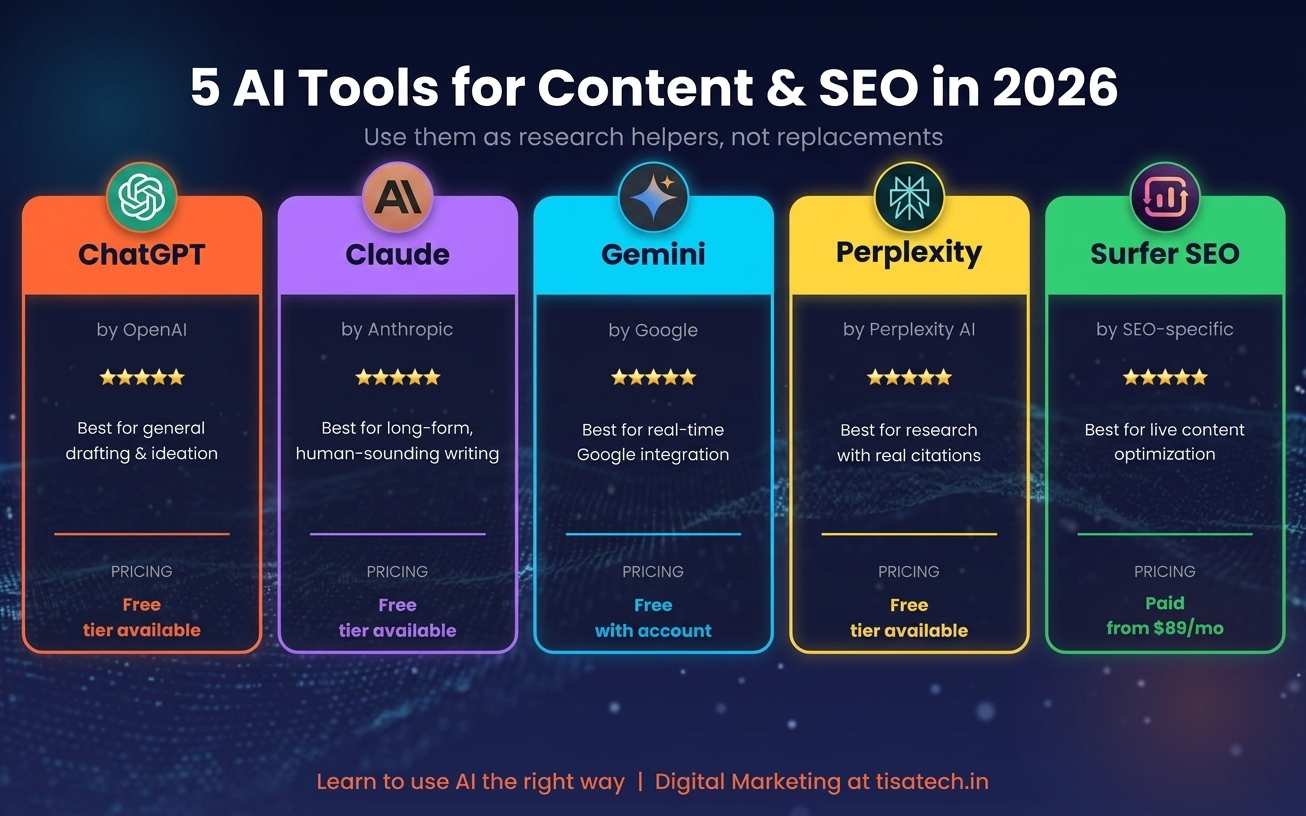
- ChatGPT (GPT-5): Strongest general-purpose model. Great for outlines, drafting, rewriting, and brainstorming. Free tier is enough to start.
- Claude: Excellent for long-form content that sounds human. Large context window, fewer hallucinations, solid for research-heavy posts.
- Google Gemini: Deeply integrated with Gmail, Docs, and Search. Strong at pulling real-time web data.
- Perplexity: AI search with real citations. Use it when you need facts you can trust, not guesses.
- Surfer SEO: Specifically built for SEO writing. Scores your draft against top-ranking pages in real time and suggests missing terms. Paid but the free AI outline generator is a good taster.
Treat these tools as research assistants and drafting helpers. Do not publish raw AI output. Google’s March 2026 core update and earlier updates have consistently demoted thin AI content. Add your own experience, local examples, and voice on top of the draft.
Step 12: Search Engines to Know (Not Just Google)
Most courses only cover Google. This is a mistake. Here are five search engines worth understanding.
- Google: Still 89 to 90 percent of global share. Indexes the most pages, uses AI models like MUM and Gemini, and powers AI Overviews.
- Microsoft Bing: Around 4 percent share globally but higher in corporate environments. Powers Bing Copilot and feeds data into ChatGPT search. Strong for B2B visibility.
- Yahoo Search: Powered by Bing. Still relevant in pockets of the US and Japan.
- DuckDuckGo: Privacy-focused, no tracking, growing steadily. Pulls results from Bing with its own filtering layer.
- Yandex: The main search engine in Russia and nearby countries. Matters if you want to reach those markets.
Bonus mention: Baidu (China) and Naver (South Korea) for region-specific strategies.
Step 13: Browsers Every Digital Marketer Should Know
Your browser is your workshop. Know the options.
- Google Chrome: Biggest market share, best DevTools, widest extension library.
- Mozilla Firefox: Open-source, privacy respecting, strong developer tools.
- Microsoft Edge: Built on Chromium with Copilot AI baked in. Handles large tab loads well.
- Safari: Default on Apple devices. Critical for testing how your site performs on iPhones.
- Brave: Blocks ads and trackers by default. Includes its own Brave Search engine.
Test your site in at least Chrome, Safari, and Firefox before calling it done.
Step 14: Operating Systems to Be Comfortable With
You may not switch operating systems, but knowing the landscape helps you work on any team.
- Windows 11: Most common in Indian offices. Easy compatibility with everything.
- macOS: Preferred by designers and some agency teams. Polished, fewer security headaches.
- Linux (Ubuntu): Used by developers and server admins. Good to learn for technical SEO work on servers.
- ChromeOS: On Chromebooks. Lightweight, cloud-first, popular with students.
- Android and iOS: Mobile operating systems. You test your site on both whether you like it or not.
Step 15: SEO Keyboard Shortcuts That Save Time
Small shortcuts add up. Memorise these.
- Ctrl + Shift + I (Windows) or Cmd + Option + I (Mac): Open Chrome DevTools.
- Ctrl + U: View page source code.
- Ctrl + F: Find text on a page. Use it to locate keywords inside long articles.
- Ctrl + Shift + N: Open an incognito window. Essential for checking unpersonalised search results.
- Ctrl + Shift + T: Reopen the last closed tab.
- Ctrl + K (in Google Docs): Insert a hyperlink.
- Ctrl + +/-: Zoom in or out, handy for visual QA on different screen sizes.
- F12: Quick open DevTools.
- Ctrl + Shift + C: Open the element inspector to check tags, schema, and alt text.
Also memorise Google search operators like `site:`, `intitle:`, `inurl:`, `filetype:pdf`, and `"exact phrase"`. These help with competitor research, finding guest post sites, and link prospecting.
Step 16: 10 SEO-Friendly Chrome Extensions
Install these extensions to speed up daily work.
- MozBar: Instant DA, PA, and spam score on any page.
- Ahrefs SEO Toolbar: Shows DR, UR, and backlink counts in SERPs.
- SEOquake: Overlays page-level SEO metrics while you browse.
- Keywords Everywhere: Inline search volumes and CPC on Google.
- SimilarWeb: Traffic estimates for any site.
- Wappalyzer: Detects the tech stack of any website.
- Redirect Path: Shows HTTP status codes and redirect chains.
- Check My Links: Finds broken links on any page.
- Lighthouse: Audits Core Web Vitals, accessibility, and best practices.
- META SEO Inspector: One-click audit of title, meta, canonical, headings, and schema.
Bonus: Grammarly for clean writing and Loom for recording quick client walkthroughs.
Step 17: Social Media Optimisation and Social Signals
Social media does not directly rank your pages, but it builds the brand signals that AI models and Google increasingly notice. Focus on these five platforms.
- YouTube: Owned by Google. The second largest search engine in the world. Every long blog post should have a matching YouTube video. Use Google Trends plus YouTube search suggestions for ideas. YouTube videos often appear directly in Google search, AI Overviews, and Perplexity citations.
- Instagram: Strong for visual brands, local businesses, and lifestyle niches. Reels drive organic reach. Link in bio drives traffic.
- LinkedIn: The most valuable platform for B2B and career growth. Writing one weekly LinkedIn post about what you are learning will help you land your first internship faster than any certificate.
- Facebook: Still huge for community groups, local businesses, and older audiences in India. Facebook Groups are underrated for organic reach.
- X (formerly Twitter): Fast-moving platform for journalists, SEOs, and tech people. Great for real-time trends and networking with industry experts.
Role of social signals. Search engines and AI systems watch how people talk about brands socially. Mentions, shares, engagement, and branded searches all feed into how trustworthy your brand looks. LLMs pull heavily from Reddit, YouTube, and Quora when generating answers. This means a LinkedIn post going viral or a helpful Reddit thread can end up feeding your brand into ChatGPT answers months later. Treat social media as reputation building, not just traffic. If you are loving the content till no here, please follow TISA-TECH social media channels – Facebook, Instagram, Youtube, Twitter, Linkedin.
Step 18: Run Your First Google Ads Campaign (SEM)
SEO takes months. Google Ads shows results in hours. Every marketer should know how to run a basic search campaign.
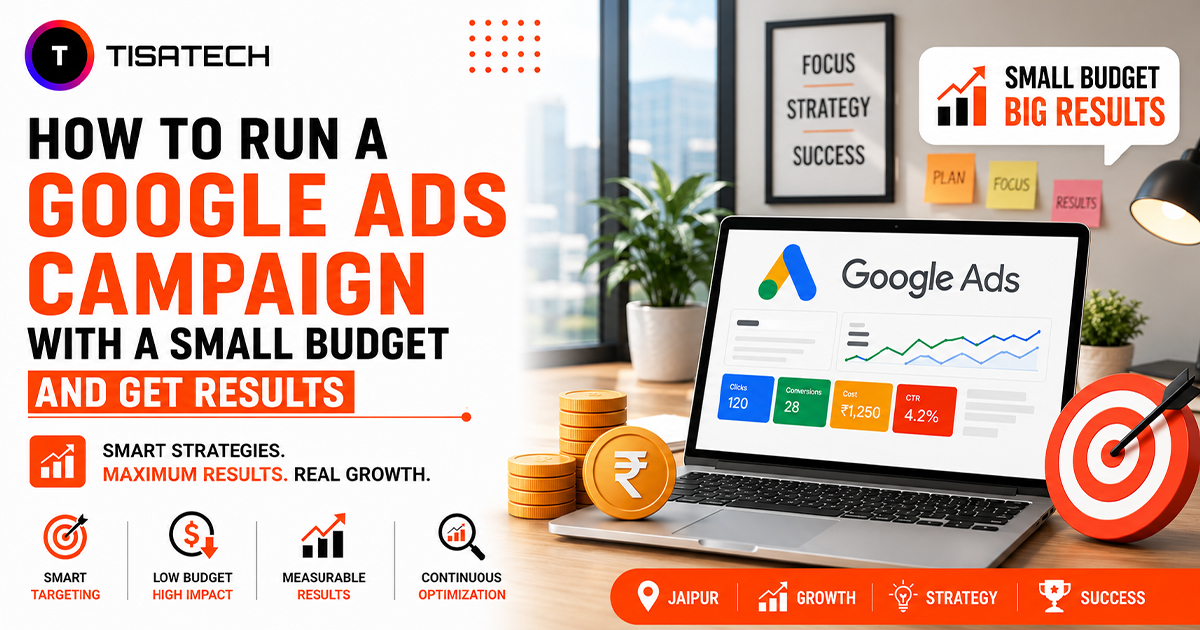
Start with a budget of 200 to 500 rupees a day. Pick five tight keywords around your service. Write three ad variations. Set a clear landing page with a single call to action. Install conversion tracking through Google Tag Manager. Let it run for a week. Then look at the search terms report, add negative keywords, pause poor performers, and scale the winners.
Meta Ads (Facebook and Instagram) and LinkedIn Ads work on the same logic but with audience targeting instead of keywords. Master Google Ads first, then expand.
Step 19: Important Google Updates You Should Know
Google updates its ranking systems constantly. These are the updates that have shaped 2025 and 2026. Knowing them gives you context when you see ranking fluctuations.
- March 2026 Core Update: The first core update of 2026. Rolled out March 27 and completed April 8. Rewarded content that shows first-hand expertise and demoted thin AI-generated content.
- March 2026 Spam Update: Rolled out March 24 and finished in less than a day. Standard spam cleanup across all languages and locations.
- February 2026 Discover Core Update: A Discover-feed-only update. Prioritised locally relevant content and reduced clickbait and sensational content in the Discover feed.
- December 2025 Core Update: Took 18 days to complete. Focused on surfacing helpful, authoritative, people-first content. Hit sites with thin or outdated content.
- August 2025 Spam Update: Targeted sites with poor transparency and manipulative link and content patterns.
If you want to get latest SEO algorithm updates about google updates, please follow and bookmark the Google Search Central Blog.
The pattern is clear. Google rewards original, experience-rich, locally relevant content. It demotes generic AI output, clickbait, and thin commentary. Write like a human who actually knows the topic, and updates will be your friend, not your enemy.
Step 20: Build Your Portfolio and Apply for Internships
All your learning means nothing if you cannot show it. Build three proof points.
- Your own blog with at least 20 published posts, full Search Console data, and visible rankings for a few keywords.
- One free client project. Offer free SEO audits to two or three local Jaipur businesses. Deliver real work. Get a testimonial.
- A LinkedIn learning log. Post one insight every week. Screenshot your Search Console growth. Share a case study. This becomes your resume.
Once these three are in place, apply for internships. The [internship programme at TISA-TECH](https://www.tisatech.in/internship-programme) is built around exactly this kind of portfolio-first approach, and we place interns with real agencies and brands where they work on live campaigns, not dummy assignments.
Learn Digital Marketing at TISA-TECH, Jaipur
If reading a 4000-word guide already feels like a lot, you are not alone. Most students in Jaipur try to self-learn for three months, lose momentum, and wish someone had just shown them the order.
That is what we do at TISA-TECH. We are a Jaipur-based IT training institute focused entirely on tech students and freshers who want real careers, not fake certificates. Our digital marketing programme is built around the exact roadmap in this blog, but with live classes, one-on-one mentorship, and assignments graded by working professionals.
What makes our programme different
- Industry-aligned 2026 curriculum covering SEO, AEO, GEO, SEM, SMO, Google Ads, Meta Ads, GA4, AI tools, and content strategy.
- Live projects with real clients so you graduate with a portfolio, not just a certificate.
- 1-on-1 mentorship from working digital marketers in Jaipur and beyond.
- 100 percent placement assistance including resume building, mock interviews, and direct referrals to our 50+ hiring partners.
- Weekly exam preparation so you revise every topic before moving on.
- Internship pathway that connects classroom learning to real agency work.
We are trusted by students from SKIT, Arya College, Apex University, Poornima, RCEW, and Balaji Engineering College. Our alumni work at WebPino, Podosphere, DataSoftline, DevHub, Doomshell, BR Soft, JagVimal, and many other product and service companies.
Visit our homepage to see our batches. Browse our Full Tech Courses Catalogue for the digital marketing syllabus and fee structure. If you are still in college and want to start earning while you study, check out our internship programme .
Final Thoughts
The digital marketing roadmap for 2026 is not a secret. It is a sequence.
- Build a blog.
- Learn on-page SEO.
- Fix technical SEO.
- Earn backlinks.
- Study keyword research.
- Layer AEO on top.
- Use Google’s free tools.
- Master one paid tool.
- Add AI tools where they save time, not where they replace you.
- Publish content along the funnel.
- Run small ad campaigns.
- Build a real portfolio. Apply for internships.
Do this over six months with discipline, and you will outgrow 90 percent of “digital marketing certified” graduates in Jaipur. The ones who move faster are usually the ones who stopped learning alone and joined a classroom where the roadmap is structured for them.
Either way, start today. The worst time to learn SEO was yesterday. The second best time is right now.