Every year, final-year students in Jaipur and across Rajasthan face the same challenge as project deadlines approach. Their guides expect working applications, but students spend much of their time learning new frameworks instead of developing their ideas. Computer Science and BCA students often face this problem because their syllabus does not cover many modern app-building tools.
No-code platforms help students build working applications without spending all their time learning complex frameworks. Gartner predicted that 70% of new applications developed by organisations would use low-code or no-code technologies by 2025, compared with less than 25% in 2020. According to Caspio , the low-code development market could reach approximately $44.5 billion in 2026. Adalo’s research predicts that 65% of application development activity will use low-code or no-code platforms by 2026.
Students still need to learn programming, but no-code tools help them build working applications without spending all their time learning complex frameworks. Since students can choose from dozens of platforms, they must first identify the right tool for their final-year project.

What “No-Code” Means for a Final Year Project
No-code tools allow students to build software by dragging, connecting, and configuring different elements instead of writing code from scratch. Just like assembling Lego blocks, students can put different parts together to create a working application. However, they still need to plan the project and understand how its logic works.
Students can use no-code tools to create mobile apps, websites, automation systems, and small AI tools without writing code. They must still explain how their project works, why they chose a particular approach, and how they solved the problem. No-code tools reduce the technical workload, giving students more time to focus on their ideas and project presentation.
Before choosing a no-code platform, students should discuss it with their project guide. Some Computer Science departments may require students to submit coded projects, while BCA, MCA, business, and interdisciplinary courses may accept no-code or low-code projects. A quick discussion with the guide can help students avoid unnecessary work later.
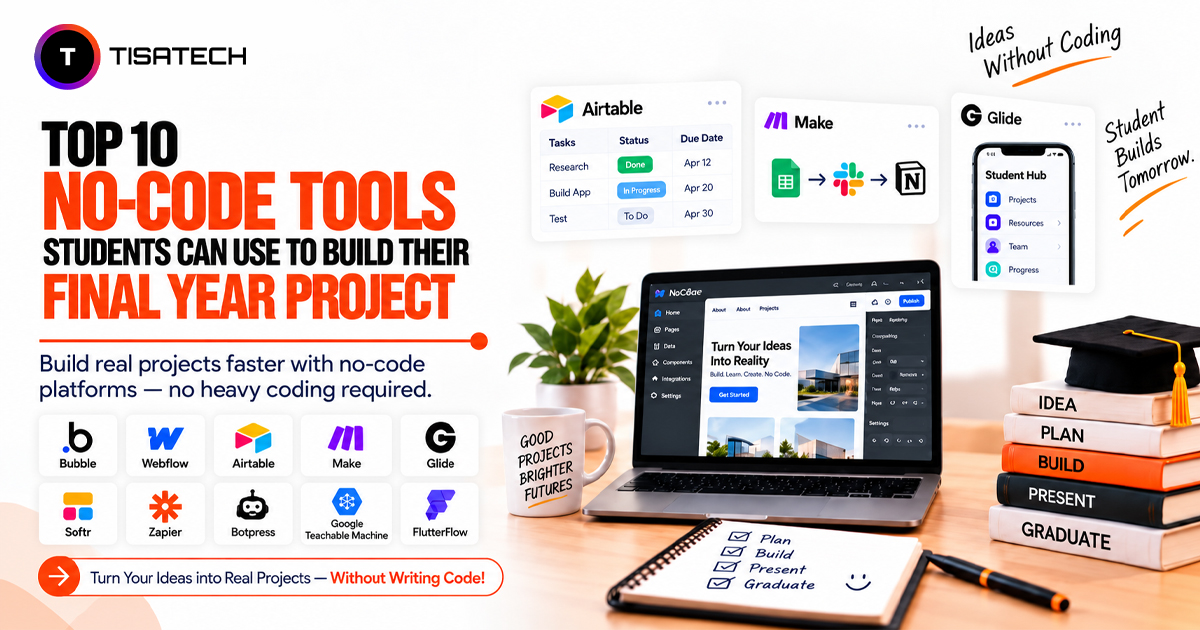
Top 10 No-Code Tools for Final Year Projects
Students can use no-code tools to build different types of final-year projects, from web apps and mobile apps to automation systems and chatbots. Each tool has its own features, so students should choose one according to their project needs.
1. Bubble
Bubble helps students build web applications through a visual editor. It supports databases, user logins, and custom workflows, making it suitable for food delivery apps, job portals, and college management systems. Students may need some time to understand the platform, but its tutorials and community forum can help them learn and solve common problems.
Best for: Data-driven web applications with user logins and multiple user roles.
2. FlutterFlow
FlutterFlow allows students to design mobile app screens visually and generate Flutter code for their applications. They can use it to build campus event apps, local marketplaces, and other mobile projects. The platform supports code export, which can help students explain their application’s code during a viva. Its Firebase integration and push notification features also support login and real-time functionality.
Best for: Students who want to build mobile applications for actual devices.
3. Glide
Glide converts data from Google Sheets or Airtable into mobile and web applications. Students can use it to create directories, catalogues, and booking systems with less development time. Changes made in the connected spreadsheet can appear in the app. Students can also add the app to their phone’s home screen without publishing it through an app store.
Best for: Students who need a functional prototype within a short deadline.
4. Softr
Softr helps students create portals, membership websites, and directories using connected data sources. It integrates with Airtable and offers features such as login restrictions and user permissions. Students can use these features to build alumni portals or department resource hubs with controlled access. Softr’s templates can also simplify the website design process.
Best for: Portals and directories that require restricted access for different users.
5. Airtable
Airtable ombines spreadsheet features with database functionality. Students can use it to manage user information, product listings, and survey responses. They can also connect Airtable with tools such as Glide and Softr to build the front end of their projects. Its filters, views, and linked records help students organise information and understand relationships between data. Airtable also reduces the need to manage a traditional database server for basic projects.
Best for: Students who need a simple project backend without managing a database server.
6. Webflow
Webflow helps students design websites visually without writing CSS manually. It provides control over layouts, animations, visual elements, and responsive breakpoints. Students can use Webflow to create portfolio websites, startup landing pages, and college society websites. Its design features support projects that focus on appearance, usability, and presentation. Webflow also offers hosting for publishing websites online.
Best for: Projects that focus on website design, presentation, and functionality.
7. Zapier
Zapier connects different applications and automates repetitive tasks. For example, a form submission can send an email, update a spreadsheet, and notify a team without requiring students to write a script. Students can use these workflows to build admission enquiry systems and automated attendance alerts. Zapier’s app integrations also make it easier to connect the tools used in a project.
Best for: Projects that automate tasks between existing applications.
8. Make
Make allows students to create multi-step workflows through a visual automation builder. They can connect different actions and arrange them into a clear process. Its flowchart-style interface helps students understand and explain each step during a viva. Make is useful for projects that involve multiple connected actions and require regular testing.
Best for: Multi-step automation projects with clearly connected workflows.
9. Google Teachable Machine
Google Teachable Machine allows students to train machine-learning models that recognise images, sounds, or poses without writing Python code. Students can train models in a browser using webcam input or uploaded samples. They can then export the model and connect it to a simple webpage for their final demonstration. Projects such as waste detection and basic sign language recognition can use this approach.
Best for: Beginner-level machine-learning projects with limited coding experience.
10. Botpress
Botpress helps students build chatbots and virtual assistants through a visual conversation designer. They can create college enquiry bots, customer support assistants, and FAQ chatbots without writing every conversation flow manually. The platform also supports website and other platform integrations, allowing students to use their chatbots beyond a basic testing environment.
Best for: Final-year projects focused on chatbots and conversational assistants.
Before selecting a tool, students should check whether it supports their required features and fits their development time and technical skills. They should also discuss the platform with their project guide to confirm whether the department accepts no-code submissions.
Pricing Note: Most tools in this list offer free and paid plans, while Google Teachable Machine is free to use. Free plans may include feature, usage, or storage limitations, so students should check the official pricing page before choosing a tool.
How to Choose the Right No-Code Tool
Before starting development, students should evaluate whether their selected no-code platform is practical for their project and final submission. The following checks can help them prepare for potential challenges.
- Project Scope: Define what the project must deliver, including its expected output and demonstration requirements.
- Platform Reliability: Check whether the tool provides stable access and whether its services are available when needed.
- Data Ownership: Review the platform’s data export options so that project information can be accessed or transferred if required.
- Future Updates: Consider whether the project can be modified or extended if the guide requests changes during development.
- Backup and Recovery: Keep copies of important project data, workflows, and documentation to reduce the risk of losing progress.
- Presentation Preparation: Prepare screenshots, workflow diagrams, and a brief explanation of the development process to support the final project presentation.
Reviewing these factors before development helps students prepare a project that remains manageable throughout its development and submission.
Getting College Approval for a No-Code Project
Before building a no-code project, students should discuss their chosen platform with their project guide. Each college and department may follow different rules, so students should confirm whether their submission guidelines allow no-code tools.
Students should prepare clear documentation that explains the project’s purpose, workflow, data flow, and development process. During the viva, they should be ready to explain why they selected a no-code approach, how the application works, and what limitations they faced.
A clear explanation of the project’s logic and design decisions helps students demonstrate their understanding, even when they use a no-code platform.





How TISA-TECH Helps Jaipur Students Build Real Projects
TISA-TECH helps Jaipur students move beyond copy-pasted templates and build final-year projects that they can confidently explain during a viva and later showcase in job interviews.
Instead of making students explore different no-code tools through scattered YouTube tutorials, mentors help them shortlist a suitable tool based on their actual project idea. They then guide students through the development process with hands-on support in the Jaipur classroom.
This approach reflects the institute’s Full Stack Development and AI training, where students work on real projects with mentor guidance. Mentors remain involved throughout project development and support students as they prepare to present their work during interviews. This practical guidance helps students build projects that demonstrate their understanding and skills rather than simply completing a college requirement.
Conclusion
A final-year project gives students a chance to apply their knowledge and build something they can confidently present. No-code tools make the development process easier to manage, but students still need to understand how their applications work.
Choose a no-code tool that fits your project and spend time understanding its main features. When you know how your application functions and why you made certain choices, you can present your project more confidently and answer questions during the final evaluation.
FAQs Section
Ans. Students should check their college or department’s project guidelines before choosing a no-code approach. They can also discuss the platform, project requirements, and documentation expectations with their project guide.
Ans. Students should explain the project’s purpose, main features, workflow, data structure, and development process. They should also mention the tools they used and any limitations they faced while building the application.
Ans. Yes. Students can update features, improve workflows, fix issues, and make changes based on feedback. The available options depend on the selected platform and its features.
Ans. TISA-TECH provides practical guidance through classroom-based learning and mentor support. Students receive help with project planning, tool selection, and development while working on projects related to their learning goals.