Video content is shaping the internet in 2026.
Whether you open Instagram, YouTube, Facebook, LinkedIn, or an online shopping website, you will find videos everywhere. Businesses are using video to attract customers. Creators are building careers through video content. Even small local brands are investing in short videos to increase their reach.
This demand is creating thousands of opportunities for video editors and motion graphic designers. According to the Wyzowl Video Marketing Statistics Report, 89% of businesses use video as a marketing tool and 95% of marketers consider video an important part of their strategy. These numbers show how strongly companies depend on video content today.
As the industry grows, many students and aspiring creators want to learn professional editing software. However, they often face one common question. Should they learn Adobe Premiere Pro or Adobe After Effects first?
The confusion is understandable. Both tools are widely used in the creative industry. Both appear in job descriptions, and both are used by professional editors and content creators. However, they are designed for different purposes.
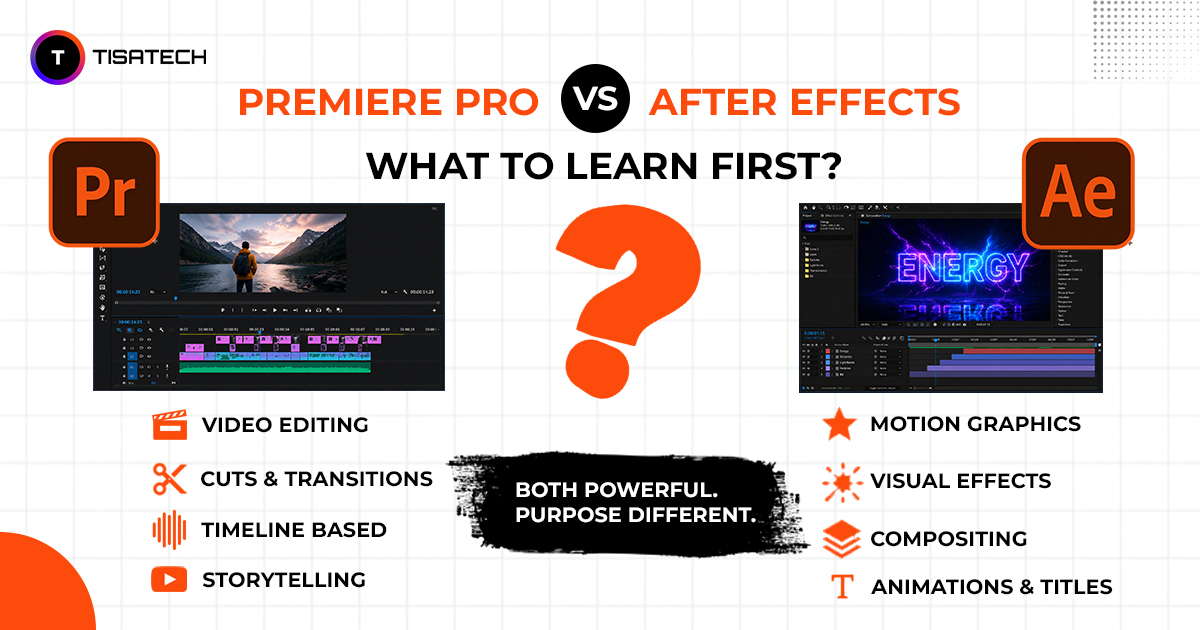
Premiere Pro is mainly used for editing videos, while After Effects is used for motion graphics, animations, and visual effects.
Understanding the difference between Premiere Pro and After Effects can help you choose the right learning path, avoid wasting time, and focus on the skills that match your career goals. If you are planning a career in video editing, content creation, filmmaking, or motion graphics, this guide will help you decide which software you should learn first.

What Is Premiere Pro? Beginners Need to Know
Premiere Pro is Adobe’s professional video editing software. Think of it like a digital editing table where you bring all your raw clips and turn them into a complete story.
With Premiere Pro, you can cut and trim clips, arrange them on a timeline, add background music, put in subtitles, fix colors, and finally export the video. Whether it is a YouTube vlog, a wedding highlight, a brand ad, or an Instagram Reel – Premiere Pro is the tool most editors use to finish the job.
In India, it is widely used by YouTubers, wedding videographers, OTT content editors, newsrooms, and social media creators. If your work involves taking raw footage and shaping it into a polished video, Premiere Pro is the software you need to start with.
What is After Effects? The Magic Behind Motion and VFX
After Effects is Adobe software for motion graphics and visual effects. It is not mainly for editing full videos. It is used to add animations, create titles, and apply special effects that make a video look creative and professional.
For example, if you want a logo to fly onto the screen, text to move in a stylish way, or fire to appear in a scene, that is After Effects. It works on short shots or small elements, not on long videos.
In India, motion designers, VFX artists, ad agencies, and film studios use After Effects every day. It gives videos the polish and flair that make them stand out.
Premiere Pro vs After Effects: Key Differences at a Glance
Students often get confused between these two Adobe tools. Both are popular, both are used in jobs, but they serve different purposes. Here is a quick comparison of both tool:
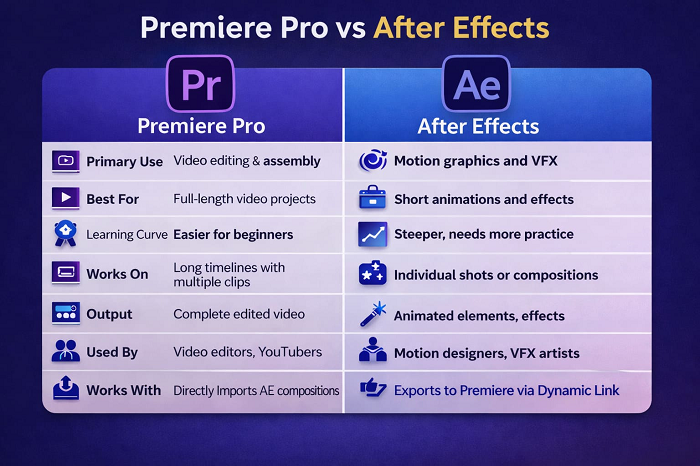
This comparison makes it easy to see how Premiere Pro and After Effects serve different roles in video creation.
Which is Easier to Learn : Premiere Pro or After Effects?
This is an important question for beginners. The simple answer is Premiere Pro is easier to learn.
Premiere Pro has a timeline interface that feels natural. You drag clips in, cut them, arrange them, add music and export. With a few days of practice you can make a complete video. The basics are clear: trim, cut, arrange, color, export.
After Effects works differently. It uses compositions, layers, keyframes, masks and expressions. The interface looks new, the workflow feels different and it takes more time to learn.
Many professionals say they used Premiere Pro for years before becoming confident with After Effects. So if you are starting out, Premiere Pro is the better choice. Later you can move to After Effects when you are ready for advanced animation and effects.
Premiere Pro or After Effects: Which One Should You Learn First?
Learn Premiere Pro first. This is the answer most industry professionals will give you, and it is the right one.
Why Premiere Pro Should Come First
Premiere Pro is the foundation of the video editing workflow. Every video project (big or small) needs editing first. The footage needs to be cut, arranged, and structured before any effects or graphics are added. That editing happens in Premiere Pro.
When you learn Premiere Pro first, you build core editing skills. You understand pacing, storytelling, transitions, audio mixing, and color grading. These skills are non-negotiable for any video professional. And they transfer directly into After Effects later, because both tools share similar concepts like keyframes, effects panels, and timeline logic.
The job market strongly supports this choice. Most entry-level video editing roles specifically require Premiere Pro skills. Whether you check job listings on Indeed India or Internshala, Premiere Pro appears far more frequently than After Effects for beginner and junior roles.
When Should You Move to After Effects?
Once you are comfortable with the basics of video editing in Premiere Pro. Usually after 2 to 3 months of consistent practice, you can start learning After Effects. At that point, you already understand keyframes, rendering, and project management. After Effects will feel easier to learn.
After Effects makes sense when you want to add animated titles, create intro sequences, design motion graphics for brands, or build visual effects. These are skills that add significant value to your profile and let you charge more as a freelancer.
Do You Need to Learn Both Tools?
Yes, eventually. If you are a beginner, start with Premiere Pro because it teaches the basics of video editing and helps you create projects quickly. Once you become comfortable with editing, start learning After Effects to create animations, motion graphics, and visual effects.
Most professionals use both tools together. They edit videos in Premiere Pro and use After Effects for creative effects and animations. Adobe’s Dynamic Link feature also helps both software applications work together smoothly.
The learning path is simple. Learn Premiere Pro first. Then add After Effects to your skills. Together, these tools can help you handle a wider range of projects and become a complete video professional.
Career Scope & Salary in 2026
Video editing is booming in India. The demand is very high and jobs are everywhere.
- OTT platforms like Netflix, Amazon Prime, JioCinema and SonyLIV are releasing more Indian shows and films. Every project needs editors.
- Marketing agencies in Jaipur, Delhi, Mumbai and Bengaluru are hiring editors for ads, brand videos and social media content.
- YouTube creators, Instagram influencers and podcasters are constantly looking for editors to manage their content.
- On the freelance side, platforms like Upwork, Fiverr and Freelancer have thousands of projects daily. Indian editors are winning global clients with quality work at competitive rates.
Salary Scope
- Freshers earn ₹15,000–25,000 per month.
- With 1–2 years of experience and skills in both Premiere Pro and After Effects, salaries rise to ₹40,000-80,000 per month.
- Senior editors working with brands or OTT projects can earn ₹1 lakh or more monthly.
This is not just theory. Students in Jaipur are already building real careers with these skills. With the right training, you can step into this growing industry and make a strong career.





Learn at TISA-TECH : Best Video Editing Training in Jaipur
If you are looking for practical video editing training in Jaipur, TISA-TECH is the right place to start. This institute is located in Jhotwara, Jaipur. It is known for job-ready training, real project work, and strong placement support.
You do not just watch videos and take notes here. From day one, you practise on real projects using the same tools that working professionals use. The trainers guide you step by step through every tool and workflow.
The video editing course in Jaipur at TISA-TECH covers everything from Premiere Pro basics to motion graphics in After Effects. The course is made for beginners so you never feel lost or rushed.
TISA-TECH also has an internship program where you can learn Premiere Pro and After Effects in Jaipur through live project work. You build a real portfolio and gain actual industry experience before you even finish the program.
Besides video editing, TISA-TECH also offers other in-demand courses in 2026 including Graphic Design, UI/UX Design, Prompt Engineering and AI Tools, Frontend Web Development, Data Science and SQL, Advanced AI and Machine Learning, and Digital Marketing with SEO and Social Media.
Every course includes live project work, mentor support, and placement assistance. Whether you want a job, freelance work, or your own agency, TISA-TECH helps you get there.
Conclusion
The choice between Premiere Pro and After Effects is simple. Both are useful, but if you are starting from zero, begin with Premiere Pro.
Premiere Pro gives you the basics of editing. It helps you finish real projects faster and makes learning After Effects easier later. In 2026, the job market values editors who know both tools and can use them together.
So take the first step. Learn the basics. Make your first video. Then grow your skills. Video editing careers are real, salaries are rising, and demand is only going up. All you need is guidance and the will to start.