Campus placement season is going on across Rajasthan’s engineering and polytechnic colleges. For students, DevOps is becoming a useful skill because companies now look for more than coding. They also want freshers to understand how to test code, deploy applications, and keep them running properly.
Earlier, developers wrote code and then handed it to another team for deployment. Sometimes, the code worked on the developer’s computer but failed on the live server because the two environments were different. Finding and fixing these problems could take hours.
DevOps helps solve this problem by bringing development and operations work together. Teams can plan, build, test, and deploy software as part of one process. Tools such as Git, Docker, and CI/CD help automate many of these tasks.
The 2024 DORA Accelerate State of DevOps Report shows that high-performing teams can deploy software more often and recover from failures faster.
This guide explains DevOps in simple terms, covers its lifecycle, tools, and skills, and shows how Jaipur students can start learning through practical projects in 2026.

What is DevOps and How Does it Work?
DevOps combines two words: Development and Operations. It means developers and operations teams work together to build, test, deploy, and maintain software instead of working as separate teams.
Earlier, developers wrote code and then handed it to the operations team for deployment. Differences between the development and server environments could cause errors and make deployment difficult. DevOps brings these teams together and gives them shared responsibility for the application.
DevOps follows a connected process:
Step 1: Developers write new code or make changes to an existing application.
Step 2: They push the code to a version control system such as GitHub, which tracks changes and supports collaboration.
Step 3: Automated tests check the code for errors and help the team find problems early.
Step 4: DevOps tools build and prepare the code so the application is ready to run.
Step 5: Once the tests pass, the application is deployed to a server or cloud platform.
Step 6: The team monitors the application after deployment and fixes problems when needed. New changes then go through the same process again.
Automation makes this process faster and reduces repetitive manual work. This is where CI/CD, or Continuous Integration and Continuous Delivery, comes in. Tools such as GitHub, Jenkins, and Docker help teams automate different parts of the process.
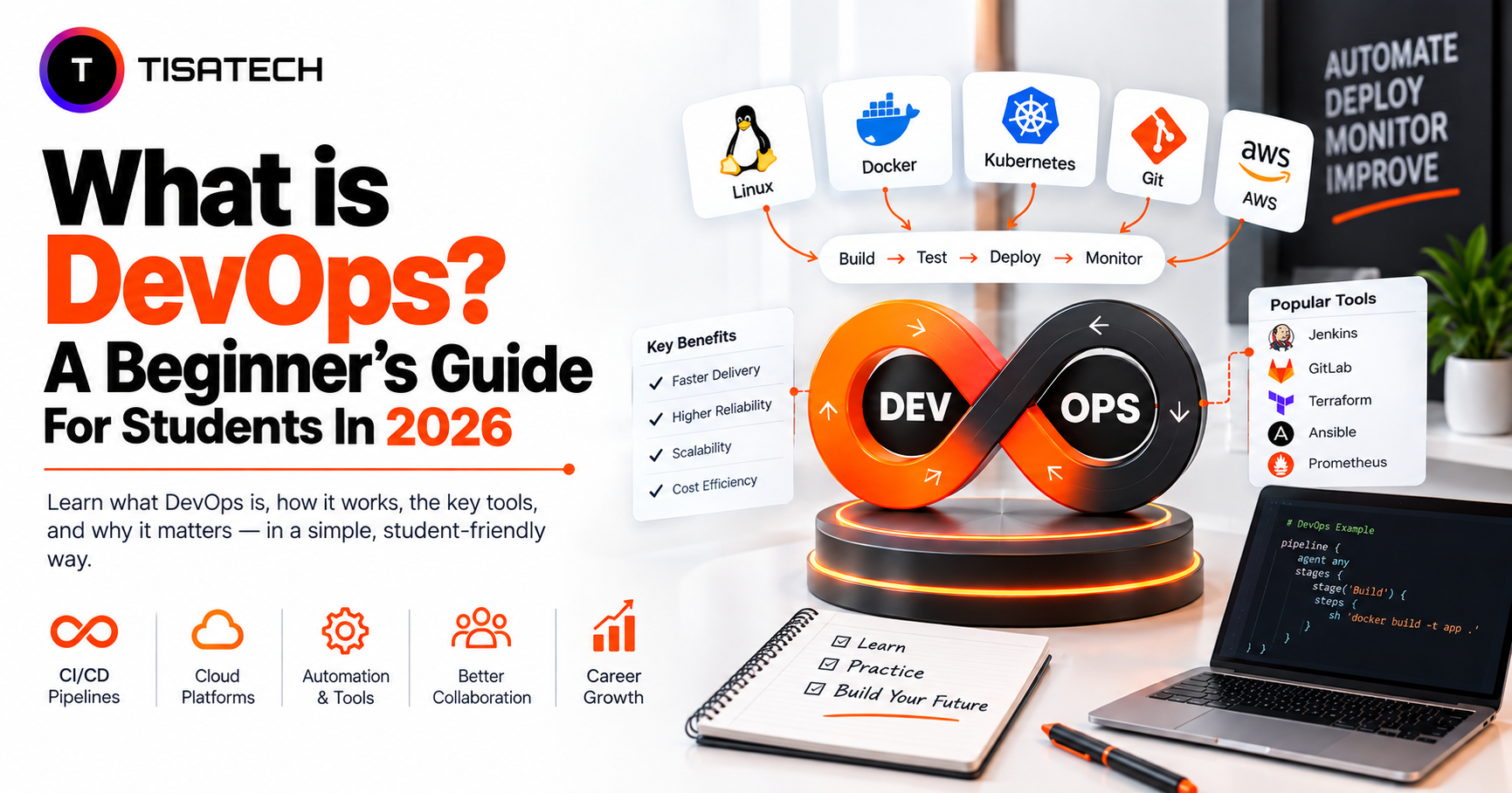
In simple terms, DevOps follows a continuous cycle: Code → Test → Build → Deploy → Monitor → Improve.
What is the DevOps Lifecycle and Why Does it Matter?
DevOps is not a single step. It is a loop that repeats as software grows, usually called the DevOps lifecycle, and it moves through eight connected stages.
The team plans first. They decide what to build based on user needs and business goals.
Developers then write the code, tracked in a tool like Git. The build stage compiles and packages that code into a working version. Automated tests check for bugs before anything moves further.
Once tests pass, the team releases the build for approval. It then goes to production, often through an automated pipeline.
The application runs live during the operating stage. Teams keep it stable and scaled here.
Finally, teams monitor performance, errors, and user feedback. That feedback flows back into planning the next update.
This cycle never really stops. Monitoring sends feedback back to planning, which is why people represent the DevOps lifecycle as an infinity loop rather than a straight line.
Why does this matter?
- Faster releases: Teams can deliver updates and bug fixes more quickly.
- Fewer errors: Automated testing catches problems before they reach users.
- Better reliability: Monitoring helps teams find and fix issues faster.
- Smoother teamwork: Developers and operations teams work together throughout the process.
- Useful career skills: DevOps helps students understand how real applications move from code to production.
Kubernetes adoption among container-using teams has climbed to 82 percent in production, up from 66 percent two years earlier, while about 98 percent of organisations now follow some cloud-native practice. Elite DevOps teams also deploy code more often and recover from failures much faster than low performers, according to the DORA Accelerate State of DevOps Report.
Which DevOps Tools Should Beginners Learn (and In What Order)?
A full list of DevOps tools can overwhelm any student. The good news is that beginners don’t need all of them at once. A handful of tools cover almost every entry-level job posting, and learning them in the right order makes the whole process much easier.
Start with Linux. Most production servers run on it, so basic terminal commands become non-negotiable early on. A few hours a week for a month builds real confidence here.
Move to Git and GitHub next. Git tracks changes in code, and GitHub hosts that code online so teams can collaborate. Push a few real projects to GitHub and version control stops feeling abstract.
Pick up Docker after that. Docker packages an application with everything it needs to run, so it behaves the same way on any machine. Containerising even a simple personal portfolio site usually becomes a student’s first real breakthrough moment in DevOps.
Try a CI/CD tool once Docker feels comfortable. GitHub Actions, Jenkins, and GitLab CI automate the build and test pipeline every time someone pushes new code. GitHub Actions currently leads adoption, used by roughly one in three teams, and it’s the easiest starting point for beginners.
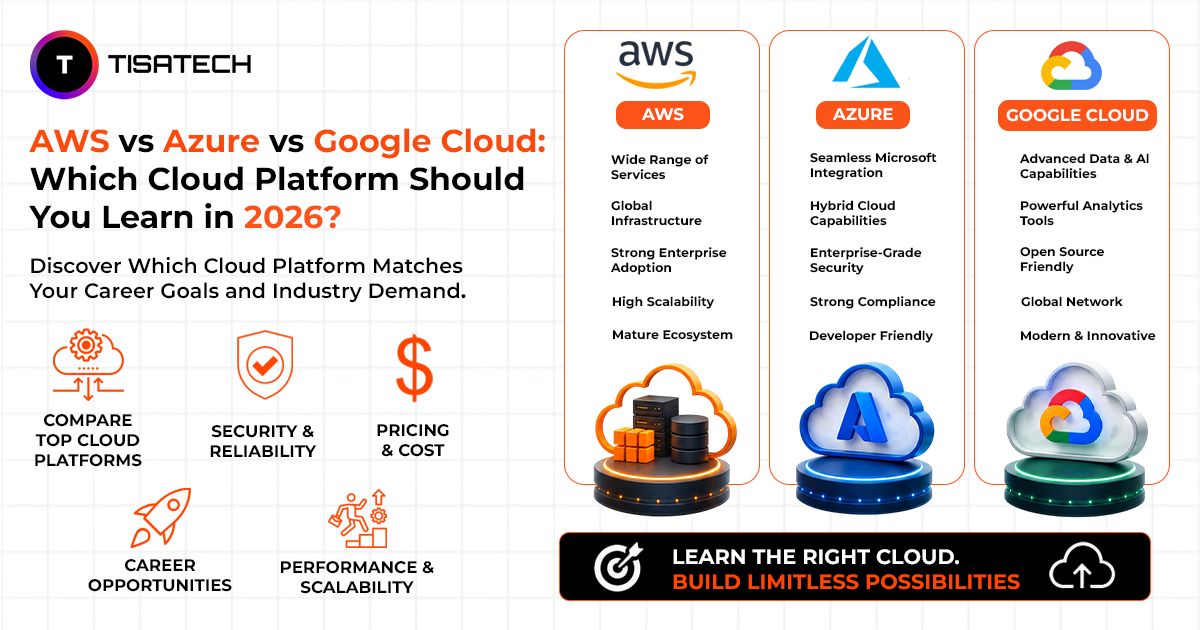
Open a free-tier account on a cloud platform like AWS, Microsoft Azure, or Google Cloud, and deploy something small on it. One platform is enough to begin, and if picking between them feels confusing, this AWS vs Azure vs Google Cloud comparison breaks down which one suits a beginner best. Comfort with cloud fundamentals matters more than knowing all three.
Once these basics feel solid, explore Infrastructure as Code with Terraform and move on to Kubernetes basics. Kubernetes helps manage, scale, and restart containers automatically once an application runs across several of them. Monitoring tools like Prometheus and Grafana round out this list, useful for watching an application’s health in real time.
Most working DevOps engineers built this stack one tool at a time, not all together. A structured roadmap like the community-maintained one at roadmap.sh lays out this exact order visually and stays free to use throughout.
Certifications help, but a portfolio of real, working projects matters more. A student who deploys one small application end to end, from code to a live server, stands out more in interviews than one who only collects certificates. Local student communities and coding clubs in Jaipur make this practice easier than learning alone.
What Skills Are Required for DevOps?
To start a DevOps career, focus on Linux, Bash or Python scripting, networking, cloud, Git, debugging, communication, teamwork, and problem-solving.
Linux is one of the first skills to learn because DevOps engineers often manage servers through the command line. You can start with the Linux command line basics. Bash or Python scripting helps automate repetitive tasks, and the Python documentation provides a good starting point for scripting.
You also need basic networking knowledge, including IP addresses and ports, to understand how applications and servers communicate. Learning at least one cloud platform helps you work with cloud-based applications and infrastructure.
Git is essential for tracking code changes and managing project versions. Students can learn the basics through Git’s official documentation.
You also need debugging and problem-solving skills to find the cause of errors and fix them. Finally, communication and teamwork matter because DevOps engineers work with developers, testers, and security teams to solve problems and keep deployments running smoothly.





How TISA-TECH Can Speed Up Your DevOps Journey
Learning DevOps on your own can get difficult when you run into an error and don’t know where to start. You may spend hours checking documentation or forums without finding the actual cause. Having someone guide you through the problem can make the learning process easier.
At TISA-TECH, students learn DevOps by working on projects instead of only watching lectures. They practice Git workflows, package applications with Docker, and deploy applications to cloud platforms through the cloud computing course. They also work through common errors and learn how to fix them with guidance from a mentor.
This practical work helps students understand how DevOps tools fit together in a real project. They learn by writing commands, fixing errors, and testing their own work rather than only following video tutorials.
For students planning to build DevOps skills in 2026, this kind of practice can make it easier to understand the work involved in a DevOps role. It is also why TISA-TECH focuses on project-based learning and has built a name as a trustworthy IT training institute in Jaipur.
Conclusion
DevOps is not a single tool or a job title. It’s a way of working that brings development and operations together, so teams build, test, and release software faster with fewer failures.
The opportunity for students starting in 2026 is real. Companies across India, including a growing number in Jaipur, actively hire for these skills. Free resources, community roadmaps like roadmap.sh, and generous cloud free tiers make the learning path more accessible than ever.
Start small. Build one real project end to end, then add one new tool at a time. That’s genuinely how most working DevOps engineers got started.
FAQs Section
Ans. Most students need three to six months of consistent practice to reach an entry-level standard. This depends on prior coding exposure and how many real projects get built along the way.
Ans. Basic scripting knowledge helps, but it isn’t mandatory to start. Beginners often pick up Bash or Python scripting alongside Linux and Git during the first month itself.
Ans. Cloud computing means hosting and running applications on remote servers like AWS or Azure. DevOps is the broader practice of building, testing, and deploying software efficiently, and it often relies on cloud platforms as one of its tools.
Ans. Certifications add some weight to a resume, but they rarely outweigh real project experience. Recruiters generally look for candidates who can show a working project deployed end to end.
Ans. IT training institutes, local software firms, and a growing number of startups in Jaipur now hire for DevOps-adjacent roles. TisaTech tracks these opportunities and connects students through its hiring partner network.