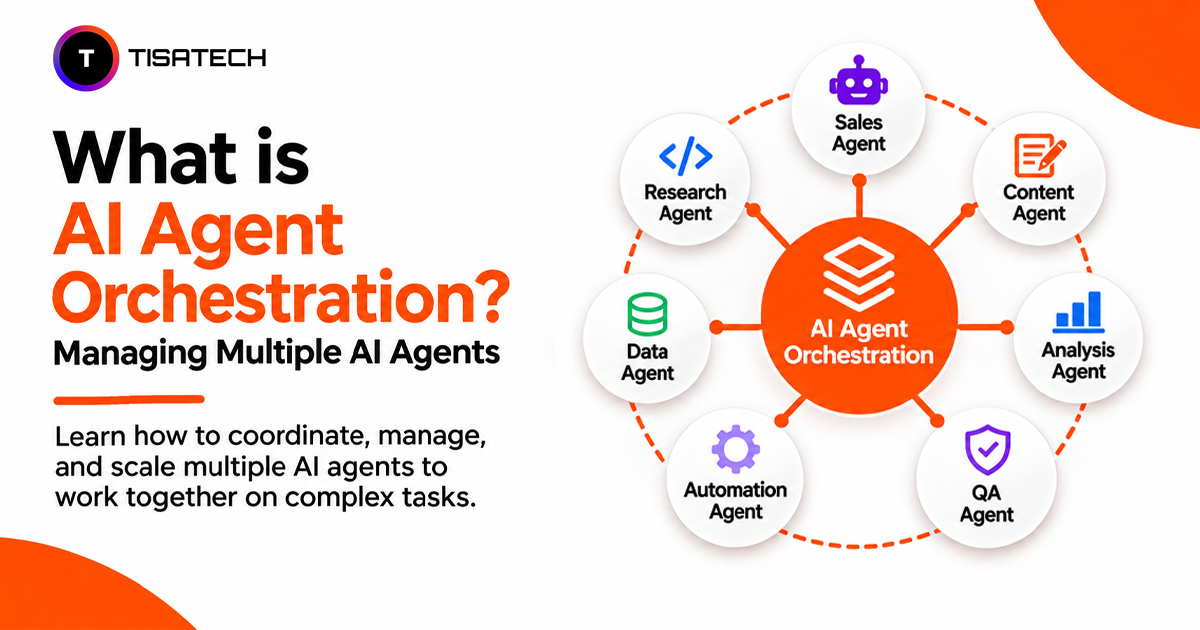
Have you ever worked on a project where one person handled research, another prepared the content, and someone else checked the final work? Dividing responsibilities makes it easier to manage different parts of the same project.
AI agents can work in a similar way. One agent can collect information, another can write a report, and a third can check the facts. But someone needs to decide who does what, when to pass the work forward, and how to bring everything together. That’s where AI agent orchestration comes in.
Instead of making one AI agent handle every task, orchestration allows multiple specialized agents to work together toward a common goal.
This approach is gaining attention. According to Databricks’ 2026 State of AI Agents report, usage of multi-agent workflows on its platform grew by 327% between June and October 2025.
So, how do these agents coordinate their work, and what makes one orchestration pattern different from another? Let’s understand how AI agent orchestration works, which frameworks developers use, and how beginners can build their own multi-agent workflows.

What Is Multi-Agent Orchestration in Simple Words?
Multi-agent orchestration is the process of coordinating multiple AI agents to complete a shared task. Each agent handles a specific job, while an orchestrator assigns tasks, manages handoffs, and tracks progress.
For example, a research agent gathers information, a writing agent turns it into a report, and a reviewer checks the facts. The orchestrator decides when each agent starts and passes the required information between them.
According to IBM’s guide to AI agent orchestration, this coordination helps agents work with shared context, tools, and models. Unlike a basic chatbot that mainly responds to individual prompts, a multi-agent system coordinates several steps to complete a larger goal.
Why Do Multiple AI Agents Need an Orchestrator?
When several AI agents work on one task, they can repeat work, miss handoffs, or pass incorrect information to the next agent. Without coordination, these problems can lead to delays, inconsistent results, and wasted API calls.
An orchestrator prevents these issues by assigning tasks, managing the order of execution, tracking progress, and handling failures. It can retry a failed step, redirect a task, or stop the workflow when an agent exceeds its limits. These controls help maintain coordination, scalability, and reliability across the system.
Cost is another reason to use an orchestrator. Anthropic reported that its multi-agent research system used nearly 15 times more tokens than a standard chat. Setting limits on token usage, tool calls, and execution time helps prevent unnecessary API costs.
How Does AI Agent Orchestration Work?
AI agent orchestration typically involves five steps that help multiple agents complete a task in a coordinated way.
An AI agent orchestration workflow shows how a central orchestrator assigns tasks to multiple AI agents, coordinates their work, and combines their results into a final output.
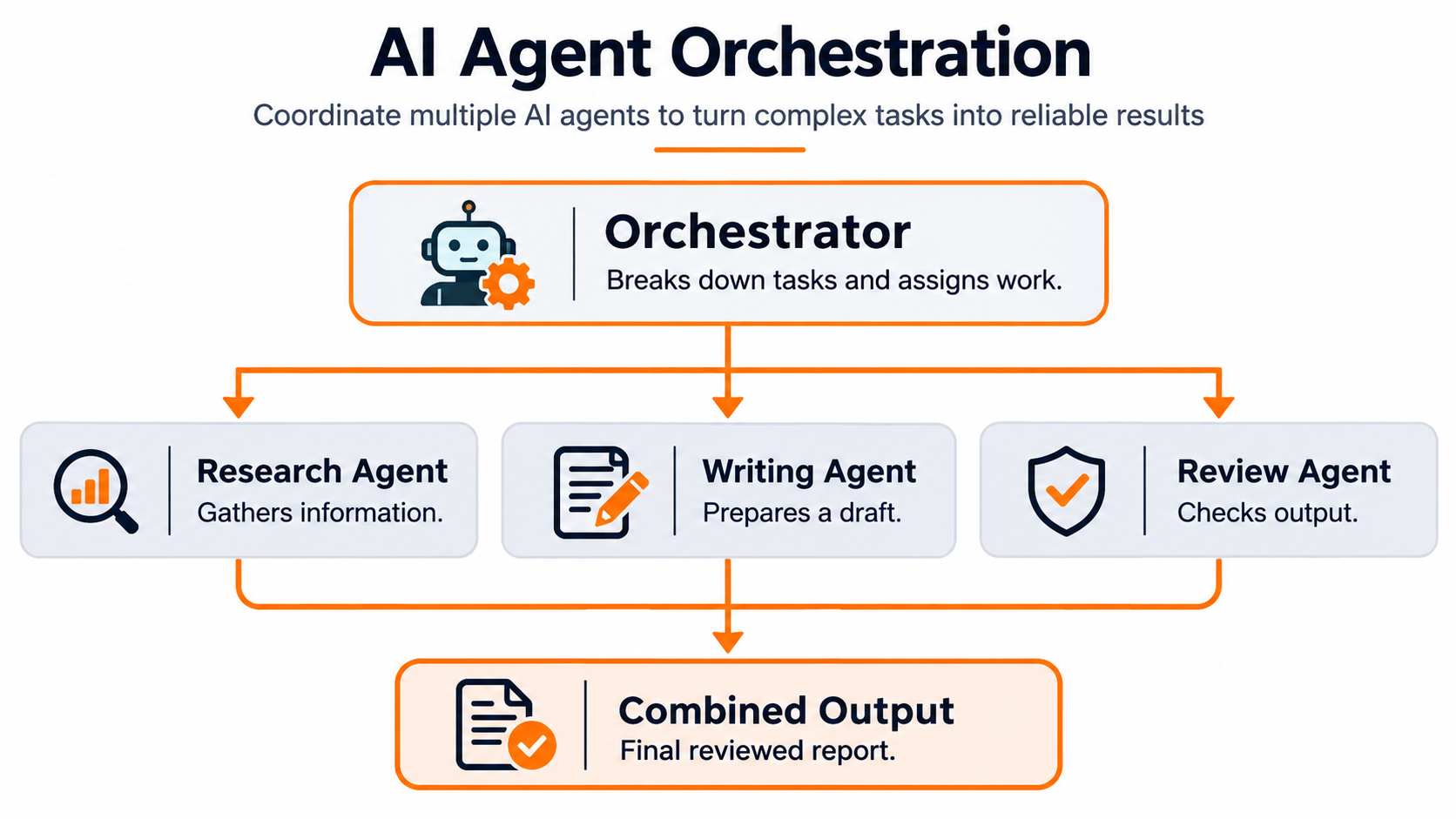
- Task breakdown: The orchestrator divides a larger goal into smaller tasks. For example, creating a market report involves research, drafting, and fact-checking.
- Agent assignment: It assigns each task to an agent based on its role and capabilities. A research agent gathers information, while a fact-checking agent verifies it.
- Workflow coordination: The orchestrator decides whether agents should work in sequence or in parallel. Sequential tasks pass results from one agent to the next, while independent tasks can run simultaneously.
- Shared state management: It maintains workflow state so agents can access relevant results, instructions, and task progress. This prevents agents from repeating work or losing important context.
- Error handling and human approval: The orchestrator tracks failures, applies retry limits, and pauses workflows when needed. For sensitive actions, such as sending emails or making payments, it can request human approval. It should also guard against prompt injection attacks, which can manipulate agents through untrusted content.
Which Orchestration Pattern Fits Which Job?
The right orchestration pattern depends on how a task moves between agents. Four common patterns cover most beginner projects. Anthropic’s guide to building effective agents explains how each pattern handles a different type of workflow.
| Pattern | Best For | Student Project Idea | Main Limitation |
|---|---|---|---|
| Pipeline (Sequential) | Tasks that follow a fixed order | Research agent → Writer agent → Editor agent | One delayed step holds up the next |
| Orchestrator and Workers | Complex tasks that need dynamic task assignment | Coding assistant that updates multiple files | The central orchestrator can become a bottleneck |
| Parallel | Independent tasks that can run simultaneously | Three agents researching different news sources | Conflicting results need to be combined |
| Evaluator and Optimizer | Outputs that need repeated review and improvement | Resume writer with a scoring agent | Repeated reviews increase cost and time |
In a pipeline, each agent passes its output to the next. For example, a research agent prepares notes, a writer creates a draft, and an editor checks the final version.
In the orchestrator and workers pattern, a central agent breaks a complex task into smaller jobs, assigns them to worker agents, and combines their results. This works well for coding projects that involve changes across multiple files.
The parallel pattern runs independent tasks at the same time. For example, three research agents can examine different news sources before a coordinator combines their findings.
The evaluator and optimizer pattern uses feedback to improve an output. One agent creates a response, while another checks it against defined criteria and suggests changes. The process repeats until the output meets the required standard.
These patterns can also work together. A system might run research agents in parallel, pass their findings through a pipeline, and use an evaluator to check the final report. Microsoft’s documentation on agentic application patterns provides additional implementation guidance.
Which Frameworks Support AI Agent Orchestration?
The right framework depends on how much control your workflow needs and how your AI agents should collaborate. CrewAI suits role-based projects, LangGraph supports workflows with conditional steps and retries, and AutoGen helps developers experiment with agent conversations.
The following table compares these frameworks based on their use cases, learning curves, and workflow control.
| Framework | Best For | Learning Curve | Control Level |
|---|---|---|---|
| CrewAI | Role-based agents working toward a shared goal | Easy to Moderate | Moderate |
| LangGraph | Stateful workflows with conditional steps, loops, and retries | Moderate to Advanced | High |
| AutoGen | Multi-agent conversations and collaborative problem-solving | Moderate | Moderate to High |
1. CrewAI
CrewAI organizes agents around specific roles, goals, and tasks. Developers can assign responsibilities to individual agents and define how they work together.
For example, a research agent can gather information, a writing agent can prepare a draft, and an editor agent can review the content. CrewAI is a practical starting point for beginners who want to understand role-based agent collaboration.
2. LangGraph
LangGraph represents workflows as graphs, where nodes perform tasks and edges define how execution moves between them. It supports shared state, conditional routing, loops, and retry handling.
For example, a customer support workflow can send a query to a classification agent, route it to the appropriate support agent, and request human approval before processing a refund. LangGraph suits developers who need greater control over complex workflows.
3. AutoGen
AutoGen supports multi-agent conversations and collaboration. Developers can configure agents to exchange messages, discuss tasks, and coordinate their responses.
For example, a coding assistant can use one agent to generate code, another to review it, and a third to suggest improvements. AutoGen is useful for experimenting with conversational agent interactions.
Which one should you choose?
- Start with CrewAI if you want to learn role-based agent collaboration.
- Choose LangGraph when your project needs conditional workflows, shared state, and detailed execution control.
- Try AutoGen when you want to experiment with multi-agent conversations and collaborative problem-solving.
Compare the frameworks against your project’s requirements, technical complexity, and desired level of control before making a decision.
When Is One Agent Enough?
A single agent is often enough for tasks with one clear goal, such as answering questions, summarizing a document, or using a tool to retrieve information. Adding more agents to these workflows can increase cost, latency, and failure points without improving the result.
Anthropic recommends starting with the simplest agent design and adding complexity only when it delivers measurable benefits.
Use multiple agents when a task requires distinct roles, parallel research, or specialized checks that one agent cannot handle reliably. Test the same tasks with both setups and compare accuracy, completion time, and cost. The AI agent evaluation guide can help you choose the right metrics.
If a multi-agent setup does not improve the results enough to justify its extra cost, stick with one agent.
How Can Students Learn Multi-Agent Orchestration Step by Step?
Start with a small project and add complexity as your skills improve.
- Learn Python and API calls: Understand how to send prompts to an AI model and process its responses. Start with the Python programming course to build your coding foundation.
- Build a single-agent workflow: Give one agent a simple tool, such as web search or weather lookup. Test whether it can complete the task reliably.
- Add a second agent: Split a task between a researcher and a writer. Pass the research notes manually first so you understand how agents share information.
- Use an orchestration framework: Move task assignment and handoffs into CrewAI or LangGraph. Start with a basic workflow before adding conditional steps.
- Test and monitor the workflow: Add a reviewer agent, log each step, and check where errors occur.
Build projects to apply these skills. A study planner, resume reviewer, or news summarizer can help you practise task assignment, agent handoffs, and output review. Beginners can also start with this guide to multi-agent systems for beginners.
| Follow Us for Daily Tech Tips |



|
From AI Agent Concepts to Practical Projects at TISA-TECH
Understanding AI agent orchestration becomes easier when students apply the concepts in working projects. TISA-TECH’s Generative AI course covers Python, FastAPI, Streamlit, and integration with OpenAI and Anthropic APIs. These skills provide a foundation for building LLM-based applications and experimenting with multi-agent workflows. Students can also explore other AI courses at TISA-TECH to understand related technical areas.
A practical project could involve building a research-and-writing workflow with multiple agents. One agent gathers information, another prepares a draft, and a reviewer checks the output. By building this workflow, students can practise assigning roles, passing information between agents, and reviewing results.
Students can begin with Python programming to learn the basics before progressing to the Generative AI course in Jaipur, where they can study LLM-based applications and experiment with AI agents.
Conclusion
AI agent orchestration is useful when a task requires different types of expertise that a single agent cannot handle effectively. Before building a multi-agent system, identify which tasks genuinely need separate agents and whether their combined output justifies the additional cost and complexity. For beginners, understanding task dependencies, information sharing, and output evaluation is more important than using multiple agents from the start. A well-planned system should solve the problem more reliably, not simply involve more AI agents.
FAQs Section
Ans. Yes. Multiple agents can access the same tools if the system allows it. However, developers should define permissions carefully so agents only perform actions relevant to their roles.
Ans. Agents can exchange information through messages, shared state, or a central orchestrator. The system passes one agent’s output to the next so each agent has the context needed to complete its task.
Ans. Assign each agent a clear role, track completed tasks, and maintain a shared workflow state. The orchestrator should also check task status before assigning work again.
Ans. They can handle some low-risk tasks independently, but sensitive actions such as payments, data deletion, or sending external messages should include approval checks and clear permission limits.