A chatbot answers a question. An AI agent finishes a job. Ask an agent for a project update. It checks task progress, reads past discussions, spots delays and writes the status report. You never tell it each step.
Planning, memory and tools help an agent complete multi-step tasks. The agent uses these components to decide what to do, access relevant information and act on the results.
The ReAct paper describes this idea of mixing reasoning with actions. Every step can fail, so developers cap the number of steps, log everything and ask a human before risky actions. Anthropic’s guide on building effective agents covers these safeguards well.

What are the key components of an AI agent?
An AI agent picks actions, uses tools and adjusts its plan based on what happens. A basic chatbot mostly replies to prompts. An agent handles many steps and talks to outside systems. Some chatbots now do a bit of both, so the line is blurry.
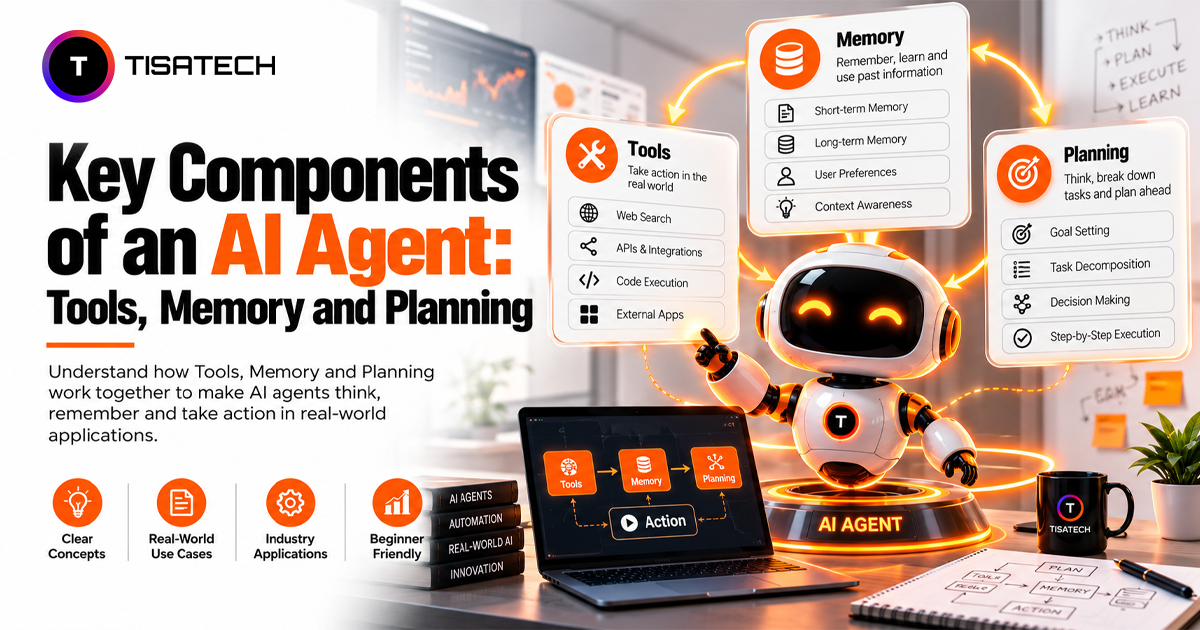
The key components of an AI agent are:
- Planning: decides the next step.
- Memory: keeps context and progress.
- Tools: let the agent act in the real world.
A language model usually sits in the middle and coordinates all three.
Here is an example. A sales-reporting agent pulls this week’s numbers and compares them with last week. One product dropped. Before writing the report, the agent checks that product’s orders to find the reason. Nobody told them to do that. It changed its own plan.
How does planning help an AI agent?
Planning breaks a big goal into small, ordered steps. Without it, an agent guesses, repeats itself and gets stuck.
Take a Jaipur jewellery seller who wants a restock list. The agent first pulls this month’s sales. Then it checks current stock, flags designs running low and drafts the order. Developers call this task decomposition, which simply means splitting one big task into smaller ones.
Order matters. The agent must find the best-selling designs before it checks their stock. Each step uses the output of the one before it.
Agents plan in a few ways. Some write out their reasoning before each action, as in ReAct. Others make a full plan first and then follow it. Neither method guarantees a good plan, which is why the next part matters.
The agent can check each result and adjust its next steps when a file is missing or a tool fails, provided its design supports replanning. A fixed script generally follows predefined branches, while an adaptive agent can select a different action based on new results. The Reflexion paper shows how an agent can improve by reviewing its own failures and trying again.
How do tools work in AI agents?
A language model generates text, but tools let an AI agent interact with external systems. It can search the web, read files, query databases, send emails or update calendars, depending on the tools the application provides.
This usually starts with function calling. The model selects a tool and generates a structured request containing its name and inputs. For example:
get_stock(design="kundan-necklace")
The application receives this request, runs the corresponding function and returns the result to the model. The model can then use that result to choose its next action or provide a final answer. Anthropic’s tool use documentation explains this process step by step.
Developers set limits on tool calls and execution time to prevent endless loops, unnecessary operations and excessive costs.
Connecting tools across different AI applications often requires custom integration work. The Model Context Protocol (MCP) provides a standard way to connect compatible AI applications with tools and data sources. This makes integrations easier to reuse, although authentication, configuration and permissions still need attention.
Tools also need appropriate access controls. Reading a database may expose sensitive information, while sending an email or changing a record can have consequences that are difficult to reverse. Developers should grant only the permissions an agent needs and add extra checks for sensitive actions. Two useful safeguards are:
- Allowlist: Specifies the tools and actions an agent is permitted to use.
- Audit log: Records tool calls and their results so developers can investigate errors and review important actions.
For higher-risk operations, developers can also require human approval before the application carries out an action. These safeguards help teams build agents that can work independently within clearly defined limits.
How does memory work in AI agents?
An AI agent needs access to relevant context to continue a task or use information from an earlier interaction. A language model does not automatically retain every detail across separate requests. The application can store useful information and provide it again when needed.
AI agents commonly use two broad types of memory:
| Feature | Short-term memory | Long-term memory |
|---|---|---|
| What it holds | Recent messages, active steps and partial results | Useful facts, past interactions and customer preferences |
| Where it lives | The model’s context window or application-managed task state | External storage, such as a database or vector store |
| How long it lasts | During a task or conversation, depending on implementation | Until the information expires, changes or is deleted |
| Jewellery seller example | Designs already checked during a stock review | A customer’s recorded preference for silver jewellery |
A context window is the amount of information a model can process in one request. It holds the information available to the model at that point, but it does not automatically provide persistent memory across separate requests. Applications can store task state or useful facts separately and retrieve them when needed. Since context windows have limits, they may also need to select or summarize information instead of sending the entire conversation every time.
A vector store helps retrieve information based on semantic similarity, meaning related ideas can match even when they use different words. Agents can also use RAG (retrieval-augmented generation) to retrieve relevant information from external sources and provide it to the model. LangChain’s memory documentation provides further background on managing memory in AI applications.
Developers can also organize memory by purpose:
- Entity memory stores information about specific people, products or other objects.
- Episodic memory records events or previous interactions.
- State memory tracks a task’s current status and completed steps.
More memory does not automatically make an agent better. Outdated information can lead to incorrect decisions, while an unnecessarily large store can increase retrieval time and cost. Good memory design focuses on what to save, when to update it, how to retrieve it and when to remove it. Sensitive information also needs appropriate access controls and retention rules.
How do the key components of an AI agent work together?
Planning, tools and memory work together in a repeating cycle. Planning selects the next step, tools carry it out, and memory records useful results.
Consider a coaching centre in Jaipur that wants to send fee reminders to parents.
| Stage | What happens | Fee reminder example |
|---|---|---|
| Plan | Select the next action | Identify parents with pending fees |
| Act | Use a tool to carry out the action | Retrieve fee records and prepare reminder messages |
| Remember | Store relevant results | Record who received a reminder and who requested more time |
| Check | Review the result and choose the next step | Skip parents already contacted and flag cases needing follow-up |
Without a record of previous actions, an agent might send the same reminder twice. Memory helps the application track which parents have already been contacted, while planning determines what should happen next.
The example assumes that the model returns a validated action and that each permitted tool has a defined interface. A production implementation also needs validated tool inputs and outputs, clear error-handling rules and safeguards against unintended actions.
memory = []

for step in range(5):  # Limit the number of steps
    action = model.decide(goal, memory)  # Planning

    if action.is_final:
        break

    if action.name not in allowed_tools:
        raise PermissionError("Tool is not allowed")

    try:
        result = tools[action.name](**action.inputs)
        memory.append({
            "action": action.name,
            "result": result
        })
    except Exception as error:
        memory.append({
            "action": action.name,
            "error": str(error)
        })
        break
This example uses illustrative interfaces such as model.decide() and tools. A real implementation needs tool definitions, input validation, permission checks, error-handling policies and an appropriate way to store task state. It should also avoid exposing sensitive error details in user-facing responses.
Each component can introduce a different failure. A weak plan may repeat steps, a model may select the wrong tool, a tool may return an error, or memory may contain outdated information. Developers can monitor these risks through a few practical checks:
- Log important steps. Tracing tools such as LangSmith can help developers inspect agent behaviour and investigate failures.
- Set steps and time limits. Stop the agent when it reaches a defined limit or cannot make progress.
- Validate tool inputs and outputs. Check that requests are permitted and results match the expected format.
- Require approval for sensitive actions. LangGraph’s human-in-the-loop guide explains approval patterns.
- Test with controlled data first. Verify the agent’s decisions before allowing it to access production systems.
Once a single agent works reliably, a team can consider dividing a larger task among multiple agents. Each agent can handle a defined responsibility, but coordination and shared state introduce additional complexity. Read the guide on how to build a multi-agent AI system using Python to learn more.
| Follow Us for Daily Tech Tips |





|
How does TISA-TECH teach AI agent development in Jaipur?
TISA-TECH is one of the best IT training institutes in Jaipur where students learn AI agent development by writing real code. Students do not just read about the key components of an AI agent. They build planning, tools and memory themselves, one step at a time.
In the AI/ML and Generative AI course, students start with Python programming, APIs and databases. Then they call large language models through APIs and build agents that pick and use tools on their own. They add short-term memory and long-term memory with a vector store. They also test their agents, log every step and add safety checks, so the agent does not make costly mistakes.
By the end, students have a portfolio project they can show in interviews. They also get real practice with APIs and LLM workflows, which many entry-level AI and software roles ask for. Students who want to work on real projects can also apply for internship opportunities at TISA-TECH and learn how a software team actually works.
Conclusion
The key components of an AI agent each solve a different problem. Planning gives the agent direction. Tools let it act. Memory helps it remember what matters. If one part fails, the whole agent can fail.
If you are a beginner, start small. Build one agent with one tool and a short, fixed plan. When that works every time, let the model pick its own steps. Add memory only when your project needs it.
Testing matters as much as building. Run your agent on simple tasks and read its logs. Look for the wrong tool, the missed step or the outdated fact. That tells you which component to fix next.
FAQs Section
Ans. No. Basic Python matters far more at the start. Most beginner agents call a ready-made language model through an API, so you train nothing.
Ans. Yes. Open-source models running locally through tools like Ollama cost nothing. Some providers also offer free API tiers, but those limits change often, so check them before you start.
Ans. Start with plain Python. It shows you how the plan, tool and memory loop really works. Frameworks like LangChain and LangGraph save time once the loop makes sense.
Ans. Try a job-alert agent. It checks a job feed daily, remembers which listings it already sent and shares only the new ones. That one build uses a tool, a simple plan and a small memory.
Ans. They can. Building agents gives you practice in API integration, LLM apps and workflow automation. A working project in your portfolio shows employers what you can do.