A college updates its admission fees, changes the last date for applications and uploads a new notice to its website. But students still need to search through multiple pages to find the correct information. A RAG-based AI assistant can retrieve details from these updated documents and answer their questions in one place.
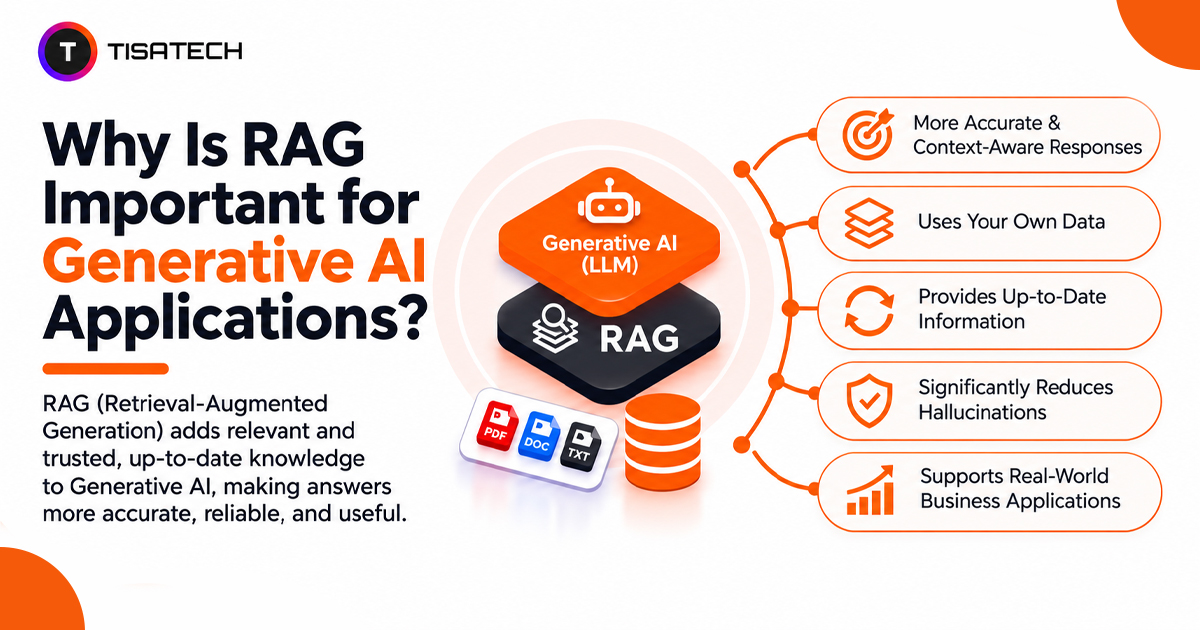
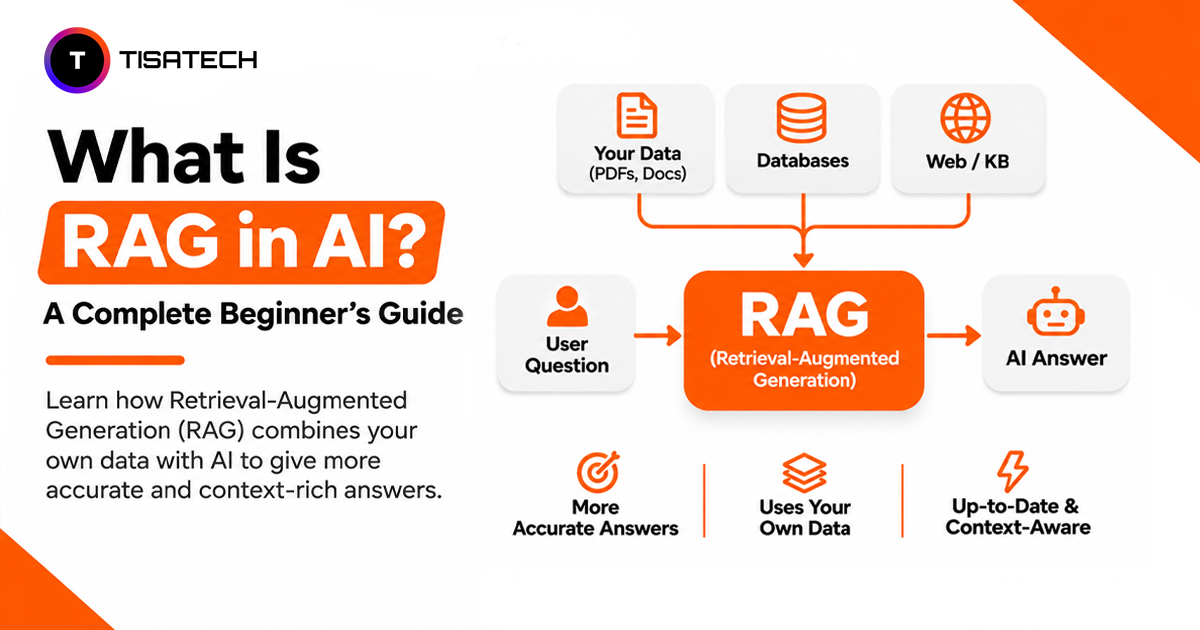
What Is RAG in AI? Retrieval-Augmented Generation (RAG) is a technique that connects large language models (LLMs) to external knowledge sources, retrieves relevant information and uses it to generate context-based answers.
Instead of relying only on previously learned data, RAG retrieves relevant content from documents to help LLMs provide more accurate and up-to-date responses. To understand the broader technology behind RAG, read about Generative AI and why students should learn it.
According to Stanford HAI’s 2026 AI Index Report, 88% of surveyed organizations used AI in at least one business function in 2025, up from 78% in 2024. As AI adoption grows, access to reliable and relevant information becomes increasingly important.
This guide covers how RAG works, its architecture, practical use cases, challenges and how to build a RAG application using Python.

How Does RAG Work in AI?
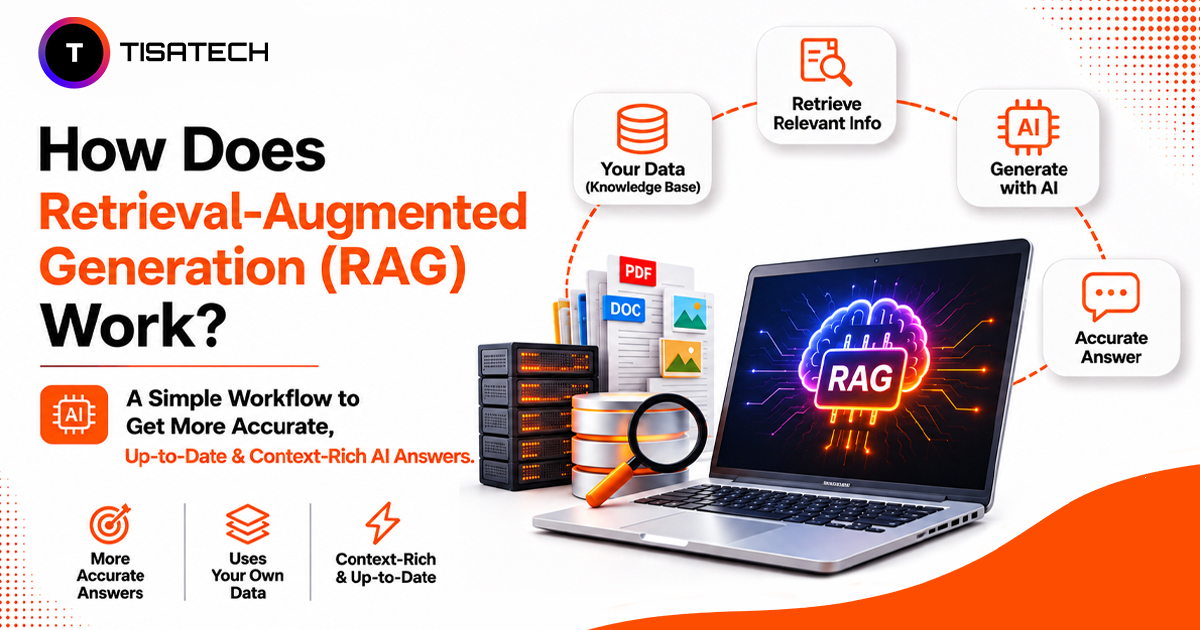
RAG follows two stages: document indexing and answer generation. The first prepares information for search, while the second retrieves relevant content when someone asks a question.
Stage 1: Prepare the Documents
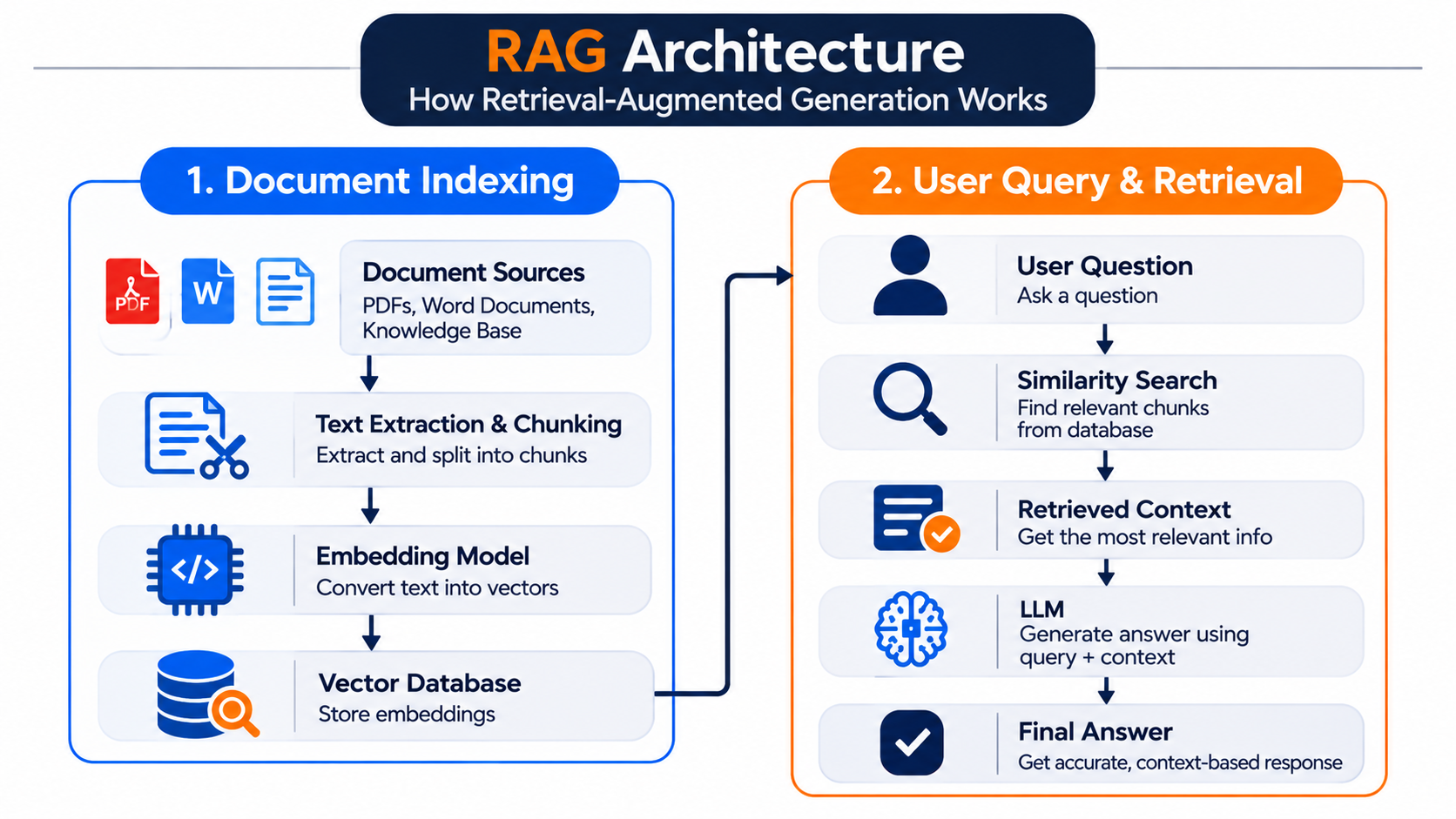
The system loads documents such as PDFs, manuals and notes, then splits them into smaller sections called chunks. An embedding model converts each chunk into a numerical representation (vector) that captures its meaning. A vector database stores these embeddings for later retrieval.
Stage 2: Retrieve Information and Generate an Answer
When a user asks a question, the system converts it into an embedding and searches for semantically similar chunks. It sends the most relevant results to the language model as context. The model uses that information to generate an answer based on the retrieved documents.
This approach comes from the 2020 research paper on Retrieval-Augmented Generation. For a deeper technical explanation, see OpenAI’s guides to vector embeddings and semantic retrieval.
What Does RAG Architecture Look Like?
A RAG architecture has five core components. The Document Loader imports data from PDFs, websites, databases and other sources. The Chunker splits documents into smaller passages while preserving enough context for accurate retrieval. The Embedding Model converts each passage into a numerical vector that represents its meaning.
The Vector Database stores these vectors and retrieves passages that closely match a user’s question. Finally, the Large Language Model (LLM) uses the retrieved passages along with the original question to generate a relevant answer.
The diagram below illustrates how RAG works, from indexing documents and storing their embeddings to retrieving relevant context and generating an accurate, context-based answer.
Advanced RAG systems improve retrieval with two additional techniques. Hybrid search combines keyword matching with semantic search to find relevant content, even when a question uses different words from the source. A re-ranker then scores the retrieved passages and moves the most relevant results to the top. Google Cloud explains both techniques in its RAG guide.
The final step is prompt engineering. Developers instruct the LLM to answer using the retrieved context, cite sources where available and acknowledge when the documents lack enough information. This helps keep responses grounded rather than encouraging guesses. See Microsoft’s RAG prompt engineering guide.
What Is a Vector Database in RAG?
A vector database stores document embeddings and retrieves content based on meaning rather than relying only on exact keyword matches. When a user asks a question, the system converts it into a vector and searches for document chunks with similar meanings.
For example, a student searches for “ways to prepare for exams.” A semantic search can also retrieve a note titled “study planning tips” because the two phrases express a similar idea, even though they use different words.
Popular options include:
- FAISS: An open-source library by Meta for fast vector similarity search, suitable for local projects.
- Chroma: An open-source vector database that makes storing embeddings and retrieving relevant documents straightforward.
- Pinecone: A managed cloud vector database for applications that need scalable vector search without managing the database infrastructure themselves.
For a beginner project, FAISS or Chroma can be a good starting point. Pinecone is worth considering when you need a managed cloud solution.
What Is the Difference Between RAG and Fine-Tuning?
RAG and fine-tuning improve LLM applications in different ways. RAG gives a model relevant information when a user asks a question, while fine-tuning trains the model to handle specific tasks or follow consistent response patterns. RAG does not change the model’s weights; fine-tuning updates the model’s parameters or adds trainable adapters.
| Comparison Factor | RAG | Fine-Tuning |
|---|---|---|
| Main Purpose | Provide relevant external information | Improve task performance or response behaviour |
| Model Changes | Keeps the base model unchanged | Updates model parameters or adapters |
| Data Updates | Update the knowledge base or documents | Prepare new training data and run another training process |
| Best For | FAQs, company policies and changing information | Consistent formats, specialised tasks and brand tone |
| Source References | Can return references to retrieved documents | Does not inherently provide source citations |
| Main Requirement | Retrieval pipeline and searchable data | Quality training examples and a training process |
For example, a university chatbot can use RAG to answer questions about updated fees, admission deadlines and course schedules. When the university changes a document, the system can retrieve the latest information without retraining the model. Fine-tuning can help the same chatbot follow a consistent response format or handle a specialised task.
You can also combine both approaches. Fine-tuning adapts the model’s behaviour, while RAG supplies the latest information at query time. For beginners, RAG is a practical starting point because it does not require model training.
Where Do People Use RAG in Real Life?
Businesses use RAG to build knowledge assistants that help employees find information in HR policies, technical manuals and internal documents. Customer support teams also use it to connect chatbots with product manuals, FAQs and company policies so customers receive answers based on approved information.
In education, students can ask questions about class notes, while colleges can build assistants that retrieve admission details, fee structures and course information from prospectuses. Legal and healthcare professionals can also use RAG to retrieve relevant contracts, regulations and clinical guidelines for document review and research. Medical applications still require qualified clinical oversight.
For example, a small business in Jaipur can connect a customer-support chatbot to its product catalogue, pricing and FAQs. Customers can then ask questions in natural language and receive answers based on the business’s available information.
What Problems Can RAG Face?
RAG can still produce incorrect answers when retrieval fails. If the system fetches irrelevant or incomplete document chunks, the model may generate an answer that sounds convincing but lacks the right evidence.
Poor chunking and outdated data can also reduce accuracy. Large chunks may include irrelevant information, while very small chunks can lose important context. Choose a chunking strategy based on your documents, then test different sizes and overlap settings. When source documents change, update the index so the system retrieves current information. Microsoft’s chunking guide explains these trade-offs.
Data privacy and access control require equal attention. Avoid uploading sensitive information, such as Aadhaar numbers or bank details, to unapproved public tools. For private knowledge bases, enforce user permissions during retrieval so users cannot access documents they do not have permission to view. See the OWASP RAG Security Cheat Sheet for practical security controls.
How to Build a RAG App as a Beginner?
Start by loading your PDF files and splitting their text into smaller chunks. Use an embedding model such as all-MiniLM-L6-v2 from Sentence Transformers to convert each chunk into a vector. Store these vectors in FAISS or Chroma so the application can retrieve relevant content when a user submits a question.
Next, pass the retrieved text to an LLM as context and instruct it to answer using that information. The official LangChain RAG tutorial walks through the indexing, retrieval and generation process with code.
Test the app before calling it complete. Prepare 20 questions with reference answers, then check whether the system retrieves the right information and generates accurate responses. Experiment with chunk size, the number of retrieved chunks and prompts one at a time. Record the results to identify which changes actually improve answer quality.
| Follow Us for Daily Tech Tips |



|
Where Can Jaipur Students Learn RAG With Real Projects?
Students learn RAG through practical AI and ML training at TISA-TECH in Jhotwara, Jaipur. As part of their learning, they work on projects such as building a college notes assistant using Python, LangChain, and FAISS. The application reads uploaded PDFs, retrieves relevant passages, and uses an LLM to answer questions based on the notes. This gives students practical experience with document processing, embedding generation, vector search, and LLM integration in a complete RAG pipeline.
Students can further explore career guidance and job opportunities to understand career paths in AI and software development. They can also gain industry exposure through student internship opportunities.
Conclusion
RAG in AI helps applications answer questions using relevant information from external documents instead of relying only on a language model’s existing knowledge. Its effectiveness depends on how well the system retrieves relevant content and uses it to generate answers.
FAQs Section
Ans. You should understand Python basics, functions, lists, dictionaries, file handling and working with libraries. Basic knowledge of APIs will also help when connecting an LLM.
Ans. You can build a RAG project using free tools such as Sentence Transformers for embeddings, FAISS or Chroma for vector storage, and a locally running language model. Some hosted APIs also offer free usage limits, but check their current pricing and restrictions.
Ans. Start with a college notes chatbot, PDF question-answering system, course information assistant or document-based FAQ bot. These projects help you practise document processing, embeddings, retrieval and LLM integration.
Ans. Yes. Add the new files, re-index them and the application retrieves the fresh content without any model retraining.
Ans. Prepare questions with known answers and check whether the system retrieves the correct document passages and generates accurate responses. Test retrieval quality and answer accuracy separately.
Ans. A RAG project can strengthen your portfolio when you include a working demo, source code, project architecture and test results. Explain how your application processes documents, retrieves relevant information and handles questions it cannot answer.