Most people use AI to write emails, summarize documents, or find answers. But what if AI could also review customer emails, check order details, update records, and notify support teams without instructions at every step?
According to McKinsey’s 2026 State of AI report, 40% of respondents from organizations with annual revenues above $1 billion report that their companies are scaling AI agents in at least one business function, up from 27% in 2025.
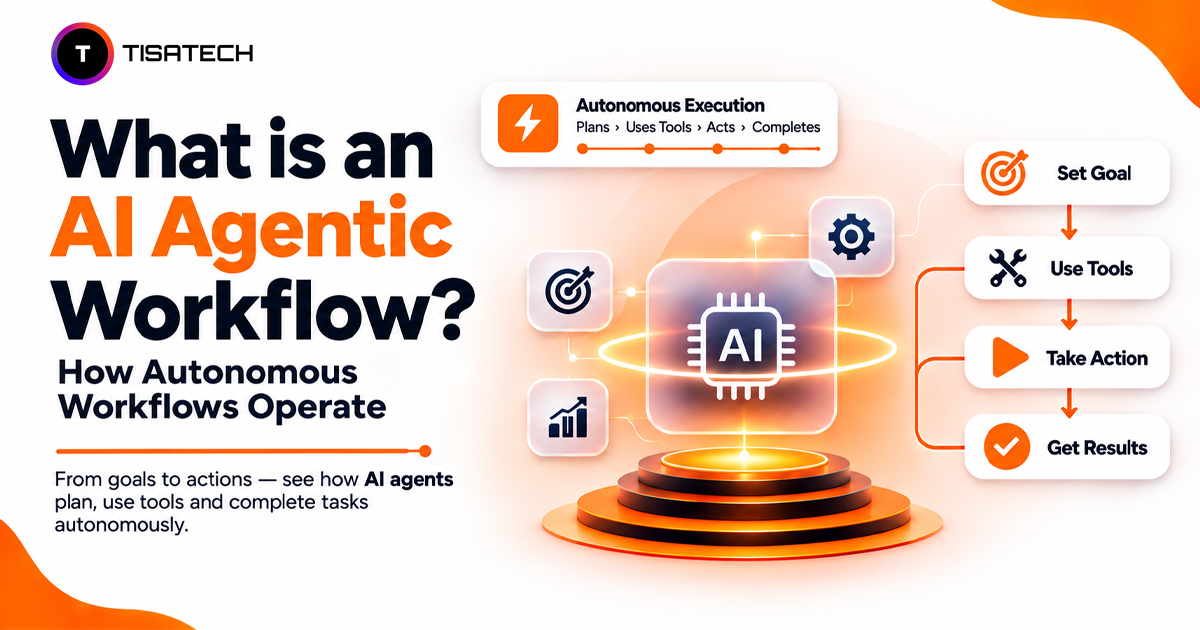
An AI agentic workflow breaks a goal into smaller tasks, selects tools, takes action, and checks results. Unlike traditional automation, it can adjust its next steps when conditions change or request human approval when needed.
This guide covers how AI agentic workflows operate, their components, design patterns, real-world applications, and how to build one using Python.

Why Are AI Agentic Workflows Getting So Much Attention Now?
Traditional automation works well with fixed rules but struggles when situations change. Chatbots can answer questions but often need further instructions to complete tasks across different tools. Businesses now want AI systems that can make decisions, take action, and manage multiple steps with less human input.
Gartner predicts that 40% of enterprise applications will include integrated task-specific AI agents by the end of 2026, compared with less than 5% in 2025.
However, adoption does not guarantee success. In a separate June 2025 forecast, Gartner predicts that more than 40% of agentic AI projects will be canceled by the end of 2027 due to escalating costs, unclear business value, or inadequate risk controls. This makes reliable workflow development essential.
What Is an AI Agentic Workflow?
An AI agentic workflow is a process in which an AI agent works toward a goal by planning tasks, choosing tools, taking actions, and checking results. It decides what to do next based on the information it receives rather than waiting for instructions at every step.
For example, a customer support agent can read a refund request, check order details through an API, review the refund policy, and prepare a response. If approval is needed, it can send the request to a human.
As IBM explains in its guide to agentic workflows, these systems combine AI reasoning, planning, and tool use to handle multi-step tasks. An LLM provides the reasoning, while APIs, databases, and search services let the agent interact with other systems.
The key distinction is that an AI agent drives decisions and actions within the workflow.
How Does an AI Agentic Workflow Work?
An AI agentic workflow follows a continuous cycle of planning, action, and evaluation. It checks results after important steps and adjusts its approach when something goes wrong.
Goal → Plan → Select a tool → Take action → Check the result → Request human approval (when needed)
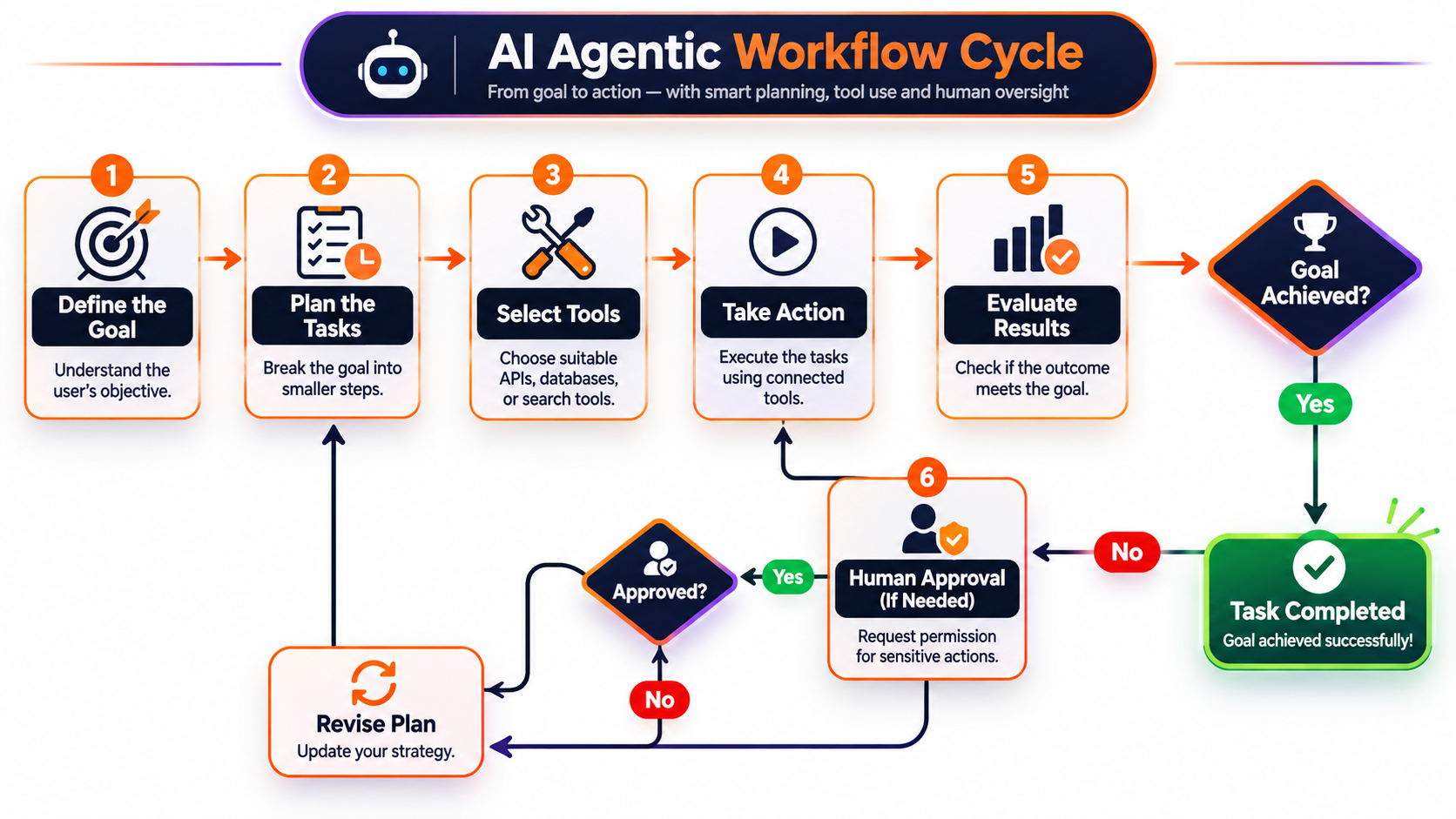
If the result does not meet the goal, the agent adjusts its plan and tries again. If human approval is required, the workflow pauses until someone reviews the action.
Let’s use the DBMS exam example to understand each step:
- Understand the goal: The agent identifies that you need to prepare for a DBMS exam in 10 days. It asks which topics need more attention.
- Create a plan: It divides the syllabus into daily tasks, such as ER diagrams, SQL joins, normalization, and transactions. If you miss a session, it adjusts the schedule.
- Select and use tools: The agent searches for study materials, accesses a question bank, or creates calendar reminders through connected tools or APIs.
- Evaluate the results: It checks whether the materials match your syllabus and difficulty level. If not, it searches for better resources.
- Request human approval: The agent pauses when an action needs permission, such as accessing private files or changing an external account. It continues after approval.
This cycle continues until the task is complete or human input is needed. As explained in LangGraph’s documentation on workflows and agents, developers can use defined steps, conditional paths, and agent-driven decisions to control these processes.
What Are the Main Components of an AI Agentic Workflow?
An AI agentic workflow combines five components to understand goals, coordinate tasks, use tools, and check results.
- Reasoning engine: Usually an LLM, it interprets the user’s goal, evaluates information, and decides the next step.
- Orchestration layer: It manages task execution and coordinates agents with different roles, such as information gathering and writing.
- Tool integration: APIs, databases, web search, and code runners let agents interact with external systems. The Model Context Protocol (MCP) provides a common connection standard, so developers do not need to build a separate integration for every AI application and tool.
- Memory: It stores relevant information across tasks and interactions. Short-term memory tracks current progress, while long-term memory retains useful details for future tasks.
- Feedback and evaluation: It checks whether actions and outputs meet requirements. If they do not, the workflow can retry, adjust its approach, or request human input.
AI Agentic Workflow vs Traditional Automation
Traditional automation follows predefined rules. For example, it routes customer support tickets to specific queues based on their category. This works well for predictable tasks but struggles when situations require a different response.
An AI agentic workflow can assess tickets, check customer history, review team availability, and choose the next step. It can also adjust its approach when new information changes the situation.
Here is how the two approaches differ:
| Comparison | Traditional Automation | AI Agentic Workflow |
|---|---|---|
| Decision-making | Follows predefined rules | Uses context to choose actions |
| Handles unexpected cases | Stops or follows a fixed fallback | Can adjust its approach within defined limits |
| Workflow steps | Follow a predefined sequence | Can change based on results |
| Result checking | Usually relies on fixed conditions | Can evaluate results against the goal |
| Best suited for | Repetitive, predictable tasks | Complex tasks with changing inputs |
The main difference is decision-making. Traditional automation follows predefined instructions, while an agentic workflow uses AI to choose the next action based on the situation.
What Are the Common AI Agentic Workflow Design Patterns?
Developers use four common design patterns to build agentic workflows.
1. Reflection: The agent reviews its output, identifies mistakes, and improves it. It can compare the result against the original instructions, check whether anything is missing, and revise the output before completing the task. For example, a coding agent can run tests, find errors, and revise its code.
2. Tool use: The agent uses APIs, databases, or web search to gather information or perform actions. For example, a support agent checks an order’s delivery status through an API before responding.
3. Planning: The agent breaks a larger goal into smaller tasks and decides their order. If a step fails, it can revise the plan.
4. Multi-agent collaboration: Multiple agents handle different parts of a task and share results. Each agent has a specific role, and an orchestrator or coordination process manages how their work fits together. For example, research agents can search papers, summarize findings, and fact-check information.
Developers can combine these patterns based on the task. A research agent can use planning to organize work, tools to find information, and reflection to review findings.
AI Agentic Workflow Examples You Can See Today
AI agentic workflows handle tasks that involve gathering information, making decisions, and taking action across systems. Common examples include:
- IT support: An agent reviews an employee’s issue, tries an approved troubleshooting step, and escalates unresolved tickets to an engineer.
- HR: An agent supports onboarding by creating profiles, scheduling orientation, and raising laptop requests for approval.
- Software development: An agent reviews code, writes requested features, runs tests, and revises code when tests fail.
- Customer support: An agent checks account details, reviews policies, handles routine billing questions, and escalates cases requiring human judgment.
Students can also use similar workflows to organize study schedules, summarize research papers, track internship deadlines, and prepare application drafts.
Microsoft’s AI agent use case blueprints cover applications across customer service, HR, IT, and other business functions.
However, simple, repetitive tasks with fixed rules are often better suited to traditional automation. Agentic workflows make more sense when tasks involve multiple steps, changing information, or context-based decisions.
How to Build an AI Agentic Workflow as a Beginner
Start with one small task instead of building a complex multi-agent system. A weekly study-material summary is a good first project.
- Define the goal: Decide what the agent should produce, such as a 10-day DBMS study plan.
- Choose an LLM: Select a model based on your task, budget, and API access.
- Connect the tools: Add search to find study materials and a file tool to save the summary.
- Set instructions and limits: Specify what to search for, which sources to use, and which actions to avoid.
- Add review and approval: Ask the agent to check its output and get approval before saving or sharing it.
A Simple Pseudocode Example of an Agentic Workflow
The following pseudocode shows how an agent can prepare a DBMS study plan, review it, and request approval before saving it.
goal = "Prepare a 10-day DBMS study plan"

feedback = None

for attempt in range(3):

    plan = create_plan(goal, feedback)

    materials = search_study_material(plan)

    review = review_result(materials, goal)

    if not review["meets_goal"]:
        feedback = review["feedback"]
        continue

    if review["needs_approval"]:
        approved = get_human_approval(plan)

        if not approved:
            print("Plan was not approved.")
            break

    save_plan(plan)
    break

else:
    print("The agent could not prepare a suitable plan.")
This illustrative pseudocode shows how an agent can revise a DBMS study plan using review feedback, retry up to three times, and request human approval before saving when required. Functions such as create_plan(), search_study_material(), and get_human_approval() must be connected to an LLM and actual tools before the example can run.
Beginner-Friendly Frameworks
Agent frameworks help manage tool calls, workflow steps, and agent coordination:
- LangGraph: Useful for controlling workflow steps, state, and human approval.
- CrewAI: Supports multiple agents with separate roles and responsibilities.
- Microsoft Agent Framework: Supports Python and .NET developers building agents and structured workflows.
Choose one framework and follow its beginner tutorial.
Once your workflow works, test it with incomplete inputs, broken links, and missing files. Check whether it handles errors, follows instructions, and requests help when necessary. Our guide on how to evaluate AI agents explains practical ways to measure these results. You can also read our guide on AI agent testing for more examples.
What Can Go Wrong With Autonomous AI Workflows?
AI agents do not always make the right decisions. They may choose the wrong tool, rely on inaccurate information, or repeat actions without making progress. These mistakes can waste time, produce incorrect results, and increase API costs.
Security is another challenge. Agents with excessive permissions could expose sensitive data or perform unauthorized actions. Attackers can also hide malicious instructions in web pages or files, known as prompt injection, to redirect an agent from its original task.
The OWASP Top 10 for Agentic Applications covers risks such as goal hijacking, tool misuse, and excessive access. Read our guide on AI agent security to understand how to protect these systems.
To reduce these risks:
- Start with limited tasks: Test low-risk workflows before expanding responsibilities.
- Restrict permissions: Give agents access only to necessary tools and data.
- Set usage limits: Add spending limits, action limits, and stop conditions.
- Monitor actions: Log tool calls, decisions, and errors for review.
- Require human approval: Get approval before important changes, sensitive data sharing, or financial actions.
| Follow Us for Daily Tech Tips |



|
How Can TISA-TECH Help You Learn This Skill?
Students interested in building AI agents can gain practical experience through development projects during their IT training. At TISA-TECH, internship projects give students an opportunity to work with Python, LLM APIs, and real-world use cases. One such project could be a study assistant that searches for learning materials, creates a study plan, and reviews its results using an LLM API. Building this type of agent helps students understand tool integration, feedback loops, and human approval. Visit the TISA-TECH internship programs to explore available options.
Students looking to strengthen their technical foundation can also explore TISA-TECH’s AI and Machine Learning courses, which cover Python, machine learning, deep learning, and practical projects.
Conclusion
AI agentic workflows are useful for tasks that involve multiple steps, changing information, or decisions that simple automation cannot handle. However, giving an AI agent more tools and freedom does not always improve its performance. It can also increase the risk and cost of mistakes.
FAQs Section
Ans. Start with Python basics, APIs, and how LLMs work.
Ans. Yes. Start with a small project, such as a study assistant that finds resources and prepares summaries.
Ans. An AI agent makes decisions and takes actions to achieve a goal. An agentic workflow organizes these actions, tools, and decision points into a structured process to complete a larger task.
Ans. Python is a good starting point because it supports AI libraries, LLM APIs, LangGraph, and CrewAI.
Ans. Students can build study assistants, research paper summarizers, customer support agents, and task management assistants to practice API integration, tool usage, and workflow design.