Every semester it’s the same story. You finish your exams, close your laptop for a couple of months, and return to coding only to forget the exact syntax of a loop that once felt easy. You look at your old code and wonder if you have forgotten everything.
You have not. Your skills have simply become rusty.
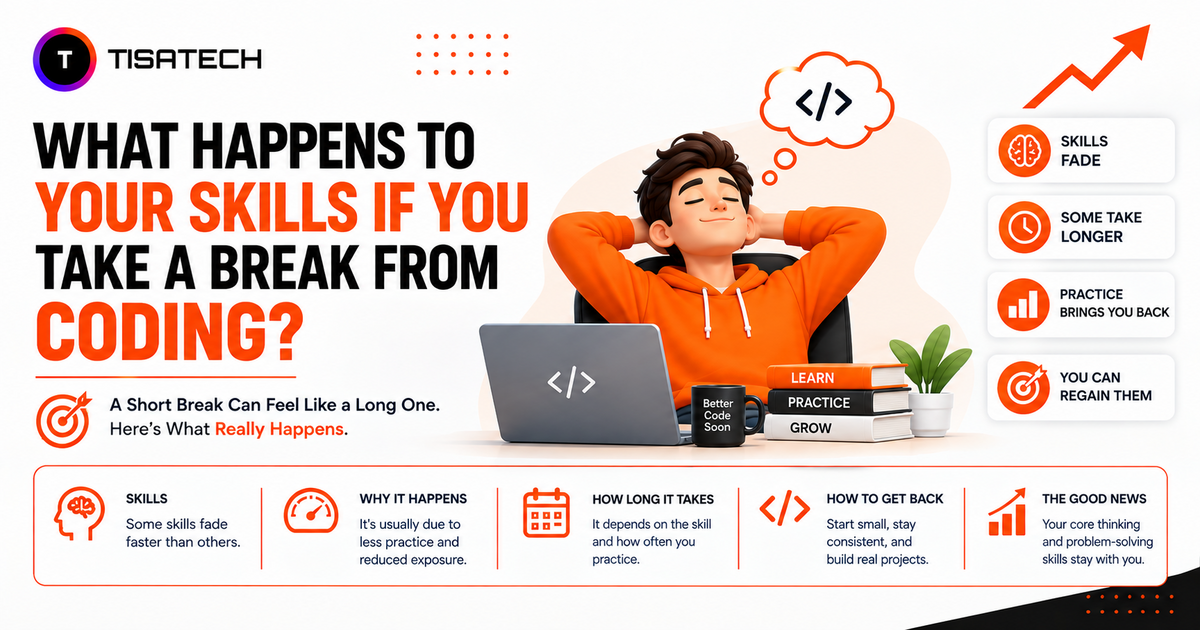
Taking a break from coding does not wipe out what you know. Researchers at Texas A&M University reviewed 53 studies and analysed 189 data points on skill loss. They found that skill decay is gradual, not instant. Measured loss was close to zero right after training and grew larger only after long gaps, becoming substantial after a year or more without use.
Most developers mistake rustiness for failure and think they need to start from zero. But regular practice can bring those skills back. Today, there is another challenge too. You can code every day and still stop practicing important skills when AI writes most of your code.
This guide explains what happens when you take a break from coding, which skills fade first, and how to get them back in 30 days.

Do You Actually Lose Coding Skills During a Break?
Not really. A break may slow you down, but it does not erase everything you know.
You may forget syntax, method names, shortcuts, or commands because you use these details regularly. But your deeper coding skills often stay with you longer. You still remember how to break a problem into smaller steps, find the cause of a bug, and think through a solution.
When you return to coding, the knowledge is still there. You just need a little time to use it comfortably again. That is why feeling rusty should not scare you.
Think of an auto driver who stops driving for six months. He does not forget the roads or how to drive. He may just take a little time to feel comfortable behind the wheel again.
Coding works in a similar way.
Which Coding Skills Fade First?
Coding skills do not fade at the same speed. Knowing what usually becomes rusty first can save you from unnecessary panic.
| Skill | Fade Speed | Why |
|---|---|---|
| Exact syntax and method names | 1 to 3 weeks | Regular repetition helps you remember them |
| Keyboard shortcuts and IDE speed | 2 to 4 weeks | They depend on regular practice |
| Framework and library details | 1 to 3 months | They involve many small details |
| Project context and codebase memory | 2 to 6 months | You may forget why you wrote certain code |
| Debugging instinct | 1 year or more | Real experience builds this skill |
| Problem breakdown and system design | Rarely | Deep understanding builds these skills |
The skills at the top may fade faster, but you can rebuild them quickly. You can check syntax in minutes. Deeper skills like debugging and design judgment take years to build and usually stay with you longer.
For students: Losing syntax and framework details can feel like losing everything because these skills make up most of what you recently learned.
For experienced developers: The same details may become rusty, but problem-solving and debugging skills stay with you. You may type slower, but you still know how to solve the problem.
What Happens After 1 Week, 6 Months, and 2 Years
The effect of a coding break depends on how long you stay away. Here is what usually changes over time.
After one week, you will not notice any major change. You may even return with a fresh mind and solve a problem that frustrated you before.
After one month, coding may feel a little less familiar. You might look up basic syntax more often, and your typing speed may slow down. In most cases, your confidence drops more than your actual ability.
What happens if you don’t code for 6 months? You may forget library details, project context, and parts of your development setup. Your Node version may be outdated, or old dependencies may stop working. But your understanding of logic usually stays with you. You may just need some time and regular practice to get your speed back.
After two years, the bigger challenge is often the technology around your skills. Frameworks change, new tools become popular, and old workflows may no longer be common. However, if your fundamentals are strong, you can learn the new tools much faster than you learned coding for the first time.
Impact of Taking a Break From Coding
A coding break can affect you in different ways. A long break may slow down your momentum and recall, while the right amount of time away can also help you rest and return with a fresh mind.
The Negative Impact of Taking a Break From Coding
- Loss of momentum: Getting back into the habit of coding can feel harder than solving the actual problem.
- Outdated tools: Frameworks change, new versions arrive, and old tutorials may no longer work.
- Lower confidence: Your confidence may drop faster than your actual ability, making simple problems feel difficult.
- Slower performance: You may take more time to solve problems during coding tests or interviews.
The Positive Impact of Taking a Break From Coding
- Less burnout: Time away can help you recover from mental fatigue and return with better focus.
- Fresh perspective: You may notice mistakes or problems in your old code that you missed earlier.
- Better understanding: When you relearn a concept, you may focus more on the logic instead of simply remembering the steps.
- More motivation: A short break can help you return to coding with renewed interest and energy.
The Hidden Break: When AI Writes All Your Code
There is another type of coding break that many people do not notice. You may open your laptop every day and ship features every week, yet your coding skills can still become rusty.
This happens when AI writes most of your code and you simply approve it. The Stack Overflow 2025 Developer Survey found that 84% of developers are using or planning to use AI tools, up from 76% the year before. More telling for this discussion, 51% of professional developers now use AI tools every single day.
So, does AI make you forget how to code? It can affect how you think and learn when you rely on it too much. Researchers at MIT Media Lab tracked 54 people writing essays over four months using EEG scans. The group that relied on ChatGPT showed the weakest brain connectivity. They also recalled their work less effectively and felt less ownership over it. The researchers called this “cognitive debt.”
Coding can work in a similar way. Reading AI-generated code can feel like understanding it, but real understanding comes when you first try to solve the problem yourself.
Think about the problem yourself first. Then use AI to help you write code faster, not to do all the thinking for you.





How to Get Your Coding Skills Back in 30 Days
If you are wondering how to restart coding after a long break, follow this simple 30-day plan.
Week 1: Get your setup ready. Install your language and editor again. Update Node or Python and run a simple Hello World program. For now, just make sure everything works.
Week 2: Refresh syntax with your old code. Open an old project and read through it. Delete a small function and try writing it again from memory. Your old code can help you remember things faster than starting a new tutorial.
Week 3: Start solving problems again. Solve one easy problem each day on LeetCode or HackerRank. You do not need to solve ten problems. Regular practice matters more.
Week 4: Build something small. Create a to-do app or a simple API. Keep it small and finish it. Completing a project can help you get comfortable with coding again.
Try to code for around 45 minutes and practice six days a week. Focus on building the habit again instead of trying to learn everything at once.
Conclusion
Taking a break from coding does not erase your skills. You may forget syntax, lose speed, and feel less confident, but your problem-solving and logical thinking usually stay with you.
Beginners may feel the break more because their foundation is still new, while experienced developers often return faster. But both can get their skills back with regular practice.
Do not judge yourself on your first day back. Open an old project or solve a small problem. Your skills are not gone. They just need practice again.
FAQs Section
Ans. Yes. A coding break does not automatically make you unemployable. Before applying, focus on refreshing your core skills, updating your knowledge, and building one or two recent projects to show that you are active again.
Ans. Usually, no. Start with the language you already know because it helps you rebuild confidence faster. Once you feel comfortable again, you can explore new languages or technologies based on your career goals.
Ans. You do not need to code for hours every day. Reading technical content, reviewing old projects, watching industry updates, or solving one small problem occasionally can help you stay connected to programming.
Ans. Coding may feel difficult because your recall speed and working habits need time to return. You may understand what needs to be done but take longer to remember the syntax, tools, or steps. Regular practice gradually makes the process feel natural again.