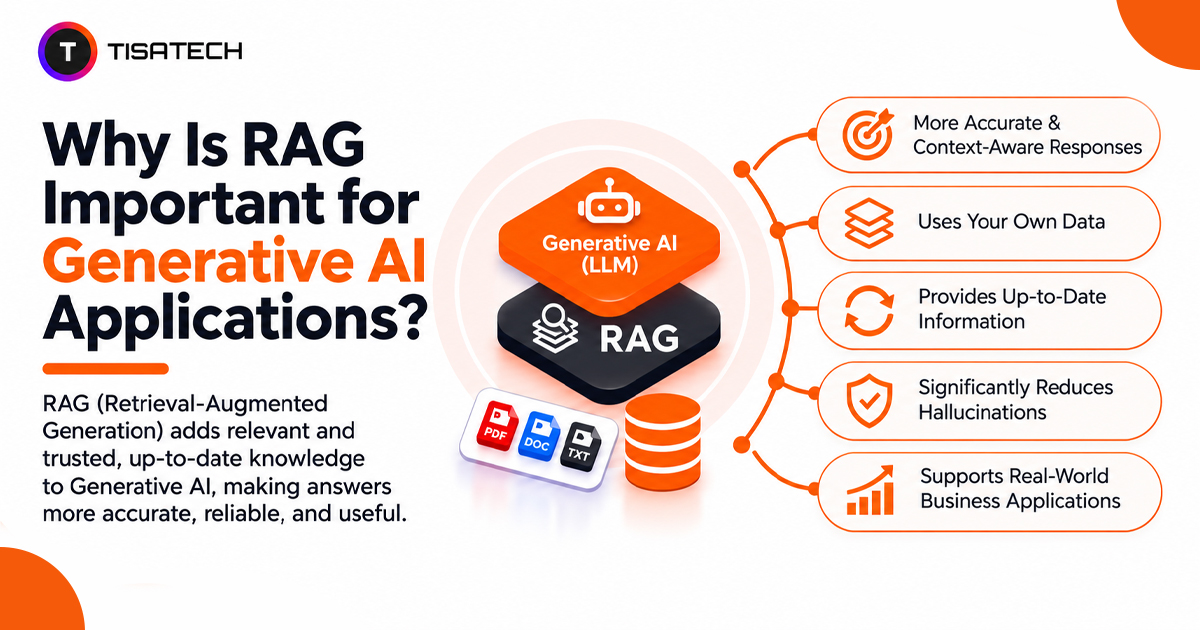
Large language models can answer questions on many topics, but they may lack recent updates or access to private documents. For example, an AI chatbot may not know the latest college admission deadline if its training data does not include it.
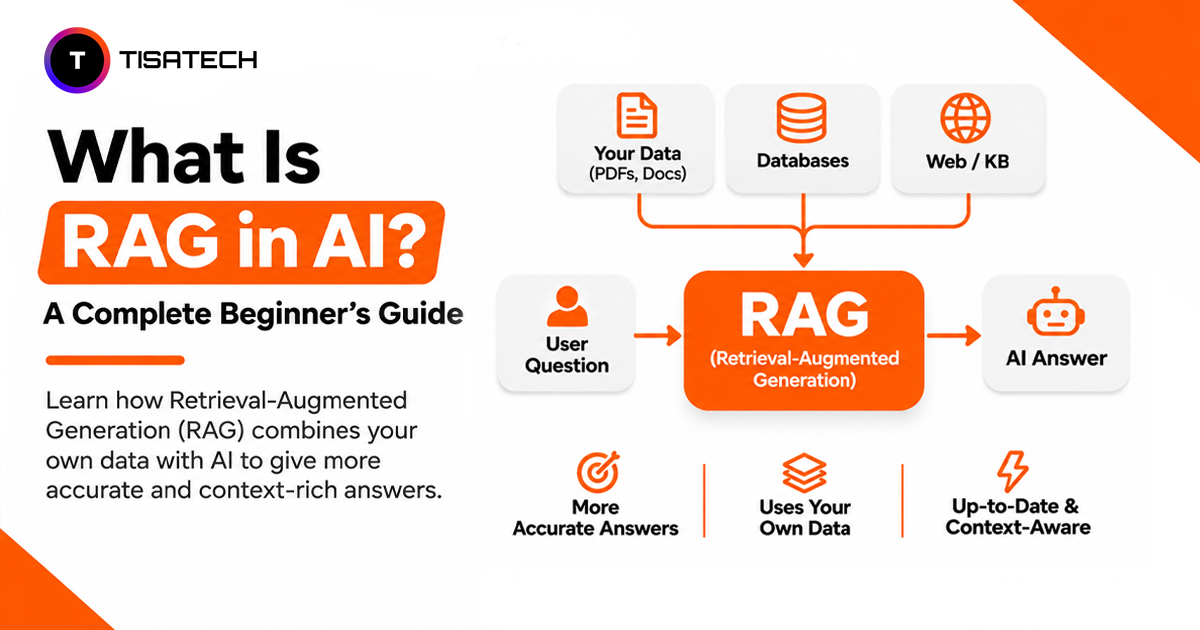
Retrieval-augmented generation (RAG) addresses this limitation by retrieving relevant information from external sources before generating an answer.
According to Stanford’s 2026 AI Index Report, 4 in 5 university students now use generative AI, making reliable, up-to-date information increasingly important.
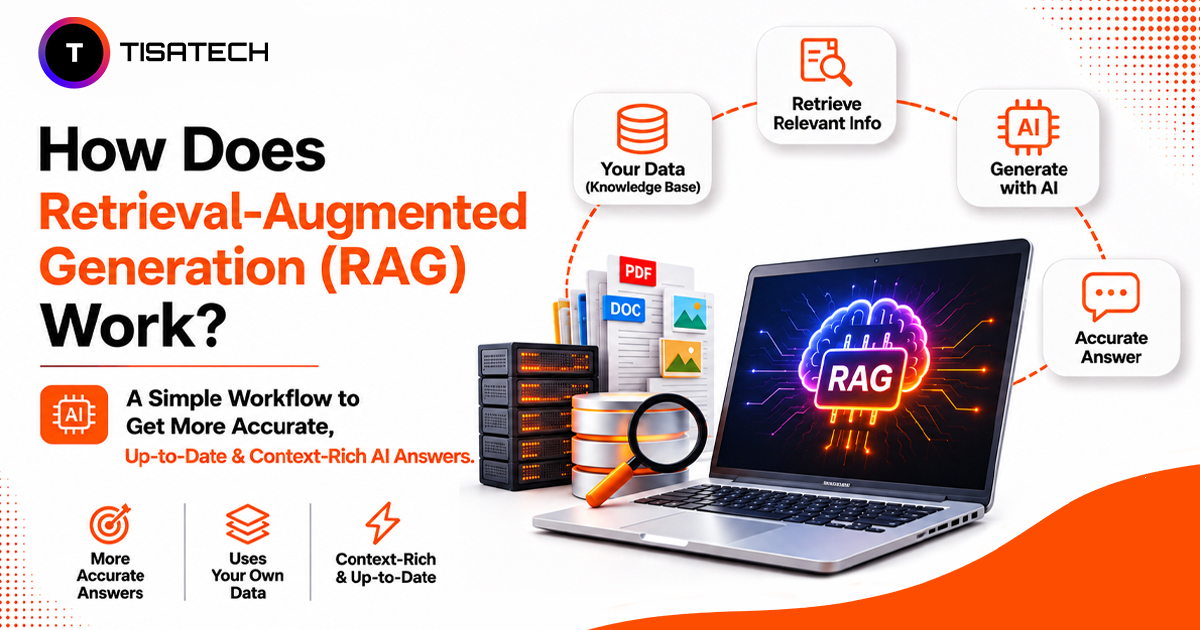
RAG works by finding relevant information from a knowledge source, adding it to the prompt and using it to generate a response. This process includes document preparation, information retrieval through vector search and answer generation.

What Does the RAG Pipeline Look Like From Question to Answer?
A RAG pipeline has two main stages: indexing and retrieval with generation. Indexing prepares information for search before a user asks a question. Retrieval and generation use that information to produce an answer.
Stage 1: Prepare and index the data
First, the system extracts text from source documents such as PDFs, Word files or web pages. It then splits the extracted text into smaller sections called chunks. Chunking makes large documents easier to process and helps the retrieval system find specific information. Developers can start with 300–500 tokens per chunk and a small overlap between consecutive chunks to preserve context when a sentence or idea spans two chunks. The ideal chunk size depends on the document structure and retrieval requirements.
Next, an embedding model converts each chunk into a numerical representation called an embedding. These vectors help the system find text with similar meaning, even when users phrase their questions differently.
The system stores these vectors alongside the original text and metadata, such as document names and page numbers, in a searchable index.
Stage 2: Retrieve information and generate an answer
Consider a student asking a college help desk bot, “What is the last date to fill out the semester exam form?”
The system converts the question into an embedding and searches the index for relevant chunks. It might find a college notice stating that the last date is 15 December. The retrieval process selects the most relevant information and passes it to the language model along with the original question.
The application then builds a prompt with clear instructions and the retrieved text:
Use the following information to answer the question. If the information does not contain an answer, say you do not know.
- Context: The semester exam form closes on 15 December.
- Question: What is the last date to fill out the semester exam form?
The language model uses this context to generate an answer: “The last date to fill out the semester exam form is 15 December.” The application can also include the original notice as a source so students can verify the information.
This is the core RAG workflow: prepare the data, retrieve relevant information, add it to the prompt and generate a grounded response. The Microsoft RAG documentation and Databricks RAG guide explain these stages in greater technical detail.
How Does a Vector Database in RAG Find the Right Chunk?
A vector database finds relevant information based on meaning rather than exact word matches. This helps RAG systems understand questions even when users phrase them differently from the original documents.
For example, a student asks, “What is the last date to fill the exam form?” while the college notice says “examination application deadline.” Vector search can connect these phrases because their embeddings have similar meanings.
The database uses similarity measures such as cosine similarity to compare embedding vectors and retrieve the closest matches. Microsoft explains how vector search ranks results.
For better results, RAG systems often combine vector search with keyword search. This is called hybrid search. Vector search finds related meanings, while keyword search catches exact details such as registration numbers and course codes. Google Cloud explains hybrid search.
Some systems also use a re-ranker to score the retrieved chunks again and prioritize the most relevant ones before sending them to the language model.
Why Do LLMs Need RAG?
LLMs rely on knowledge learned during training, so they may lack recent updates or access to private information. RAG addresses both limitations without retraining the model.
- Outdated information: RAG retrieves current content from external sources, such as updated policies, product details or recent reports, before the model answers.
- Private knowledge: It connects an LLM to documents such as college fee rules or company files, allowing the model to answer questions using information that was not part of its training data. Access controls must protect sensitive information.
- Easier updates: When information changes, developers can update the source documents and re-index them instead of retraining the entire model. This can save time and resources.
Researchers at Facebook AI Research introduced RAG in their 2020 research paper, Retrieval-Augmented Generation for Knowledge-Intensive NLP Tasks. Today, developers use RAG to build applications that answer questions from changing or organization-specific data. Microsoft’s RAG documentation explains how this works in practice.
Does RAG Reduce AI Hallucinations?
Yes, RAG can reduce AI hallucinations, but it cannot eliminate them. It gives an LLM relevant source material before generating an answer, reducing its reliance on training data alone.
However, RAG can still produce incorrect answers in three situations:
- Irrelevant results: The retrieval system selects unrelated chunks, giving the model misleading context.
- Outdated information: Old or conflicting documents lead to inaccurate answers.
- Missing information: When the retrieved content does not answer the question, the model may still generate details instead of acknowledging the gap.
Developers can reduce these risks by improving retrieval quality, updating source documents and instructing the model to answer only from the provided context. They should also require source citations so readers can verify important claims.
What Is the Difference Between RAG and Fine-Tuning?
RAG and fine-tuning both improve LLM applications, but they solve different problems. RAG gives a model access to external information at query time, while fine-tuning trains the model further to improve its behavior on specific tasks.
Use RAG when the model needs current or private information, such as updated fee structures, company policies or product documentation. You can update the source documents without retraining the model.
Use fine-tuning when the model needs to follow a specific writing style, produce a consistent output format or perform a specialized task more reliably. It learns from additional training examples rather than retrieving facts for each question.
The key differences between RAG and fine-tuning become clearer when comparing their purpose, knowledge updates and practical use cases.
| Comparison | RAG | Fine-Tuning |
|---|---|---|
| Knowledge updates | Retrieves updated information from external documents without retraining the model. | Requires additional training when the model needs to learn new information. |
| Main purpose | Provides access to current or private information at query time. | Adapts the model’s behavior, response style or task performance. |
| Best use case | Answering questions about company policies, product documentation or changing fee structures. | Generating consistent outputs, following a specific writing style or handling specialized tasks. |
Developers can also combine both approaches. Fine-tuning adapts the model’s behavior, while RAG supplies relevant information when it generates an answer. Databricks recommends starting with RAG when external knowledge is the main requirement. AWS explains when to use RAG, fine-tuning or both.
How Can Students Build a Small RAG Project?
Students can build a basic RAG application using Python and a single PDF of class notes. Start by extracting the text, splitting it into smaller chunks and converting those chunks into embeddings with an open-source model.
Store the embeddings in a vector database such as FAISS or Chroma. Then connect an LLM through an API. When someone asks a question, the system retrieves relevant chunks and passes them to the model to generate an answer.
Test the application with two types of questions: ones the PDF answers and ones it does not. Check whether the system retrieves the right information, gives accurate answers and admits when the document lacks the answer. If it fails, review the chunking strategy, retrieval results and prompt instructions.
Students can extend this project into a study notes assistant or a college help desk bot that answers questions about forms, deadlines and academic policies. These projects demonstrate practical skills in Python, embeddings, vector search and LLM integration.
| Follow Us for Daily Tech Tips |



|
Where Can Students Learn RAG in Jaipur?
Students can understand RAG better by building practical applications, testing retrieval results and improving how the system generates answers.
Through practical projects at TISA-TECH, students work with Python, embeddings, vector databases and LLM integration to understand how RAG applications function. They receive practical guidance from faculty members while building and testing tools such as PDF question-answering applications, where they can improve document retrieval and answer quality.
Students interested in developing these skills can explore the IT and AI courses offered at TISA-TECH.
Conclusion
RAG helps AI applications answer questions using current, private or domain-specific information. To improve a RAG application, developers should check the retrieved chunks before evaluating the generated answers.
If the retrieved information is irrelevant or incomplete, the LLM may still produce an incorrect response. Checking retrieval results helps identify issues in document processing, search quality or answer generation.
FAQs Section
Ans. Basic Python knowledge helps because most RAG tutorials and libraries use it. You should understand functions, lists, file handling and API calls before building a project.
Ans. Start with Python, an embedding model, FAISS or Chroma for vector search, and an LLM API. Once you understand the basic pipeline, you can try frameworks such as LangChain or LlamaIndex.
Ans. Yes. You can use open-source embedding models, local language models and tools such as FAISS or Chroma. Some hosted APIs have free usage limits, but check their current pricing before using them.
Ans. There is no fixed chunk size for every RAG application, but developers can start with 300–500 tokens per chunk and a small overlap between consecutive chunks. The ideal size depends on the document structure and retrieval requirements.
Ans. A PDF question-answering bot is a practical starting point. It lets you work with document extraction, chunking, embeddings, vector search and LLM responses in one project.
Ans. A simple PDF-based RAG prototype may take a few days if you already know basic Python. The time depends on your coding experience, the tools you use and how much testing you include.