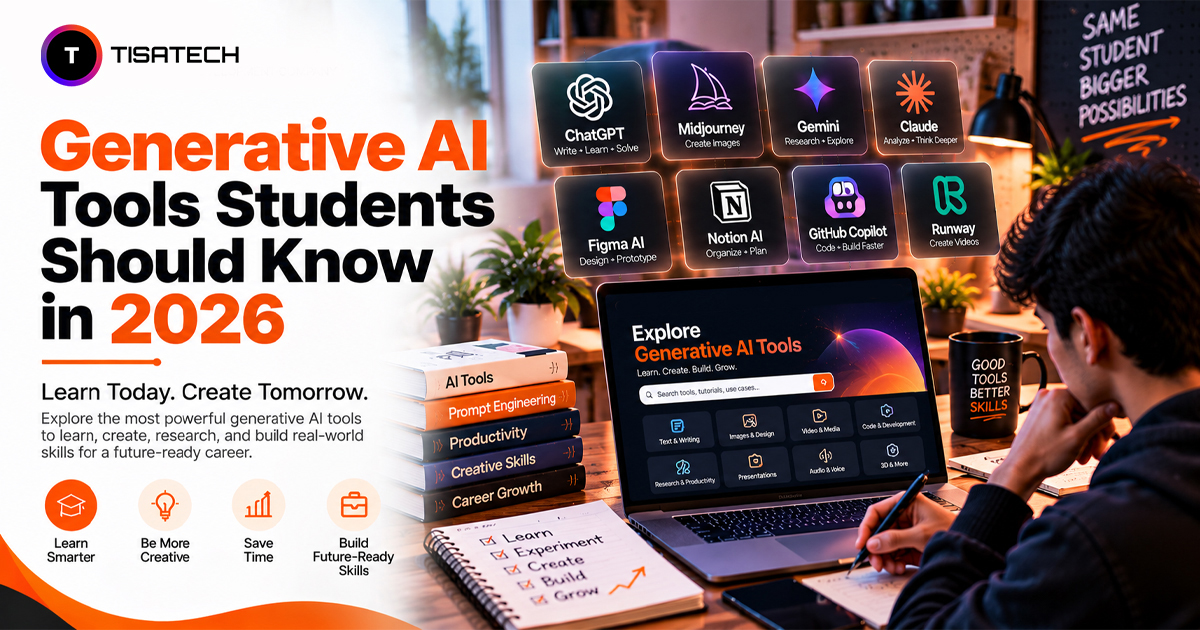
Students in 2026 can use AI tools to help with studying, writing assignments, doing research, coding, and creating presentations. Some explain tough topics, others find research papers, build slides, or debug code. Finding a tool is easy. Picking the ones worth your time, and using them without weakening your own learning, is the hard part.
AI use among students has grown fast. The latest HEPI survey of 1,054 UK undergraduates found that 95% use AI in some form, up from 66% in 2024. Fewer than half said their teaching staff supported them, so many students teach themselves.
This article covers the most useful generative AI tools for students, what each does best, where each falls short, and how to choose the right tools for your studies and career.

Which AI Tools Are Best for Students in 2026?
Start with one tool for your main needs. You might use one for research, another for writing, and others for coding or design.
General help: ChatGPT, Gemini, or Claude. Pick one to explain topics, review your drafts, and quiz you.
Research with sources: Perplexity answers with links, so you can open each source and check it.
Studying your own notes: NotebookLM grounds its answers in the sources you provide, making it useful for studying from your own syllabus materials.
Design: Canva AI turns a short prompt into slides, posters, and images.
Coding: GitHub Copilot suggests code and explains errors inside your editor.
Check where a tool gets its answers before you trust it. ChatGPT, Gemini, and Claude answer mostly from what they learned in training. Perplexity searches the web and shows its links. NotebookLM answers only from the files you upload.
You do not need all five. Start with two or three, use them on real assignments, and add another only when you hit a clear gap.
Top Generative AI Tools for Different Student Needs
Students can use different AI tools for studying, writing, coding, research, and design. The best choice depends on what you need help with and the kind of work you want to do.
Research and study
- ChatGPT explains hard concepts, walks through math problems, and drafts outlines. Pick it when you want one all-round tutor that can quiz you back. Try this: paste a syllabus topic, ask for a five-point revision summary, then ask it to quiz you. Watch out: it states wrong facts with full confidence.
- Gemini works inside Gmail and Google Docs, so it suits you if you already live there. Pick it when your college runs on Google accounts. Try this: give it the three sources you collected and ask it to compare them. Watch out: it works best when your files already sit in Google apps.
- Claude handles long documents and gives careful writing feedback. Pick it for long readings and draft reviews. Try this: upload a 30-page reading and ask for the main argument, its weak points, and three questions your professor might ask. Watch out: free usage limits can run out on heavy study days.
- Perplexity answers with links to web pages and academic sources, so you can verify each claim yourself. Pick it over a chat assistant when you need current facts or papers to cite. Watch out: the free plan limits advanced searches.
- NotebookLM helps you study materials such as PDFs, slides, and class notes by generating summaries, quizzes, and audio overviews grounded in your sources. Pick it when you want to revise your own syllabus materials rather than search the open web. Try this: upload your DBMS notes and ask it to generate ten viva questions with sample answers. Watch out: incomplete or unclear source material can lead to incomplete answers, so check important details against your notes.
Writing and note-taking
- Grammarly checks grammar, tone, and clarity, and shows you the mistakes you repeat. Pick it when your problem is accuracy, not ideas. The free plan covers the basics, while full-sentence rewrites and the plagiarism checker need a paid plan.
- QuillBot offers different ways to phrase a sentence. Pick it over Grammarly when a sentence is correct but clumsy. Use it to learn better phrasing, not to disguise copied text.
- Notion AI summarises class notes and helps you run a semester dashboard with deadlines and project tasks. Pick it only if your notes and tasks already live in Notion. Free accounts get a limited AI trial, and full AI needs a Business plan.
- Otter.ai records lectures and turns them into searchable notes, so you can listen instead of scribbling. Pick it over a phone recorder when you want to search the lecture later. The free plan gives 300 minutes a month, with a 30-minute cap per conversation. Check your college’s rules before you record.
Coding and STEM
- GitHub Copilot suggests code as you type. Pick it over Cursor when you want to keep your current editor, such as VS Code. Verified students on GitHub Education can get Copilot Student for free. GitHub paused new student sign-ups in April 2026 and reopened them gradually from June, so check your eligibility first.
- Cursor is an AI-first editor that helps you build projects and fix bugs across several files. Pick it over Copilot when a project grows past one file. The Hobby plan is free, but Cursor changed its student offer in 2026.
- WolframAlpha helps solve calculus, physics, and other STEM problems. Pick it over a chat assistant when you need an exact answer to check your own working. Most step-by-step solutions need a paid Pro plan.
Never accept a code suggestion blindly. Read it, run it, and ask the tool why it works. That habit turns a shortcut into a lesson.
Design and creative work
- Canva AI builds presentations, posters, and social graphics fast, so it is the easiest place to start. Pick it over Midjourney or Firefly when you need a finished slide or poster, not just an image. The free plan limits AI use, and heavier use needs Pro.
- Midjourney creates striking images from text prompts. Pick it when image style matters more than layout. It has no free plan, and paid plans start at $10 a month.
- Adobe Firefly fits professional image and video workflows. Pick it when your design work already runs through Adobe apps. The free plan limits generations, and paid plans start at $9.99 a month.
Design students should learn at least one of these well.
Quick Comparison: Which Tool Fits Which Job?
AI tools offer different features, free plans, and limitations. Here’s a quick comparison to help students understand what each tool does best and which one may suit their needs.
| Tool | Best for | Free option? | Main limit |
|---|---|---|---|
| ChatGPT | Explanations, outlines, practice questions | Yes, with limits | Sounds sure even when wrong |
| Gemini | Research inside Google apps | Yes, with limits | Needs fact-checking |
| Claude | Long documents, writing feedback | Yes, with limits | Free plan has usage caps |
| Perplexity | Research with sources | Yes, with limits | You still have to read the sources |
| NotebookLM | Studying from your own notes | Yes | Output depends on source quality |
| Grammarly | Grammar and tone | Yes, with limits | Advanced features cost extra |
| Notion AI | Notes and planning | Limited AI trial | Full AI needs the Business plan |
| Otter.ai | Lecture transcripts | 300 free minutes a month | 30 minutes per conversation on free |
| GitHub Copilot | Code suggestions | Free for verified students | Needs GitHub Education approval |
| Cursor | Building projects | Free Hobby plan | Student offer changed in 2026 |
| WolframAlpha | Step-by-step STEM solutions | Free access is limited | Most step-by-step solutions need Pro |
| Canva AI | Slides, posters, social graphics | Yes, with limits | Templates can look generic |
| Midjourney | High-quality images | No free plan | Paid plans from $10 a month |
| Adobe Firefly | Image and video editing | Free plan with limited generations | Paid plans from $9.99 a month |
Plans and limits change often, so check each tool’s pricing page before you commit.
How Can Students Use Generative AI Tools Effectively?
Five habits make the biggest difference.
Try the problem first. Give yourself ten minutes before you ask AI. Answers stick better when you have already struggled with the question.
Ask clear questions. Tell the tool your subject, your level, and your goal. “Explain normalisation in DBMS for a second-year BCA student with one simple example” beats “Explain normalisation” every time.
Check every fact. AI sounds certain even when it is wrong. Verify names, dates, and numbers against your textbook or a source you can open, such as a Perplexity link.
Use AI to learn, not to submit. Ask it to quiz you, find gaps in your answer, or re-explain a topic more simply. Write your final work in your own words, and read your college’s AI policy first.
Protect your data. Don’t paste private documents, personal details, or unpublished project work into tools you don’t trust. Check each tool’s data and privacy settings before uploading anything sensitive.
Which AI Tools Should You Learn for Your Career?
Pick tools that match your field, then build proof that you can use them well.
Computer science and IT: Learn GitHub Copilot, Cursor, and ChatGPT or Claude for debugging and design help. Students who want to learn machine learning can start with Python basics for machine learning. AI can help developers work faster, but students still need to understand and explain the code they use.
Commerce and management: Learn Gemini, Notion AI, and Perplexity for market research, reports, and planning. Pair them with strong Excel skills and you stand out.
Design and media: Learn Canva AI, Adobe Firefly, and Midjourney. Build a portfolio where your ideas and edits lead and AI plays the helper.
Science and engineering: Learn WolframAlpha, ChatGPT, and NotebookLM to check calculations and revise hard theory.
Across fields, three skills matter most: writing clear prompts, checking AI output, and explaining your own work. The World Economic Forum’s Future of Jobs Report 2025 puts AI and big data at the top of its fastest-growing skills through 2030.
| Follow Us for Daily Tech Tips |





|
Learn AI Tools With TISA-TECH’s Trainers in Jaipur
Students in Jaipur can learn to use AI tools with guidance from trainers at TISA-TECH, an IT training institute in Jhotwara. Learning on your own can help with simple tasks, but choosing the right tool and checking whether its answers are correct takes practice.
Trainers help students spot mistakes in AI-generated answers and improve their prompts to get more useful results. Students also learn when to trust an answer and when to check it themselves.
During project work, students use AI tools to build websites, work on data projects, and create designs. Mentors review their work, point out errors, and explain what needs to change.
In job interviews, students may need to explain how they built a project and why they made certain choices. Practising with a mentor helps them explain how they used AI, changed their prompts, corrected mistakes, and reached the final result.
Conclusion
The list of generative AI tools students should know in 2026 looks long, but three well-chosen tools are enough. You need one general assistant like ChatGPT, Gemini, or Claude, one for research and revision like Perplexity or NotebookLM, and one for your own field. Try each problem yourself before you prompt, and check every fact, number, and line of code the tool gives you.
This week, choose one real study task and test your three tools on it. Note what each got right, what it got wrong, and what you had to fix. After a few rounds, you will know which tools deserve your time. Employers rarely ask how many tools you tried. They ask what you built and how you did it.
FAQs Section
Ans. Start with ChatGPT, Gemini, or Claude. Pick one and ask it to explain a topic you found hard in class. Use it for a week before you add anything else. Going deep on one tool beats trying five.
Ans. That depends on your college. Many colleges now publish an AI policy, and some allow AI for research and feedback but not for the final answer. Read your policy or ask your teacher. Use AI to understand the topic and improve your draft, then write the final work yourself.
Ans. Many offer free plans with usage limits. Student-only perks, such as GitHub Copilot Student, need verification and can change, so check each official page.
Ans. Trust your doubt. Ask the tool for its source, then compare that source with your textbook. If the claim has no source or does not match, drop it and ask your teacher.
Ans. Upload your own notes to NotebookLM and ask for a summary, then for ten practice questions. Try answering before you read its answers. You can also ask ChatGPT or Claude to explain a topic in simple words and then quiz you on it.
Ans. Start with two or three tools that match your studies or career goal. Learn how to use them well before adding more. Knowing how to choose, check, and apply AI matters more than knowing a long list of tools.