AI agents can perform tasks such as answering questions, analyzing information, and using tools to solve problems. But when a task involves several steps, one agent may not be enough to handle everything efficiently.
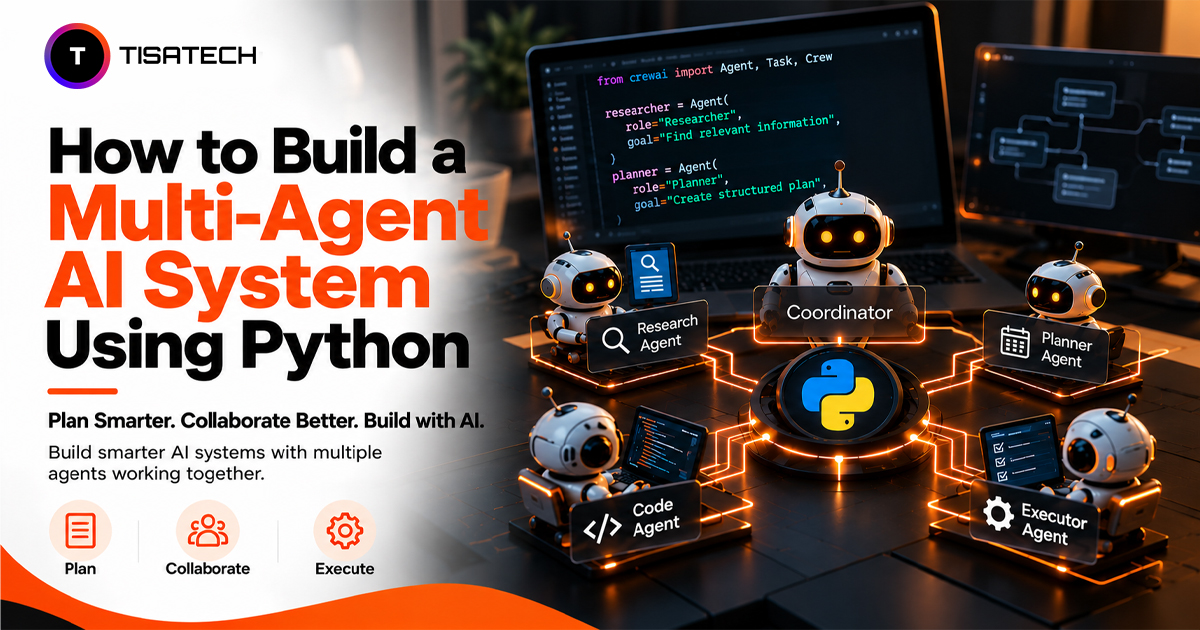
A multi-agent AI system solves this by assigning different responsibilities to specialized agents. For example, one agent can research a topic, another can analyze the findings, and a third can review the final answer.
In this tutorial, you’ll build a multi-agent AI system using Python and the OpenAI API. You’ll create three agents for research, analysis, and review, then connect them with LangGraph to manage the workflow. You’ll also learn how to pass results between agents, handle failures, and decide when multiple agents are worth the extra complexity.

How Does a Multi-Agent AI System Work?
A multi-agent AI system divides a complex task among specialized AI agents. Each agent handles a specific part of the work, and the system combines their outputs to reach a final result.
Three components make this possible:
- Agents: Handle specific tasks using their instructions, language models, and available tools.
- Shared state: Stores task inputs, intermediate results, and other information agents need to continue the workflow.
- Orchestrator: Decides which agent runs next, passes information between tasks, and manages the workflow.
Developers can connect these components in three common ways:
| Workflow Pattern | How It Works | Example |
|---|---|---|
| Sequential | Agents work one after another, passing results forward. | Research → Analysis → Review |
| Supervisor | A coordinator assigns tasks to specialized agents. | A manager delegates research and writing. |
| Parallel | Multiple agents work on separate tasks simultaneously, then combine their results. | Three agents research different aspects of a topic. |
For beginners, a sequential workflow is the easiest starting point because each step has a clear input and output. Once it works reliably, you can introduce parallel tasks or a supervisor to handle more complex workflows. The LangGraph documentation explains how to build these workflows using nodes, edges, and shared state.
Which Python Framework Is Best for Multi-Agent AI Systems?
The best framework depends on your workflow, the level of control you need, and how much coordination code you want to manage.
| Framework or Approach | Best For | Key Strength |
|---|---|---|
| Plain Python | Learning the basics and building simple workflows | Full control with minimal dependencies |
| CrewAI | Teams of agents with defined roles | Role-based task coordination |
| OpenAI Agents SDK | Tool use and agent handoffs | Built-in handoffs, guardrails, and tracing |
| LangGraph | Stateful workflows with conditional routing | Explicit control over workflow steps and state |
If you’re new to multi-agent systems, start with plain Python to understand how agents pass tasks and results between functions. Move to a framework when you need features such as agent handoffs, shared state, conditional routing, or execution tracing.
You may not need multiple agents at all. For a simple task, one agent or a sequence of model calls can be easier to build, test, and maintain.
How Do You Build a Multi-Agent AI System in Python?
Let’s build a research pipeline using Python and the OpenAI API. Three specialized agents will gather facts, analyze the findings, and prepare a final summary.
You’ll need basic Python knowledge and an OpenAI API key. If you’re new to agent development, start with this Python AI agent tutorial.
Step 1: Create a Python Environment
Create a project folder and move into it.
mkdir multi-agent-python
cd multi-agent-python
python -m venv venv
Activate the virtual environment.
source venv/bin/activate.\venv\Scripts\Activate.ps1Install the OpenAI Python library.
python -m pip install openaiStep 2: Set Your API Key
Create an API key through the OpenAI Platform and set it as an environment variable.
export OPENAI_API_KEY="your-actual-api-key-here"$env:OPENAI_API_KEY = "your-actual-api-key-here"Replace the placeholder with your actual key. Keep it private and never commit it to a public repository.
Step 3: Create the Agent Pipeline
Create a file named main.py and add the following code.
from openai import OpenAI

client = OpenAI()


def ask(role, task):
    response = client.chat.completions.create(
        model="gpt-4o-mini",
        messages=[
            {"role": "system", "content": role},
            {"role": "user", "content": task},
        ],
        timeout=30.0,
    )

    answer = response.choices[0].message.content

    if not answer or not answer.strip():
        raise ValueError("The agent returned an empty response.")

    return answer.strip()


researcher = (
    "You are a researcher. Identify three key facts about "
    "the topic. Do not invent facts or unsupported statistics."
)

analyst = (
    "You are an analyst. Identify the main insight from "
    "the supplied research. Use only the information provided."
)

reviewer = (
    "You are a reviewer. Check the supplied analysis for "
    "clarity and consistency, then write a concise summary."
)


def main():
    topic = "Solar energy in Rajasthan"

    try:
        facts = ask(researcher, topic)
        print("Research completed.")

        insight = ask(analyst, facts)
        print("Analysis completed.")

        final = ask(reviewer, insight)
        print("\nFinal summary:\n", final)

    except Exception as error:
        print(f"Workflow failed: {error}")


if __name__ == "__main__":
    main()
The ask() function sends each agent’s instructions and task to the model. The main() function controls the sequence and passes each response to the next agent.
This example uses OpenAI’s Chat Completions API. The model parameter selects the model, while messages supply its instructions and input. Make sure the selected model is available to your account.
Step 4: Run the Program
Run the script from your activated virtual environment.
python main.pyThe researcher generates three key facts about solar energy in Rajasthan using the model’s existing knowledge. Because the pipeline does not retrieve external sources, treat these outputs as unverified model-generated information rather than verified research findings. The analyst identifies the main insight from those facts, and the reviewer prepares the final summary. Because this example does not use external research tools, verify factual claims against reliable sources before relying on them.
Each agent makes a separate model call, but Python controls the workflow. The agents do not have independent memory, external research tools, or automatic retry logic. The timeout limits how long each request can wait, and the empty-response check prevents blank output from passing to the next agent.
This simple pipeline demonstrates the core multi-agent pattern: separate roles, sequential execution, and output passing.
How Do AI Agents Communicate With Each Other in Python?
In Python, agents pass information through function calls, shared data, or workflow controls. In the example above, the researcher passes its findings to the analyst, and the analyst passes its insights to the reviewer. Python controls the sequence and transfers each agent’s output to the next.
As systems grow, developers can use different communication methods:
- Shared state: Stores results that multiple agents need to access.
- Message history: Keeps relevant earlier messages available for context.
- Handoffs: Transfers control between agents.
- Structured outputs: Passes data in a predictable format, such as a dictionary or validated JSON.
For example, a research agent can return findings with source URLs in a structured format, allowing the analyst to evaluate each finding instead of processing a long paragraph.
Pass only the information the next agent needs. This reduces token usage and limits irrelevant context. Validate important outputs before passing them along, especially when later steps depend on their accuracy.
For more advanced workflows, LangGraph’s documentation explains how to manage shared state and coordinate agent execution.
How Can You Build Multi-Agent Systems With LangGraph?
Plain Python works well for a fixed sequence of agents. When you need conditional routing, shared state, or repeated steps, LangGraph helps you manage the workflow as a graph.
Each node runs a function, each edge controls the next step, and the shared state carries information between nodes.
Step 1: Install LangGraph
Activate your existing virtual environment and run:
python -m pip install langgraphStep 2: Create the Graph
Create langgraph_agent.py. This example reuses the ask() function and agent role instructions from main.py. Make sure main.py does not run the pipeline when another file imports it.
from typing import TypedDict
from langgraph.graph import StateGraph, START, END
from main import ask, researcher, analyst, reviewer


class State(TypedDict, total=False):
    topic: str
    facts: str
    insight: str
    final: str


def research_node(state: State):
    return {"facts": ask(researcher, state["topic"])}


def analyst_node(state: State):
    return {"insight": ask(analyst, state["facts"])}


def reviewer_node(state: State):
    return {"final": ask(reviewer, state["insight"])}


graph = StateGraph(State)
graph.add_node("research", research_node)
graph.add_node("analyst", analyst_node)
graph.add_node("reviewer", reviewer_node)

graph.add_edge(START, "research")
graph.add_edge("research", "analyst")
graph.add_edge("analyst", "reviewer")
graph.add_edge("reviewer", END)

app = graph.compile()


if __name__ == "__main__":
    result = app.invoke({"topic": "Solar energy in Rajasthan"})
    print("Final summary:\n", result["final"])
Step 3: Run the Workflow
python langgraph_agent.pyThe graph runs the researcher first, passes its findings to the analyst, and sends the analysis to the reviewer. The final summary appears in the terminal.
The State type defines the data passed between nodes. Each node returns an update, while the edges define the execution order:
START → Research → Analysis → Review → END
The workflow follows the same sequence as the plain Python version, but LangGraph makes it easier to add conditional branches and checkpoints. For example, you can validate the research before analysis and route weak results back for another attempt. Set a retry limit to prevent endless loops.
What Happens When an Agent Fails?
An agent can fail when an API request times out, a service returns an error, or the model produces an empty or invalid response. If one agent fails, the workflow may stop or pass incomplete data to the next agent.
Use these safeguards to keep the workflow reliable:
- Validate outputs: Check required fields and formats before passing results to another agent.
- Set timeouts and retries: Retry temporary failures, such as rate limits or network errors, with a limited retry policy.
- Limit loops: Set a maximum number of attempts in conditional workflows.
- Log failures: Record which agent failed and why, without exposing API keys or sensitive data.
- Control costs: Avoid unnecessary model calls and choose a model that fits each task.
In this Python example, ask() raises a ValueError when the model returns an empty response. The try/except block catches the error and stops the workflow without retrying the request. For a production system, handle specific API errors separately, retry temporary failures with a limited backoff policy, and stop retrying when the error requires intervention, such as invalid credentials.
For a production system, handle errors based on their cause. A temporary network failure may justify a retry, while an authentication error usually requires fixing the credentials. Follow the OpenAI API error-handling guidance and use LangGraph’s fault-tolerance features when building more complex workflows.
For actions that affect customers, payments, or business records, validate the result and require human approval when appropriate.
When Should You Use More Than One Agent?
Use multiple agents when a task has distinct stages that need different instructions, tools, or checks. For example, a research report can use one agent to gather evidence, another to analyze the findings, and a third to review the final report.
A multi-agent system works best when:
- Tasks need different skills: Each agent handles a clearly defined role.
- Independent tasks can run in parallel: Agents can work simultaneously when they do not depend on each other’s results.
- Outputs need separate review: A reviewer checks whether the results meet your requirements.
- Workflows need different paths: The system routes tasks based on results or conditions.
A single agent is usually enough for simple tasks, such as rewriting a paragraph or summarizing a short document.
Before adding another agent, ask what it improves. More agents can increase API costs, response time, and coordination overhead. Start with the simplest design that meets your needs, then add agents when they provide a clear benefit.
| Follow Us for Daily Tech Tips |





|
How Can TISA-TECH Help You Learn AI Agent Development in Jaipur?
Building projects is an effective way to apply what you learn about AI agents. TISA-TECH, an IT training institute in Jaipur, offers a Generative AI course in Jaipur that covers Python, AI model integration, and AI application development through hands-on learning.
After completing this tutorial, try extending your multi-agent system with structured outputs, tool calling, and conditional routing. Document your implementation and test how it handles different inputs and failures. These projects can help you build a portfolio and prepare for internships and entry-level AI development roles.
Conclusion
Building a multi-agent AI system with Python gives you a practical way to understand how AI models can work together to solve problems. The key is to define what each agent should produce and how that output will be used in the next stage. A well-designed workflow also needs checks for incomplete responses, incorrect results, and failed model calls.
Before using the system for real tasks, test it with different inputs and compare its results with those of a single-agent approach. This helps you identify whether multiple agents add genuine value or introduce unnecessary complexity. Once the workflow performs reliably, you can adapt it to use cases such as research automation, document analysis, and content review.
FAQs Section
Ans. You should understand Python functions, modules, dictionaries, lists, loops, and exception handling. Basic knowledge of API requests and JSON is also useful because agents often exchange structured data and interact with AI models through APIs.
Ans. An agent may misunderstand its instructions, generate inaccurate information, or pass incomplete data to the next agent. Clear instructions, output validation, error handling, and testing each stage can help identify and reduce these problems.
Ans. Agents can communicate through shared state, function calls, or structured messages containing their outputs. In a sequential workflow, one agent’s result becomes the next agent’s input. Frameworks such as LangGraph help manage this data flow and define how execution moves between agents.
Ans. Yes. You can use Python functions to call different agents and pass their outputs between stages. This works well for simple workflows. LangGraph becomes useful when you need conditional execution, shared state, retries, or workflows that pause and resume.
Ans. Test the system with different inputs, including incomplete requests and unexpected responses. Check whether each agent produces the expected output, whether information passes correctly between stages, and whether the final result meets your requirements. Also compare the results with a single-agent version to see whether multiple agents improve performance.
Ans. You can build a research assistant that gathers and summarizes information, a document review system that checks content for errors, or a customer support workflow that classifies queries and drafts responses. Start with a manageable use case, then add tools, routing, and validation as needed.