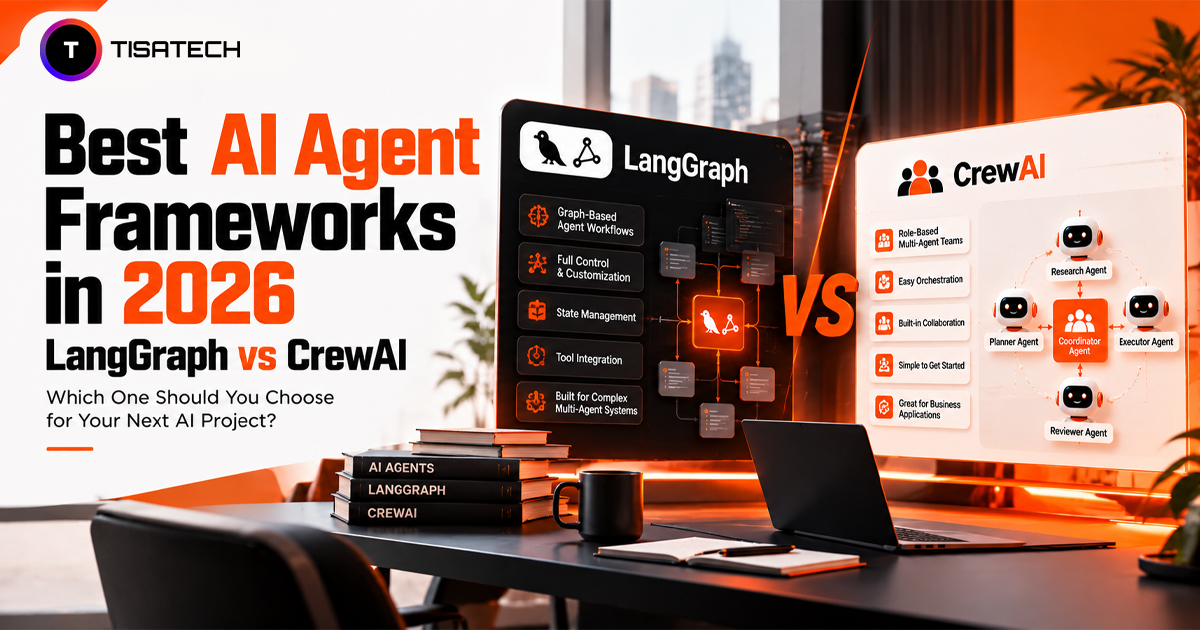
LangGraph and CrewAI take different approaches to building AI agents. LangGraph gives developers more direct control over how a workflow runs, manages state, and handles interruptions. CrewAI lets developers assign roles to agents and organize their work around specific tasks. Both can handle complex workflows, but the right fit depends on the level of control and coordination your project needs.
Quick verdict: Choose LangGraph for workflows that need precise control, branching, and recovery after interruptions. Choose CrewAI when you want agents to work in defined roles and delegate tasks with less setup. Both can work in production, so test how each handles your actual requirements before making a decision.

What Is the Difference Between LangGraph and CrewAI?
LangGraph treats your agent as a graph. Each step is a node. Each path between steps is an edge. You decide what runs next. A step can loop back, split into branches, or end the run. LangChain’s own agents now run on the LangGraph runtime, as the LangChain 1.0 announcement explains. A JavaScript version exists too.
CrewAI treats your agents as a team. Each agent gets a role, a goal, and a task. A researcher finds facts and hands them to a writer. If you’re new to agent development, learning how to build an AI agent using Python can help you understand the basics before working with role-based agents. When a plain crew is not enough, CrewAI Flows add event-driven control.
Both frameworks are open source. You can read the code for LangGraph and CrewAI on GitHub. Both work with many model providers.
How Do LangGraph and CrewAI Compare Side by Side?
| Feature | LangGraph | CrewAI |
|---|---|---|
| Core approach | You draw a graph of steps and paths. Nodes read and update a shared graph state. | You build a team of agents. Each agent gets a role and a task. Flows add step-by-step control. |
| Learning curve | Steeper. You learn state and workflow design first. | Easier for beginners. Roles and tasks feel natural. |
| Workflow control | You control routing, loops, branches, and smaller graphs inside a graph. | Crews run in order or under a manager agent. Flows add event-driven control. |
| State management | Graph state is defined through a schema. Nodes read and update state, while reducers control how updates are combined. | Crews can pass context between tasks, while Flows support stateful, event-driven workflows. |
| Failure recovery | Checkpoints save progress, so a run can resume after a crash. | Checkpointing is available too, but the documentation describes it as an early release. |
| Human approval | The workflow pauses, waits for a person, and then resumes. | A Flow pauses, collects human feedback, and then picks the next step. |
| Debugging | Checkpoints show each step. LangSmith tracing adds more detail. | Execution logs show what each agent did. Checkpoints help too. |
| MCP integration | You connect through the LangChain MCP adapters. | You add MCP servers directly as agent tools. |
| A2A support | Agent Server gives each agent an A2A endpoint. | You install the optional A2A support. |
| Language | Python and JavaScript | Python |
| Framework license | Open-source library. Hosted services cost extra. | Open-source library. Hosted services cost extra. |
| Best fit | Workflows that need tight control and clear state. | Role-based agent teams and fast prototypes. |
LangGraph gives you more control over workflows and state, while CrewAI makes it easier to build teams of AI agents with specific roles and tasks.
How Do State, Debugging, and Human Approval Work in Each One?
CrewAI has added checkpointing and human-feedback features to its Flows. The human feedback documentation explains how a Flow can pause, collect input, and route execution based on the result. CrewAI also documents checkpointing, which helps workflows resume from saved progress. Check the current documentation for maturity and API limitations before relying on these features in production.
LangGraph uses checkpointers to save graph state and supports resuming interrupted workflows.
How Do Integrations and Costs Compare?
The Model Context Protocol (MCP) gives them one standard way to connect to those tools. Both frameworks support it.
LangGraph agents use MCP tools through a separate library called langchain-mcp-adapters. CrewAI makes it simpler. Its docs treat MCP servers as agent tools, so you plug them in directly.
A2A is a newer protocol that lets agents talk to other agents. CrewAI supports A2A delegation through an optional install. A CrewAI agent can also act as an A2A server.
LangGraph handles A2A differently. Its official support lives in Agent Server, which gives each agent an A2A endpoint. The core graph library does not list A2A. A plain LangGraph script needs the server or a community package for it.
Now the money part. Both frameworks are open source, so you pay nothing for the framework itself. Your real cost comes from model API calls, hosting, storage, and monitoring. Hosted platforms can add subscription or usage charges on top.
The LangSmith pricing page lists a free Developer plan with one seat and 5,000 base traces a month. The Plus plan costs $39 per seat each month and includes 10,000 base traces. After that, you pay as you go. LangSmith stores each base trace for 14 days.
The CrewAI pricing page lists a free Basic plan for its hosted platform. It gives you 50 workflow executions a month and two automations. You cannot buy extra executions on this plan. Bigger teams move to a custom Enterprise plan.
The open source CrewAI library runs on your own machine, so these limits do not apply to it.
Both companies change their plans often. This pricing is current as of October 2026, so recheck the pages before you set a budget.
Which One Is Better for Production AI Agents?
LangGraph is a strong fit when you need explicit control over state transitions, branching, interruptions, and workflow resumption. CrewAI is a good fit when your application benefits from role-based agents, task delegation, and Flows for coordinating execution.
Neither framework guarantees production readiness on its own. Your implementation still needs error handling, observability, security controls, testing, and safeguards for external actions.
Before deployment, evaluate both frameworks against the same requirements:
- Can the workflow recover from failures without repeating completed actions?
- Can a human review or reject a sensitive action?
- Can you trace errors across agents, tools, and model calls?
- Can you test changes without breaking existing workflows?
- Can you monitor model usage and control operating costs?
Consider an invoice-processing agent that extracts invoice details, checks them against company records, and requests approval before payment. If the records system fails, the workflow should retry safely without creating duplicate payment requests. If an invoice exceeds the approval limit, it should pause for human review rather than continue automatically. Test these failure paths in both frameworks before choosing one for production.
When Should You Choose LangGraph or CrewAI, and What Can You Build?
Ask three questions. How much control do you need? How soon do you need a demo? How risky is the workflow?
Choose LangGraph for workflows that need controlled branching, recovery, or human approval. Typical projects include support systems that escalate to humans, loan or insurance reviews, and data pipelines that retry failed steps.
Choose CrewAI when you want a working demo fast. Typical builds include market research reports, blog pipelines where one agent researches and another writes, lead research for a small business, and simple office automation.
However, neither framework automatically provides financial compliance or guarantees correct decisions.
Can You Use Both Frameworks Together?
Yes, you can. Some teams prototype in CrewAI first and then move the complex parts to LangGraph. Redwerk’s comparison describes this same “prototype first, migrate later” pattern.
For example, a team could use CrewAI to coordinate research and report-writing agents, then call a separate LangGraph workflow for a review process that requires explicit checkpoints and human approval. The integration needs a clearly defined interface for inputs, outputs, errors, and retries.
Combining them also has a cost. The two frameworks use different building blocks, so their components do not map to each other one to one. You will write extra glue code and maintain two systems.Start with one framework. Add the second only when it solves a specific problem.
If you do combine them, keep each agent’s job small and separate. Define clear inputs and outputs between the two parts. This way, you can swap or fix one piece without breaking the rest.Teams that need help connecting agents to business tools can explore AI workflow automation and AI integration services.
| Follow Us for Daily Tech Tips |





|
How Can TISA-TECH Help You Learn AI Agent Development in Jaipur?
Building AI agents requires more than knowing how to use AI tools. You need to connect models with code, manage tasks and check how your application responds to different inputs. TISA-TECH’s Generative AI course helps you develop these skills through Python, AI model integration and practical application development. This foundation can prepare you to work with frameworks such as CrewAI and LangGraph.
As you work on projects, mentor feedback can help you find errors, improve your code and understand why an approach works. Start with a simple Python-based agent, then move on to a multi-agent project. Once you understand the basics, build a similar project with CrewAI and LangGraph to compare how they manage tasks, state and errors.
Test your final project, document your approach and add the code to your portfolio. If you’re preparing for your first tech role, explore TISA-TECH’s placement support to learn more about the institute’s career support and placement opportunities.
Conclusion
LangGraph and CrewAI offer different ways to build AI agent workflows. LangGraph suits projects that need explicit control over state and execution, while CrewAI fits workflows organized around specialist agents and tasks.
Start with your project’s requirements, build a small prototype, and test its failure handling before expanding it. If you’re learning AI agent development, practise with both frameworks to understand their strengths and trade-offs.
FAQs Section
Ans. CrewAI suits beginners better because roles and tasks are easy to picture. Start there, then move to LangGraph once you want more control.
Ans. Functions, dictionaries, loops, and basic error handling are enough. You do not need advanced Python to build your first agent.
Ans. It is not mandatory, but it helps. LangChain’s own agents run on LangGraph, so many tutorials mix the two.
Ans. Yes, both core libraries are free and open source. You only pay when you use paid model APIs or hosted platforms, so check usage limits before you start.
Ans. Build a small research agent that finds facts and hands them to a writer agent. Then rebuild the same project in the other framework and compare the results.
Ans. A working project matters more than the framework name. Add tests and a short write-up to show how your agent handles errors.